<?xml version="1.0"?>
<News hasArchived="true" page="7705" pageCount="10777" pageSize="10" timestamp="Mon, 31 Aug 2026 08:34:35 -0400" url="https://my3.my.umbc.edu/posts.xml?mode=activity&amp;page=7705&amp;range=2">
<NewsItem contentIssues="true" id="42496" important="false" status="posted" url="https://my3.my.umbc.edu/posts/42496">
<Title>Revisiting JavaScript Minification</Title>
<Body>
<![CDATA[
    <div class="html-content">
    <p>Lately I've been seeing that many developers are not minifying their JavaScript code. This process of minification, reduces the size of the HTTP request for your JavaScript, improving your website's performance. So, let's revisit minifying your JavaScript.</p>
    
    <div class="embed-container"><iframe src="//www.youtube.com/embed/36EAdpeXxvU" frameborder="0" webkitallowfullscreen="webkitAllowFullScreen" mozallowfullscreen="mozallowfullscreen" allowfullscreen="allowFullScreen">[Video]</iframe></div>
    
    <h2>In Closing</h2>
    <p>Hopefully this quick screencast on minifying your JavaScript has helped you out. Remember, performance is very important, we want to have our websites running at their best. Thanks for watching.</p>
    </div>
]]>
</Body>
<Summary>Lately I've been seeing that many developers are not minifying their JavaScript code. This process of minification, reduces the size of the HTTP request for your JavaScript, improving your...</Summary>
<Website>http://code.tutsplus.com/tutorials/revisiting-javascript-minification--cms-20072</Website>
<TrackingUrl>https://my3.my.umbc.edu/api/v0/pixel/news/42496/guest@my.umbc.edu/20abd9a003fc606b8e057b217f27f21c/api/pixel</TrackingUrl>
<Tag>css</Tag>
<Tag>development</Tag>
<Tag>html</Tag>
<Tag>javascript</Tag>
<Tag>mysql</Tag>
<Tag>php</Tag>
<Tag>sql</Tag>
<Tag>wed</Tag>
<Group token="retired-583">Web Developer - Build Group</Group>
<GroupUrl>https://my3.my.umbc.edu/groups/retired-583</GroupUrl>
<AvatarUrl>https://assets3-my.umbc.edu/system/shared/avatars/groups/000/000/583/fc60f5d7abc2e080599bb6dc465db54d/xsmall.png?1363101197</AvatarUrl>
<AvatarUrl size="original">https://assets4-my.umbc.edu/system/shared/avatars/groups/000/000/583/fc60f5d7abc2e080599bb6dc465db54d/original.jpg?1363101197</AvatarUrl>
<AvatarUrl size="xxlarge">https://assets4-my.umbc.edu/system/shared/avatars/groups/000/000/583/fc60f5d7abc2e080599bb6dc465db54d/xxlarge.png?1363101197</AvatarUrl>
<AvatarUrl size="xlarge">https://assets4-my.umbc.edu/system/shared/avatars/groups/000/000/583/fc60f5d7abc2e080599bb6dc465db54d/xlarge.png?1363101197</AvatarUrl>
<AvatarUrl size="large">https://assets3-my.umbc.edu/system/shared/avatars/groups/000/000/583/fc60f5d7abc2e080599bb6dc465db54d/large.png?1363101197</AvatarUrl>
<AvatarUrl size="medium">https://assets3-my.umbc.edu/system/shared/avatars/groups/000/000/583/fc60f5d7abc2e080599bb6dc465db54d/medium.png?1363101197</AvatarUrl>
<AvatarUrl size="small">https://assets4-my.umbc.edu/system/shared/avatars/groups/000/000/583/fc60f5d7abc2e080599bb6dc465db54d/small.png?1363101197</AvatarUrl>
<AvatarUrl size="xsmall">https://assets3-my.umbc.edu/system/shared/avatars/groups/000/000/583/fc60f5d7abc2e080599bb6dc465db54d/xsmall.png?1363101197</AvatarUrl>
<AvatarUrl size="xxsmall">https://assets4-my.umbc.edu/system/shared/avatars/groups/000/000/583/fc60f5d7abc2e080599bb6dc465db54d/xxsmall.png?1363101197</AvatarUrl>
<Sponsor>Web Developer - Build Group</Sponsor>
<PawCount>0</PawCount>
<CommentCount>0</CommentCount>
<CommentsAllowed>true</CommentsAllowed>
<PostedAt>Mon, 17 Mar 2014 11:00:13 -0400</PostedAt>
</NewsItem>

<NewsItem contentIssues="false" id="42495" important="false" status="posted" url="https://my3.my.umbc.edu/posts/42495">
<Title>Fluidity</Title>
<Body>
<![CDATA[
    <div class="html-content">
    <p>It's a fun little soundbite to talk about how the web is responsive right out of the box. With no authored CSS at all, a website will flow to whatever screen width is available. If your site isn't responsive, <em>you</em> broke it.</p>
    <p>Well that's almost true, but as Adam Morse says in this new project:</p>
    <blockquote><p>HTML is <strong>almost</strong> 100% responsive out of the box. These 115 bytes of css fix the 'almost' part.</p></blockquote>
    <p>Things like images and tables can have a set widths that would force a layout wider than a viewport. And of course, <a href="http://css-tricks.com/snippets/html/responsive-meta-tag/" rel="nofollow external" class="bo">the meta tag</a>. </p>
    <p>And look at that TLD!</p>
    <p><a href="http://fluidity.sexy/" title="Direct link to featured article" rel="nofollow external" class="bo">Direct Link to Article</a> — <a href="http://css-tricks.com/fluidity/" rel="nofollow external" class="bo">Permalink</a></p>
    <hr>
    <p><small><a href="http://css-tricks.com/fluidity/" rel="nofollow external" class="bo">Fluidity</a> is a post from <a href="http://css-tricks.com" rel="nofollow external" class="bo">CSS-Tricks</a></small></p>
    </div>
]]>
</Body>
<Summary>It's a fun little soundbite to talk about how the web is responsive right out of the box. With no authored CSS at all, a website will flow to whatever screen width is available. If your site isn't...</Summary>
<Website>http://fluidity.sexy/</Website>
<TrackingUrl>https://my3.my.umbc.edu/api/v0/pixel/news/42495/guest@my.umbc.edu/836cb6a40b4a5c3a41fc7327d7dc00a3/api/pixel</TrackingUrl>
<Tag>css</Tag>
<Tag>html</Tag>
<Tag>javascript</Tag>
<Tag>link</Tag>
<Tag>mysql</Tag>
<Tag>php</Tag>
<Tag>sql</Tag>
<Tag>tricks</Tag>
<Group token="retired-583">Web Developer - Build Group</Group>
<GroupUrl>https://my3.my.umbc.edu/groups/retired-583</GroupUrl>
<AvatarUrl>https://assets3-my.umbc.edu/system/shared/avatars/groups/000/000/583/fc60f5d7abc2e080599bb6dc465db54d/xsmall.png?1363101197</AvatarUrl>
<AvatarUrl size="original">https://assets4-my.umbc.edu/system/shared/avatars/groups/000/000/583/fc60f5d7abc2e080599bb6dc465db54d/original.jpg?1363101197</AvatarUrl>
<AvatarUrl size="xxlarge">https://assets4-my.umbc.edu/system/shared/avatars/groups/000/000/583/fc60f5d7abc2e080599bb6dc465db54d/xxlarge.png?1363101197</AvatarUrl>
<AvatarUrl size="xlarge">https://assets4-my.umbc.edu/system/shared/avatars/groups/000/000/583/fc60f5d7abc2e080599bb6dc465db54d/xlarge.png?1363101197</AvatarUrl>
<AvatarUrl size="large">https://assets3-my.umbc.edu/system/shared/avatars/groups/000/000/583/fc60f5d7abc2e080599bb6dc465db54d/large.png?1363101197</AvatarUrl>
<AvatarUrl size="medium">https://assets3-my.umbc.edu/system/shared/avatars/groups/000/000/583/fc60f5d7abc2e080599bb6dc465db54d/medium.png?1363101197</AvatarUrl>
<AvatarUrl size="small">https://assets4-my.umbc.edu/system/shared/avatars/groups/000/000/583/fc60f5d7abc2e080599bb6dc465db54d/small.png?1363101197</AvatarUrl>
<AvatarUrl size="xsmall">https://assets3-my.umbc.edu/system/shared/avatars/groups/000/000/583/fc60f5d7abc2e080599bb6dc465db54d/xsmall.png?1363101197</AvatarUrl>
<AvatarUrl size="xxsmall">https://assets4-my.umbc.edu/system/shared/avatars/groups/000/000/583/fc60f5d7abc2e080599bb6dc465db54d/xxsmall.png?1363101197</AvatarUrl>
<Sponsor>Web Developer - Build Group</Sponsor>
<PawCount>0</PawCount>
<CommentCount>0</CommentCount>
<CommentsAllowed>true</CommentsAllowed>
<PostedAt>Mon, 17 Mar 2014 10:16:52 -0400</PostedAt>
</NewsItem>

<NewsItem contentIssues="true" id="42501" important="false" status="posted" url="https://my3.my.umbc.edu/posts/42501">
<Title>Alumni Take Flight with Robo Raven III</Title>
<Body>
<![CDATA[
    <div class="html-content">Man has long envied the avian ability of flight. Wings offer the opportunity for flight, yes, but also for exploration and a different point of view. Now, three UMBC alumni are working to borrow that vantage point through the Robo … <a href="http://umbcalumni.wordpress.com/2014/03/17/alumni-take-flight-with-robo-raven-iii/" rel="nofollow external" class="bo">Continue reading <span>→</span></a>
    </div>
]]>
</Body>
<Summary>Man has long envied the avian ability of flight. Wings offer the opportunity for flight, yes, but also for exploration and a different point of view. Now, three UMBC alumni are working to borrow...</Summary>
<Website>http://umbcalumni.wordpress.com/2014/03/17/alumni-take-flight-with-robo-raven-iii/</Website>
<TrackingUrl>https://my3.my.umbc.edu/api/v0/pixel/news/42501/guest@my.umbc.edu/69aec3f034685bb962ec9d038e38ddc9/api/pixel</TrackingUrl>
<Tag>10s-alums</Tag>
<Tag>alex-holness</Tag>
<Tag>ariel-perez-rosado</Tag>
<Tag>graduate-school</Tag>
<Tag>luke-roberts</Tag>
<Tag>math-and-sciences</Tag>
<Tag>meyerhoff-scholars</Tag>
<Tag>micro-aerial-vehicle</Tag>
<Tag>robo-raven</Tag>
<Tag>robotic-bird</Tag>
<Tag>robotics</Tag>
<Tag>umbc-alumni</Tag>
<Tag>university-of-maryland-baltimore-county</Tag>
<Tag>university-of-maryland-college-park</Tag>
<Group token="retired-20">UMBC Alumni</Group>
<GroupUrl>https://my3.my.umbc.edu/groups/retired-20</GroupUrl>
<AvatarUrl>https://assets4-my.umbc.edu/system/shared/avatars/groups/000/000/020/08fe2621d8e716b02ec0da35256a998d/xsmall.png?1280681147</AvatarUrl>
<AvatarUrl size="original">https://assets4-my.umbc.edu/system/shared/avatars/groups/000/000/020/08fe2621d8e716b02ec0da35256a998d/original.png?1280681147</AvatarUrl>
<AvatarUrl size="xxlarge">https://assets4-my.umbc.edu/system/shared/avatars/groups/000/000/020/08fe2621d8e716b02ec0da35256a998d/xxlarge.png?1280681147</AvatarUrl>
<AvatarUrl size="xlarge">https://assets4-my.umbc.edu/system/shared/avatars/groups/000/000/020/08fe2621d8e716b02ec0da35256a998d/xlarge.png?1280681147</AvatarUrl>
<AvatarUrl size="large">https://assets1-my.umbc.edu/system/shared/avatars/groups/000/000/020/08fe2621d8e716b02ec0da35256a998d/large.png?1280681147</AvatarUrl>
<AvatarUrl size="medium">https://assets4-my.umbc.edu/system/shared/avatars/groups/000/000/020/08fe2621d8e716b02ec0da35256a998d/medium.png?1280681147</AvatarUrl>
<AvatarUrl size="small">https://assets4-my.umbc.edu/system/shared/avatars/groups/000/000/020/08fe2621d8e716b02ec0da35256a998d/small.png?1280681147</AvatarUrl>
<AvatarUrl size="xsmall">https://assets4-my.umbc.edu/system/shared/avatars/groups/000/000/020/08fe2621d8e716b02ec0da35256a998d/xsmall.png?1280681147</AvatarUrl>
<AvatarUrl size="xxsmall">https://assets4-my.umbc.edu/system/shared/avatars/groups/000/000/020/08fe2621d8e716b02ec0da35256a998d/xxsmall.png?1280681147</AvatarUrl>
<Sponsor>UMBC Alumni</Sponsor>
<PawCount>0</PawCount>
<CommentCount>0</CommentCount>
<CommentsAllowed>false</CommentsAllowed>
<PostedAt>Mon, 17 Mar 2014 10:14:42 -0400</PostedAt>
</NewsItem>

<NewsItem contentIssues="false" id="106843" important="false" status="posted" url="https://my3.my.umbc.edu/posts/106843">
<Title>Alumni Take Flight with Robo Raven III</Title>
<Body>
<![CDATA[
    <div class="html-content">Man has long envied the avian ability of flight. Wings offer the opportunity for flight, yes, but also for exploration …</div>
]]>
</Body>
<Summary>Man has long envied the avian ability of flight. Wings offer the opportunity for flight, yes, but also for exploration …</Summary>
<Website>https://magazine.umbc.edu/alumni-take-flight-with-robo-raven-iii/</Website>
<TrackingUrl>https://my3.my.umbc.edu/api/v0/pixel/news/106843/guest@my.umbc.edu/d1e9e94d4800f0ace28838635c315fe7/api/pixel</TrackingUrl>
<Tag>alex-holness</Tag>
<Tag>alumni</Tag>
<Tag>ariel-perez-rosado</Tag>
<Tag>graduate-school</Tag>
<Tag>luke-roberts</Tag>
<Tag>meyerhoff-scholars</Tag>
<Tag>micro-aerial-vehicle</Tag>
<Tag>robo-raven</Tag>
<Tag>robotic-bird</Tag>
<Tag>robotics</Tag>
<Tag>umbc-alumni</Tag>
<Tag>university-of-maryland-baltimore-county</Tag>
<Tag>university-of-maryland-college-park</Tag>
<Group token="retired-1945">UMBC Magazine</Group>
<GroupUrl>https://my3.my.umbc.edu/groups/retired-1945</GroupUrl>
<AvatarUrl>https://assets1-my.umbc.edu/images/avatars/group/8/xsmall.png?1787842820</AvatarUrl>
<AvatarUrl size="original">https://assets4-my.umbc.edu/images/avatars/group/8/original.png?1787842820</AvatarUrl>
<AvatarUrl size="xxlarge">https://assets3-my.umbc.edu/images/avatars/group/8/xxlarge.png?1787842820</AvatarUrl>
<AvatarUrl size="xlarge">https://assets3-my.umbc.edu/images/avatars/group/8/xlarge.png?1787842820</AvatarUrl>
<AvatarUrl size="large">https://assets2-my.umbc.edu/images/avatars/group/8/large.png?1787842820</AvatarUrl>
<AvatarUrl size="medium">https://assets3-my.umbc.edu/images/avatars/group/8/medium.png?1787842820</AvatarUrl>
<AvatarUrl size="small">https://assets3-my.umbc.edu/images/avatars/group/8/small.png?1787842820</AvatarUrl>
<AvatarUrl size="xsmall">https://assets1-my.umbc.edu/images/avatars/group/8/xsmall.png?1787842820</AvatarUrl>
<AvatarUrl size="xxsmall">https://assets4-my.umbc.edu/images/avatars/group/8/xxsmall.png?1787842820</AvatarUrl>
<Sponsor>UMBC Magazine</Sponsor>
<PawCount>0</PawCount>
<CommentCount>0</CommentCount>
<CommentsAllowed>false</CommentsAllowed>
<PostedAt>Mon, 17 Mar 2014 10:14:42 -0400</PostedAt>
</NewsItem>

<NewsItem contentIssues="true" id="42497" important="false" status="posted" url="https://my3.my.umbc.edu/posts/42497">
<Title>Putative Bitcoin Founder Categorically Denies It</Title>
<Body>
<![CDATA[
    <div class="html-content">Dorian Nakamoto appeared to be laying the groundwork for a lawsuit against Newsweek, saying its article had harmed him. He stopped short of saying he would sue.<br><div><table border="0"><tbody><tr><td>
    <a href="http://share.feedsportal.com/share/twitter/?u=http%3A%2F%2Fwww.nytimes.com%2F2014%2F03%2F18%2Fbusiness%2Fmedia%2Fman-named-by-newsweek-issues-denial-on-bitcoin-claim.html%3Fpartner%3Drss%26emc%3Drss&amp;t=Putative+Bitcoin+Founder+Categorically+Denies+It" rel="nofollow external" class="bo"><img src="http://res3.feedsportal.com/social/twitter.png" style="max-width: 100%; height: auto;"></a> <a href="http://share.feedsportal.com/share/facebook/?u=http%3A%2F%2Fwww.nytimes.com%2F2014%2F03%2F18%2Fbusiness%2Fmedia%2Fman-named-by-newsweek-issues-denial-on-bitcoin-claim.html%3Fpartner%3Drss%26emc%3Drss&amp;t=Putative+Bitcoin+Founder+Categorically+Denies+It" rel="nofollow external" class="bo"><img src="http://res3.feedsportal.com/social/facebook.png" style="max-width: 100%; height: auto;"></a> <a href="http://share.feedsportal.com/share/linkedin/?u=http%3A%2F%2Fwww.nytimes.com%2F2014%2F03%2F18%2Fbusiness%2Fmedia%2Fman-named-by-newsweek-issues-denial-on-bitcoin-claim.html%3Fpartner%3Drss%26emc%3Drss&amp;t=Putative+Bitcoin+Founder+Categorically+Denies+It" rel="nofollow external" class="bo"><img src="http://res3.feedsportal.com/social/linkedin.png" style="max-width: 100%; height: auto;"></a> <a href="http://share.feedsportal.com/share/gplus/?u=http%3A%2F%2Fwww.nytimes.com%2F2014%2F03%2F18%2Fbusiness%2Fmedia%2Fman-named-by-newsweek-issues-denial-on-bitcoin-claim.html%3Fpartner%3Drss%26emc%3Drss&amp;t=Putative+Bitcoin+Founder+Categorically+Denies+It" rel="nofollow external" class="bo"><img src="http://res3.feedsportal.com/social/googleplus.png" style="max-width: 100%; height: auto;"></a> <a href="http://share.feedsportal.com/share/email/?u=http%3A%2F%2Fwww.nytimes.com%2F2014%2F03%2F18%2Fbusiness%2Fmedia%2Fman-named-by-newsweek-issues-denial-on-bitcoin-claim.html%3Fpartner%3Drss%26emc%3Drss&amp;t=Putative+Bitcoin+Founder+Categorically+Denies+It" rel="nofollow external" class="bo"><img src="http://res3.feedsportal.com/social/email.png" style="max-width: 100%; height: auto;"></a>
    </td></tr></tbody></table></div>
    <br><br><a href="http://da.feedsportal.com/r/191801498374/u/0/f/640387/c/34625/s/38463e5f/sc/21/rc/1/rc.htm" rel="nofollow external" class="bo"><img src="http://da.feedsportal.com/r/191801498374/u/0/f/640387/c/34625/s/38463e5f/sc/21/rc/1/rc.img" style="max-width: 100%; height: auto;"></a><br><a href="http://da.feedsportal.com/r/191801498374/u/0/f/640387/c/34625/s/38463e5f/sc/21/rc/2/rc.htm" rel="nofollow external" class="bo"><img src="http://da.feedsportal.com/r/191801498374/u/0/f/640387/c/34625/s/38463e5f/sc/21/rc/2/rc.img" style="max-width: 100%; height: auto;"></a><br><a href="http://da.feedsportal.com/r/191801498374/u/0/f/640387/c/34625/s/38463e5f/sc/21/rc/3/rc.htm" rel="nofollow external" class="bo"><img src="http://da.feedsportal.com/r/191801498374/u/0/f/640387/c/34625/s/38463e5f/sc/21/rc/3/rc.img" style="max-width: 100%; height: auto;"></a><br><br><a href="http://da.feedsportal.com/r/191801498374/u/0/f/640387/c/34625/s/38463e5f/a2.htm" rel="nofollow external" class="bo"><img src="http://da.feedsportal.com/r/191801498374/u/0/f/640387/c/34625/s/38463e5f/a2.img" style="max-width: 100%; height: auto;"></a>
    </div>
]]>
</Body>
<Summary>Dorian Nakamoto appeared to be laying the groundwork for a lawsuit against Newsweek, saying its article had harmed him. He stopped short of saying he would sue.      </Summary>
<Website>http://rss.nytimes.com/c/34625/f/640387/s/38463e5f/sc/21/l/0L0Snytimes0N0C20A140C0A30C180Cbusiness0Cmedia0Cman0Enamed0Eby0Enewsweek0Eissues0Edenial0Eon0Ebitcoin0Eclaim0Bhtml0Dpartner0Frss0Gemc0Frss/story01.htm</Website>
<TrackingUrl>https://my3.my.umbc.edu/api/v0/pixel/news/42497/guest@my.umbc.edu/9264242be598f7f1695260c19d0936b3/api/pixel</TrackingUrl>
<Tag>bitcoin-currency</Tag>
<Tag>nakamoto-dorian-satoshi</Tag>
<Tag>new</Tag>
<Tag>newsweek</Tag>
<Tag>suits-and-litigation-civil</Tag>
<Tag>technology</Tag>
<Tag>twitter-twtr-nyse</Tag>
<Tag>york</Tag>
<Group token="retired-583">Web Developer - Build Group</Group>
<GroupUrl>https://my3.my.umbc.edu/groups/retired-583</GroupUrl>
<AvatarUrl>https://assets3-my.umbc.edu/system/shared/avatars/groups/000/000/583/fc60f5d7abc2e080599bb6dc465db54d/xsmall.png?1363101197</AvatarUrl>
<AvatarUrl size="original">https://assets4-my.umbc.edu/system/shared/avatars/groups/000/000/583/fc60f5d7abc2e080599bb6dc465db54d/original.jpg?1363101197</AvatarUrl>
<AvatarUrl size="xxlarge">https://assets4-my.umbc.edu/system/shared/avatars/groups/000/000/583/fc60f5d7abc2e080599bb6dc465db54d/xxlarge.png?1363101197</AvatarUrl>
<AvatarUrl size="xlarge">https://assets4-my.umbc.edu/system/shared/avatars/groups/000/000/583/fc60f5d7abc2e080599bb6dc465db54d/xlarge.png?1363101197</AvatarUrl>
<AvatarUrl size="large">https://assets3-my.umbc.edu/system/shared/avatars/groups/000/000/583/fc60f5d7abc2e080599bb6dc465db54d/large.png?1363101197</AvatarUrl>
<AvatarUrl size="medium">https://assets3-my.umbc.edu/system/shared/avatars/groups/000/000/583/fc60f5d7abc2e080599bb6dc465db54d/medium.png?1363101197</AvatarUrl>
<AvatarUrl size="small">https://assets4-my.umbc.edu/system/shared/avatars/groups/000/000/583/fc60f5d7abc2e080599bb6dc465db54d/small.png?1363101197</AvatarUrl>
<AvatarUrl size="xsmall">https://assets3-my.umbc.edu/system/shared/avatars/groups/000/000/583/fc60f5d7abc2e080599bb6dc465db54d/xsmall.png?1363101197</AvatarUrl>
<AvatarUrl size="xxsmall">https://assets4-my.umbc.edu/system/shared/avatars/groups/000/000/583/fc60f5d7abc2e080599bb6dc465db54d/xxsmall.png?1363101197</AvatarUrl>
<Sponsor>Web Developer - Build Group</Sponsor>
<PawCount>0</PawCount>
<CommentCount>0</CommentCount>
<CommentsAllowed>true</CommentsAllowed>
<PostedAt>Mon, 17 Mar 2014 10:04:05 -0400</PostedAt>
<EditAt>Mon, 17 Mar 2014 20:30:42 -0400</EditAt>
</NewsItem>

<NewsItem contentIssues="true" id="42500" important="false" status="posted" url="https://my3.my.umbc.edu/posts/42500">
<Title>Getting Your App Ready For iOS 7&#8242;s New Dynamic Interactions</Title>
<Body>
<![CDATA[
    <div class="html-content">
    <table width="650">
    <tbody>
    <tr>
    <td>
    <div>
    <img src="http://statisches.auslieferung.commindo-media-ressourcen.de/advertisement.gif" alt="" style="max-width: 100%; height: auto;"><br><a href="http://auslieferung.commindo-media-ressourcen.de/random.php?mode=target&amp;collection=smashing-rss&amp;position=1" rel="nofollow external" class="bo"><img src="http://auslieferung.commindo-media-ressourcen.de/random.php?mode=image&amp;collection=smashing-rss&amp;position=1" alt="" style="max-width: 100%; height: auto;"></a> <a href="http://auslieferung.commindo-media-ressourcen.de/random.php?mode=target&amp;collection=smashing-rss&amp;position=2" rel="nofollow external" class="bo"><img src="http://auslieferung.commindo-media-ressourcen.de/random.php?mode=image&amp;collection=smashing-rss&amp;position=2" alt="" style="max-width: 100%; height: auto;"></a> <a href="http://auslieferung.commindo-media-ressourcen.de/random.php?mode=target&amp;collection=smashing-rss&amp;position=3" rel="nofollow external" class="bo"><img src="http://auslieferung.commindo-media-ressourcen.de/random.php?mode=image&amp;collection=smashing-rss&amp;position=3" alt="" style="max-width: 100%; height: auto;"></a>
    </div>
    </td>
    </tr>
    </tbody>
    </table>
    <p>There’s no need to bust out a physics textbook to make your iOS 7 app’s views animate like real-world objects. With iOS 7’s new Dynamics API, views can be influenced by gravity, attached to each other with springs, and bounced up against boundaries and each other.</p>
    <p>Physics engines are no stranger to game designers. Whether it’s the perfect gravity-induced parabolas of Angry Birds or the swinging candy in Cut the Rope, we’re used to objects in games feeling real. To get this effect, <strong>game designers don’t write code to set the position of each object manually</strong>. Instead, they use a physics engine that treats the elements as bodies in a simulation and that uses Newton’s laws of motion to calculate how they move over time.</p>
    <p><img src="http://media.smashingmagazine.com/wp-content/uploads/2014/03/angry-birds-opt.jpg" alt="Angry Birds screenshot" width="500" style="max-width: 100%; height: auto;"><br><em>The birds travel along a trajectory determined by physics (<a href="http://www.angrybirds.com/" rel="nofollow external" class="bo">Image credits</a>).</em></p>
    <p>In using the engine, designers specify an object’s bounciness, its density, the level of gravity, and how things are attached to each other. In iOS 7, Apple made that technology available to UIKit-based apps as well. With these new UIKit features, we can <strong>integrate dynamic behavior</strong> without having to learn how to program a game engine. If you use them carefully, your UX will be more immersive and intuitive because users will interact with it as they would with objects in the real world.</p>
    <h3>Where Would You Use This?</h3>
    <p>If you are looking for places in your app to upgrade to feel more iOS 7-native, any animation is a candidate. You can see it all over the built-in apps, which will give you some ideas. I’d look anywhere that you’re already using several parallel animations with overlapping timelines and timed triggers to start other ones. Are you trying to do something that the Dynamics system would do for you automatically?</p>
    <p>Another great candidate is anywhere you are using pan gestures to manipulate views, particularly with screen transitions. Play around with the camera icon on your phone’s lock screen to see an example. Tapping it will create an impulse force from the bottom, which gravity eventually overcomes. Dragging it up and dropping it shows how the view has an elastic bottom that bounces against the phone’s edge. You can even give the view an initial velocity by slamming it down.</p>
    <h4>See It in Action</h4>
    <p>I’ve put together a simple <a href="http://loufranco.com/smashing-magazine-example-of-uidynamics" rel="nofollow external" class="bo">video demo of Dynamics</a> to show how you can use it for view transitions. The first part of the video shows what you could do easily in iOS 6 and below. It simply attaches a pan gesture to the view and uses its <code>y-translation</code> to set the center of the view. This <strong>gives the illusion that you are directly moving it</strong>. Then, when you end the pan gesture by lifting your finger, it triggers a Core Animation that returns the center to its starting position. This automatically slides the view down as if it’s falling.</p>
    <p><a href="http://loufranco.com/smashing-magazine-example-of-uidynamics" rel="nofollow external" class="bo"><img src="http://media.smashingmagazine.com/wp-content/uploads/2014/03/ios7-dynamics-opt.jpg" alt="Sample Video of Dynamics in action" width="500" style="max-width: 100%; height: auto;"></a><br><em><a rel="nofollow external" class="bo">Video demo</a> of <code>UIDynamics</code> in action.</em></p>
    <p>The second part is similar but is done with the Dynamics physics engine. We’re still making a pan gesture, but we attach it to the view with a spring. Then, we make the bottom of the screen a solid barrier to collide against and add gravity. Now, when we grab the view, it follows our finger as before (but with a springy connection), and when we let go, the view falls with an acceleration determined by the gravity field. When it lands, it bounces. We can also throw the view by letting go while our finger is moving, and the velocity of our finger will be imparted to the view.</p>
    <p>You can get the project by cloning <a href="https://github.com/loufranco/DynamicUtility" rel="nofollow external" class="bo">DynamicUtility on GitHub</a>. If you don’t have Xcode, you can install it on your machine through the Mac App Store. In Xcode, open <code>DynamicUtility.xcodeproj</code>, and run it in the simulator (<code>Command + R</code>). If you have a developer account with Apple, the effect is even better on a phone.</p>
    <h3>Piecing It Together With Core Animation Before iOS 7</h3>
    <p>Core Animation is a powerful system, and you can absolutely get exactly the same results using it (with a lot of work). The advantage of the Dynamics system is that <strong>you are able to express what you want in terms of physical attributes</strong>, and layering more and more complex behavior and playing around with it are much easier. In an equivalent Core Animation set-up, the variables that govern the behavior aren’t as clear. Let’s look at a simple example.</p>
    <p>In the Xcode Utility Application template, we start with two views, the main and flip side of an application. Let’s add a way for the user to pan the main view up to get to the flip side view using gestures and Core Animation.</p>
    <p>To start, all we need to do is add a <code>pan</code> gesture to the storyboard and attach it to our view. Then, we can set up its <code>selector</code> action to send this message:</p>
    <pre><code>&#x000A;    - (IBAction)onPan:(UIPanGestureRecognizer*)pan {&#x000A;        static CGFloat startY;&#x000A;        CGPoint delta = [pan translationInView:self.view.superview];&#x000A;       &#x000A;        if (pan.state == UIGestureRecognizerStateBegan) {&#x000A;            startY = self.view.center.y;&#x000A;            [pan setTranslation:CGPointZero inView:pan.view.superview];&#x000A;        }&#x000A;        else if (pan.state == UIGestureRecognizerStateChanged) {&#x000A;            CGFloat newY = self.view.center.y + delta.y;&#x000A;           &#x000A;            // detect a collision with the bottom&#x000A;            if (newY &gt; startY) {&#x000A;                newY = startY;&#x000A;            }&#x000A;            // attach the pan to the view&#x000A;            self.view.center = CGPointMake(self.view.center.x, newY);&#x000A;           &#x000A;            [pan setTranslation:CGPointZero inView:pan.view.superview];&#x000A;        } else if (pan.state == UIGestureRecognizerStateEnded) {&#x000A;            // gravity?&#x000A;            [UIView animateWithDuration:.3 animations:^{&#x000A;                self.view.center = CGPointMake(self.view.center.x, startY);&#x000A;            }];&#x000A;        }&#x000A;    }&#x000A;    </code></pre>
    <p>This is a simple implementation of an interaction that enables you to drag a view that drops back into place when let go. The first comment shows where we stop the user from dragging it down below the screen’s edge. The second one shows how we’re attaching it to the finger. The final comment shows where we animate it back into place.</p>
    <p>This is a great start, but consider how you’d implement the following features:</p>
    <ol>
    <li>imparting your finger’s velocity to the view when you let it go,</li>
    <li>attaching the view to your finger with a spring,</li>
    <li>accelerating the drop based on a gravitational force,</li>
    <li>detecting collisions against the boundaries and bouncing the view against them.</li>
    </ol>
    <p>Even after you did this, changing the animation so that gravity is stronger, the springs are springier, and every variable is exactly right would leave you with a code mess, or, to paraphrase Philip Greenspun, you’d end up with a poorly specified, half-implemented physics engine. We can use the Dynamics system instead.</p>
    <h3>iOS 7’s New Dynamics System Makes This Much Easier</h3>
    <p>The Dynamics system enables us to define a complex system of behavior by combining a few simple concepts. Let’s use a few to recreate the sliding effect in a more lifelike way.</p>
    <h4>Setting It Up</h4>
    <p>The Dynamics system is made up of three basic parts. <code>UIDynamicAnimator</code> controls the whole system by running the physics simulation and moving and rotating the objects. Each body in the simulation is represented by <code>UIDynamicItem</code>, a protocol implemented by <code>UIView</code>. Finally, we specify what we want to happen by creating and adding <code>UIDynamicBehavior</code> objects to the animator.</p>
    <p>We’ll combine a few behaviors to get the effect we want:</p>
    <ul>
    <li>
    <code>UIAttachmentBehavior</code><br>This lets us attach items to each other or to an anchor point. The attachment may be either a stiff strut or springy.</li>
    <li>
    <code>UICollisionBehavior</code><br>This adds a boundary that contains the views. If we had more than one view, we could use this to make them bounce against each other.</li>
    <li>
    <code>UIGravityBehavior</code><br>This specifies a gravitational field. If a view isn’t attached to something and isn’t up against a boundary, then gravity will draw it down (or in whatever direction we want).</li>
    <li>
    <code>UIDynamicItemBehavior</code><br>This describes attributes of the item it’s attached to. It controls whether the item may be rotated, how elastic it is and how much it resists movement.</li>
    </ul>
    <p>To use the Dynamics system, we construct the behaviors we want and attach them to the items that they will affect. Then, we add them to the animator.</p>
    <h4>A Simple Gravity Demo</h4>
    <p>Let’s build a simple demo so that you get the hang of it before we jump into a view transition. First, you’ll need these properties in your header:</p>
    <pre><code>&#x000A;    @property (strong, nonatomic) UIView *body;&#x000A;    @property (strong, nonatomic) UIDynamicAnimator *gravityAnimator;&#x000A;    </code></pre>
    <p>Next, in your <code>viewDidLoad</code> message, add a call to this message:</p>
    <pre><code>&#x000A;    -(void)addBodyView&#x000A;    {&#x000A;      self.body = [[UIView alloc] initWithFrame:CGRectMake(155, 40, 10, 10)];&#x000A;      self.body.backgroundColor = [UIColor blackColor];&#x000A;      [self.view addSubview:self.body];&#x000A;    }&#x000A;    </code></pre>
    <p>This will put a black square at the top of the view. In your storyboard, add a “Demo Gravity” button, and connect it to this action:</p>
    <pre><code>&#x000A;    - (IBAction)onDemoGravity:(id)sender {&#x000A;      self.body.center = CGPointMake(160, 50);&#x000A;      self.gravityAnimator = [[UIDynamicAnimator alloc]&#x000A;        initWithReferenceView:self.view];&#x000A;      UIGravityBehavior *gravityBehavior = [[UIGravityBehavior alloc]&#x000A;        initWithItems:@[self.body]];&#x000A;      [self.gravityAnimator addBehavior:gravityBehavior];&#x000A;    }&#x000A;    </code></pre>
    <p>The first line repositions the view at the top. The second line creates the animator, with your view as its reference. The next two lines just say that the body view we added is affected by gravity. Now, run it in the simulator, and tap your “Demo Gravity” button. The black square will drop to the bottom of the screen (and then keep going).</p>
    <p>The Dynamics system also support collisions against objects and boundaries. A common boundary is the view that contains the animation (also called the reference view). To designate the reference view as a boundary, just add these three lines to the end of <code>onDemoGravity:</code></p>
    <pre><code>&#x000A;      UICollisionBehavior *viewIsBoundary = [[UICollisionBehavior alloc]&#x000A;        initWithItems:@[self.body]];&#x000A;      viewIsBoundary.translatesReferenceBoundsIntoBoundary = YES;&#x000A;      [self.gravityAnimator addBehavior:viewIsBoundary];&#x000A;    </code></pre>
    <p>Now, when you run it, the box will bounce at the bottom of the view.</p>
    <p>Our next step is to see how to control the parameters of the animation. To do this, the Dynamics system has a special behavior named <code>UIDynamicItemBehavior</code>, which is a collection of attributes that affect a given item. Let’s alter the elasticity of the box so that it bounces higher. Just add these lines to <code>onDemoGravity:</code></p>
    <pre><code>&#x000A;      UIDynamicItemBehavior *itemBehavior = [[UIDynamicItemBehavior alloc]&#x000A;        initWithItems:@[self.body]];&#x000A;      itemBehavior.elasticity = .8;&#x000A;      [self.gravityAnimator addBehavior:itemBehavior];&#x000A;    </code></pre>
    <p>The elasticity defaults to <code>0</code> and can be set to any number between <code>0</code> and <code>1</code>, where <code>1</code> represents complete elasticity — and a very long animation if we had used it in this case.</p>
    <p>If you want to get a feel for how realistic this simulation is, try rotating the body view with this line (right after you’ve set its center):</p>
    <pre><code>&#x000A;      self.body.transform = CGAffineTransformMakeRotation(M_PI/5.0);&#x000A;    </code></pre>
    <p>When you run this, you’ll see that the simulation takes shape into account as well and bounces the object off its edges, not just up and down.</p>
    <h4>Making A Custom Behavior</h4>
    <p>For our simple demo, creating the behaviors right in an action message was fine, but for real apps, this would get complex very quickly. One nice thing about <code>UIBehavior</code> is that you can create composite behaviors by inheriting an object from <code>UIDynamicBehavior</code> and then adding child behaviors inside of its <code>init</code> message. This lets us package a set of related behaviors in a reusable class. Let’s replace our original iOS 6 gesture-based animation with a dynamic one by creating a new behavior class named <code>LDUSlideBehavior</code>.</p>
    <p>Here’s a header file for our sliding behavior:</p>
    <pre><code>&#x000A;    #import &#x000A;    &#x000A;    @interface LDUSlideBehavior : UIDynamicBehavior&#x000A;    &#x000A;    -(instancetype) initWithItem:(UIView*) item;&#x000A;    &#x000A;    @property (strong, nonatomic) UIPanGestureRecognizer* pan;&#x000A;    @property (strong, nonatomic) UIAttachmentBehavior *attachment;&#x000A;    @property (strong, nonatomic) UIDynamicItemBehavior *behavior;&#x000A;    &#x000A;    @end&#x000A;    </code></pre>
    <p>Our <code>init</code> takes the view that we’re going to slide. It looks like this:</p>
    <pre><code>&#x000A;    -(instancetype) initWithItem:(UIView*)item&#x000A;    {&#x000A;        if (self = [super init]) {&#x000A;            // create a pan gesture&#x000A;            self.pan = [[UIPanGestureRecognizer alloc]&#x000A;               initWithTarget:self action:@selector(onPan:)];&#x000A;            [item addGestureRecognizer:self.pan];&#x000A;           &#x000A;            // attach the view to a spring&#x000A;            self.attachment = [[UIAttachmentBehavior alloc] initWithItem:item&#x000A;                attachedToAnchor:CGPointMake(item.center.x, item.center.y)];&#x000A;            self.attachment.damping = .1;&#x000A;            self.attachment.frequency = 5.0;&#x000A;           &#x000A;            // make a boundary&#x000A;            UICollisionBehavior * collision =&#x000A;               [[UICollisionBehavior alloc] initWithItems:@[item]];&#x000A;            [collision setTranslatesReferenceBoundsIntoBoundaryWithInsets:&#x000A;                UIEdgeInsetsMake(-item.superview.bounds.size.height, 0, 0, 0)];&#x000A;            collision.collisionMode = UICollisionBehaviorModeBoundaries;&#x000A;            [self addChildBehavior:collision];&#x000A;    &#x000A;            // add a gravitational field&#x000A;            UIGravityBehavior *gravity =&#x000A;               [[UIGravityBehavior alloc] initWithItems:@[item]];&#x000A;            [self addChildBehavior:gravity];&#x000A;           &#x000A;            // behavior parameters for the view&#x000A;            self.behavior = [[UIDynamicItemBehavior alloc] initWithItems:@[item]];&#x000A;            self.behavior.allowsRotation = NO;&#x000A;            self.behavior.elasticity = .4;&#x000A;            self.behavior.resistance = .7;&#x000A;            [self addChildBehavior:self.behavior];&#x000A;        }&#x000A;        return self;&#x000A;    }&#x000A;    </code></pre>
    <p>Breaking this down, we can see that all we’re doing is creating standard behaviors and adding them to our custom behavior. We don’t add <code>UIAttachmentBehavior</code> immediately because we want that to be active only when the pan gesture is active, so we’ll add and remove it in the <code>onPan:</code> message.</p>
    <p><code>UICollisionBehavior</code> uses insets on our parent’s bounds to set up a barrier around our simulation that has its top side set to be offset by the height of the view. The left, right and bottom boundaries are left in place, so that the view can slide up but not left, right or below the screen’s bounds.</p>
    <p>One thing to notice is that we’ve set <code>allowsRotation</code> to <code>NO</code>. Strictly speaking, this shouldn’t be necessary because all of our motion is vertical and confined to a view with 0 horizontal space and all of the view’s edges are perfectly flat. There is simply no room for the view to rotate. However, <code>UIDynamics</code> sometimes have floating point errors, and if you don’t do this, then the view will sometimes rotate as you drag it. It’s impossible in the real world, but, as we know, <strong>computers can only simulate the real world</strong>. Another issue you might run into with dynamics and rounding is that a simulation could go on forever if the floating point error causes tiny movements. If you see this, you can monitor the animator’s <code>elapsedTime</code> and then call <code>removeAllBehaviors</code> to stop it.</p>
    <p>We still need to implement a pan gesture handler, and we’ll do that right in the custom behavior class. Here it is:</p>
    <pre><code>&#x000A;    -(void)onPan:(UIPanGestureRecognizer*)pan&#x000A;    {&#x000A;        if (pan.state == UIGestureRecognizerStateBegan) {&#x000A;            [self addChildBehavior:self.attachment];&#x000A;        }&#x000A;        else if (pan.state == UIGestureRecognizerStateChanged) {&#x000A;            CGPoint delta = [pan translationInView:pan.view.superview];&#x000A;            self.attachment.anchorPoint =&#x000A;                CGPointMake(self.attachment.anchorPoint.x,&#x000A;                            self.attachment.anchorPoint.y + delta.y);&#x000A;            [pan setTranslation:CGPointZero inView:pan.view.superview];&#x000A;        }&#x000A;        else if (pan.state == UIGestureRecognizerStateEnded ||&#x000A;                 pan.state == UIGestureRecognizerStateCancelled ||&#x000A;                 pan.state == UIGestureRecognizerStateFailed) {&#x000A;            [self removeChildBehavior:self.attachment];&#x000A;            // impart the velocity to the view when we let it go&#x000A;            [self.behavior addLinearVelocity:&#x000A;                [pan velocityInView:pan.view.superview] forItem:pan.view];&#x000A;        }&#x000A;    }&#x000A;    </code></pre>
    <p>When the gesture begins, we add the <code>UIAttachmentBehavior</code>, and we remove it once the gesture is over. While it’s changing, we just need to move the attachment’s anchor point to stay under the user’s finger, and the behavior object will move the view that we attached to it as if it were attached with a spring.</p>
    <p>Note the last line of function, where we take the velocity of the pan and add it to the item that’s being dragged. This enables the animation to transition very smoothly from panning to what happens after we let it go.</p>
    <p>Finally, we need to clean up our pan gesture when we are deallocated.</p>
    <pre><code>&#x000A;    -(void) dealloc&#x000A;    {&#x000A;        [self.pan removeTarget:self action:@selector(onPan:)];&#x000A;        [self.pan.view removeGestureRecognizer:self.pan];&#x000A;    }&#x000A;    </code></pre>
    <p>This class may be infinitely customized. For example, the damping and frequency of the spring may be changed using the attachment, and the gravitational constant may be set in the gravity behavior. The <code>UIDynamicItemBehavior</code> class has a few more properties to play with. And we’ve only scratched the surface, because other behavior classes can simulate magnets, constant and impulse forces and a few other things.</p>
    <h4>Adding the Behavior to an Animator</h4>
    <p>Now that we have a custom behavior class, adding it to the animator is easy. The <code>UIDynamicAnimator</code> class must be instantiated and retained throughout the life of the simulation, so the easiest thing to do is use a property on your view controller.</p>
    <p>Then, just allocate it and add in the behavior, like so:</p>
    <pre><code>&#x000A;    -(void)setUpDynamics&#x000A;    {&#x000A;        self.animator = [[UIDynamicAnimator alloc]&#x000A;          initWithReferenceView:self.view.superview];&#x000A;        [self.animator addBehavior:[[LDUSlideBehavior alloc]&#x000A;          initWithItem:self.view]];&#x000A;    }&#x000A;    </code></pre>
    <p>That’s all there is to it. To download the full project, just clone <a href="https://github.com/loufranco/DynamicUtility" rel="nofollow external" class="bo">DynamicUtility on GitHub</a></p>
    <h3>Where To Go From Here</h3>
    <p>Take a good look at your own apps. A good place to start with dynamics is when you transition from one screen to another. If you are using a swipe gesture, consider replacing it with a pan gesture attached to a view, and let the user directly manipulate it. For example, instead of swiping an object to bring up a menu to delete it, let them throw it away directly by tossing it.</p>
    <p>But <strong>be careful</strong>. Don’t add dynamics just to show off. Used correctly, dynamics add playfulness and immersion but, if overused, can make an app feel like a mishmash of fancy effects.</p>
    <p>To learn more, watch the WWDC 2013 video “<a href="https://developer.apple.com/wwdc/videos/?id=206" rel="nofollow external" class="bo">Getting Started With UIKit Dynamics</a>,” then download the <a href="https://developer.apple.com/library/IOs/samplecode/DynamicsCatalog/Introduction/Intro.html" rel="nofollow external" class="bo">Dynamics Catalog sample app</a>. This sample app is a comprehensive catalog of the various behaviors and their uses. And if you need details on any of the classes or messages, read Apple’s official documentation on <code>UIDynamics</code> in the <a href="https://developer.apple.com/library/ios/documentation/UIKit/Reference/UIKit_Framework/_index.html" rel="nofollow external" class="bo">“UIKit” section</a>.</p>
    <p><em>(al, il)</em></p>
    <hr>
    <p><small>© Lou Franco for <a href="http://www.smashingmagazine.com" rel="nofollow external" class="bo">Smashing Magazine</a>, 2014.</small></p>
    </div>
]]>
</Body>
<Summary>        There’s no need to bust out a physics textbook to make your iOS 7 app’s views animate like real-world objects. With iOS 7’s new Dynamics API, views can be influenced by gravity, attached...</Summary>
<Website>http://www.smashingmagazine.com/2014/03/17/getting-your-app-ready-for-ios-7s-new-dynamic-interactions/</Website>
<TrackingUrl>https://my3.my.umbc.edu/api/v0/pixel/news/42500/guest@my.umbc.edu/617fb60bc58f6ec326851d4cf8f47cb5/api/pixel</TrackingUrl>
<Tag>css</Tag>
<Tag>design</Tag>
<Tag>development</Tag>
<Tag>html</Tag>
<Tag>javascript</Tag>
<Tag>mobile</Tag>
<Tag>mysql</Tag>
<Tag>php</Tag>
<Tag>sql</Tag>
<Tag>web</Tag>
<Group token="retired-583">Web Developer - Build Group</Group>
<GroupUrl>https://my3.my.umbc.edu/groups/retired-583</GroupUrl>
<AvatarUrl>https://assets3-my.umbc.edu/system/shared/avatars/groups/000/000/583/fc60f5d7abc2e080599bb6dc465db54d/xsmall.png?1363101197</AvatarUrl>
<AvatarUrl size="original">https://assets4-my.umbc.edu/system/shared/avatars/groups/000/000/583/fc60f5d7abc2e080599bb6dc465db54d/original.jpg?1363101197</AvatarUrl>
<AvatarUrl size="xxlarge">https://assets4-my.umbc.edu/system/shared/avatars/groups/000/000/583/fc60f5d7abc2e080599bb6dc465db54d/xxlarge.png?1363101197</AvatarUrl>
<AvatarUrl size="xlarge">https://assets4-my.umbc.edu/system/shared/avatars/groups/000/000/583/fc60f5d7abc2e080599bb6dc465db54d/xlarge.png?1363101197</AvatarUrl>
<AvatarUrl size="large">https://assets3-my.umbc.edu/system/shared/avatars/groups/000/000/583/fc60f5d7abc2e080599bb6dc465db54d/large.png?1363101197</AvatarUrl>
<AvatarUrl size="medium">https://assets3-my.umbc.edu/system/shared/avatars/groups/000/000/583/fc60f5d7abc2e080599bb6dc465db54d/medium.png?1363101197</AvatarUrl>
<AvatarUrl size="small">https://assets4-my.umbc.edu/system/shared/avatars/groups/000/000/583/fc60f5d7abc2e080599bb6dc465db54d/small.png?1363101197</AvatarUrl>
<AvatarUrl size="xsmall">https://assets3-my.umbc.edu/system/shared/avatars/groups/000/000/583/fc60f5d7abc2e080599bb6dc465db54d/xsmall.png?1363101197</AvatarUrl>
<AvatarUrl size="xxsmall">https://assets4-my.umbc.edu/system/shared/avatars/groups/000/000/583/fc60f5d7abc2e080599bb6dc465db54d/xxsmall.png?1363101197</AvatarUrl>
<Sponsor>Web Developer - Build Group</Sponsor>
<PawCount>0</PawCount>
<CommentCount>0</CommentCount>
<CommentsAllowed>true</CommentsAllowed>
<PostedAt>Mon, 17 Mar 2014 09:45:22 -0400</PostedAt>
</NewsItem>

<NewsItem contentIssues="true" id="42498" important="false" status="posted" url="https://my3.my.umbc.edu/posts/42498">
<Title>Bits Blog: Searching for Profits in Mobile</Title>
<Body>
<![CDATA[
    <div class="html-content">Companies are offering new ways to gauge what makes money on mobile, including A/B testing, a popular method of making design and content choices on the web.<br><div><table border="0"><tbody><tr><td>
    <a href="http://share.feedsportal.com/share/twitter/?u=http%3A%2F%2Fbits.blogs.nytimes.com%2F2014%2F03%2F17%2Fsearching-for-profits-in-mobile%2F%3Fpartner%3Drss%26emc%3Drss&amp;t=Bits+Blog%3A+Searching+for+Profits+in+Mobile" rel="nofollow external" class="bo"><img src="http://res3.feedsportal.com/social/twitter.png" style="max-width: 100%; height: auto;"></a> <a href="http://share.feedsportal.com/share/facebook/?u=http%3A%2F%2Fbits.blogs.nytimes.com%2F2014%2F03%2F17%2Fsearching-for-profits-in-mobile%2F%3Fpartner%3Drss%26emc%3Drss&amp;t=Bits+Blog%3A+Searching+for+Profits+in+Mobile" rel="nofollow external" class="bo"><img src="http://res3.feedsportal.com/social/facebook.png" style="max-width: 100%; height: auto;"></a> <a href="http://share.feedsportal.com/share/linkedin/?u=http%3A%2F%2Fbits.blogs.nytimes.com%2F2014%2F03%2F17%2Fsearching-for-profits-in-mobile%2F%3Fpartner%3Drss%26emc%3Drss&amp;t=Bits+Blog%3A+Searching+for+Profits+in+Mobile" rel="nofollow external" class="bo"><img src="http://res3.feedsportal.com/social/linkedin.png" style="max-width: 100%; height: auto;"></a> <a href="http://share.feedsportal.com/share/gplus/?u=http%3A%2F%2Fbits.blogs.nytimes.com%2F2014%2F03%2F17%2Fsearching-for-profits-in-mobile%2F%3Fpartner%3Drss%26emc%3Drss&amp;t=Bits+Blog%3A+Searching+for+Profits+in+Mobile" rel="nofollow external" class="bo"><img src="http://res3.feedsportal.com/social/googleplus.png" style="max-width: 100%; height: auto;"></a> <a href="http://share.feedsportal.com/share/email/?u=http%3A%2F%2Fbits.blogs.nytimes.com%2F2014%2F03%2F17%2Fsearching-for-profits-in-mobile%2F%3Fpartner%3Drss%26emc%3Drss&amp;t=Bits+Blog%3A+Searching+for+Profits+in+Mobile" rel="nofollow external" class="bo"><img src="http://res3.feedsportal.com/social/email.png" style="max-width: 100%; height: auto;"></a>
    </td></tr></tbody></table></div>
    <br><br><a href="http://da.feedsportal.com/r/191801404143/u/0/f/640387/c/34625/s/38459d14/sc/4/rc/1/rc.htm" rel="nofollow external" class="bo"><img src="http://da.feedsportal.com/r/191801404143/u/0/f/640387/c/34625/s/38459d14/sc/4/rc/1/rc.img" style="max-width: 100%; height: auto;"></a><br><a href="http://da.feedsportal.com/r/191801404143/u/0/f/640387/c/34625/s/38459d14/sc/4/rc/2/rc.htm" rel="nofollow external" class="bo"><img src="http://da.feedsportal.com/r/191801404143/u/0/f/640387/c/34625/s/38459d14/sc/4/rc/2/rc.img" style="max-width: 100%; height: auto;"></a><br><a href="http://da.feedsportal.com/r/191801404143/u/0/f/640387/c/34625/s/38459d14/sc/4/rc/3/rc.htm" rel="nofollow external" class="bo"><img src="http://da.feedsportal.com/r/191801404143/u/0/f/640387/c/34625/s/38459d14/sc/4/rc/3/rc.img" style="max-width: 100%; height: auto;"></a><br><br><a href="http://da.feedsportal.com/r/191801404143/u/0/f/640387/c/34625/s/38459d14/a2.htm" rel="nofollow external" class="bo"><img src="http://da.feedsportal.com/r/191801404143/u/0/f/640387/c/34625/s/38459d14/a2.img" style="max-width: 100%; height: auto;"></a>
    </div>
]]>
</Body>
<Summary>Companies are offering new ways to gauge what makes money on mobile, including A/B testing, a popular method of making design and content choices on the web.      </Summary>
<Website>http://rss.nytimes.com/c/34625/f/640387/s/38459d14/sc/4/l/0Lbits0Bblogs0Bnytimes0N0C20A140C0A30C170Csearching0Efor0Eprofits0Ein0Emobile0C0Dpartner0Frss0Gemc0Frss/story01.htm</Website>
<TrackingUrl>https://my3.my.umbc.edu/api/v0/pixel/news/42498/guest@my.umbc.edu/d67bcea2a47e2be8b5bf7cd504b7a5bf/api/pixel</TrackingUrl>
<Tag>computers-and-the-internet</Tag>
<Tag>mobile</Tag>
<Tag>mobile-applications</Tag>
<Tag>new</Tag>
<Tag>technology</Tag>
<Tag>york</Tag>
<Group token="retired-583">Web Developer - Build Group</Group>
<GroupUrl>https://my3.my.umbc.edu/groups/retired-583</GroupUrl>
<AvatarUrl>https://assets3-my.umbc.edu/system/shared/avatars/groups/000/000/583/fc60f5d7abc2e080599bb6dc465db54d/xsmall.png?1363101197</AvatarUrl>
<AvatarUrl size="original">https://assets4-my.umbc.edu/system/shared/avatars/groups/000/000/583/fc60f5d7abc2e080599bb6dc465db54d/original.jpg?1363101197</AvatarUrl>
<AvatarUrl size="xxlarge">https://assets4-my.umbc.edu/system/shared/avatars/groups/000/000/583/fc60f5d7abc2e080599bb6dc465db54d/xxlarge.png?1363101197</AvatarUrl>
<AvatarUrl size="xlarge">https://assets4-my.umbc.edu/system/shared/avatars/groups/000/000/583/fc60f5d7abc2e080599bb6dc465db54d/xlarge.png?1363101197</AvatarUrl>
<AvatarUrl size="large">https://assets3-my.umbc.edu/system/shared/avatars/groups/000/000/583/fc60f5d7abc2e080599bb6dc465db54d/large.png?1363101197</AvatarUrl>
<AvatarUrl size="medium">https://assets3-my.umbc.edu/system/shared/avatars/groups/000/000/583/fc60f5d7abc2e080599bb6dc465db54d/medium.png?1363101197</AvatarUrl>
<AvatarUrl size="small">https://assets4-my.umbc.edu/system/shared/avatars/groups/000/000/583/fc60f5d7abc2e080599bb6dc465db54d/small.png?1363101197</AvatarUrl>
<AvatarUrl size="xsmall">https://assets3-my.umbc.edu/system/shared/avatars/groups/000/000/583/fc60f5d7abc2e080599bb6dc465db54d/xsmall.png?1363101197</AvatarUrl>
<AvatarUrl size="xxsmall">https://assets4-my.umbc.edu/system/shared/avatars/groups/000/000/583/fc60f5d7abc2e080599bb6dc465db54d/xxsmall.png?1363101197</AvatarUrl>
<Sponsor>Web Developer - Build Group</Sponsor>
<PawCount>0</PawCount>
<CommentCount>0</CommentCount>
<CommentsAllowed>true</CommentsAllowed>
<PostedAt>Mon, 17 Mar 2014 09:06:21 -0400</PostedAt>
</NewsItem>

<NewsItem contentIssues="true" id="42492" important="false" status="posted" url="https://my3.my.umbc.edu/posts/42492">
<Title>5 Modern WordPress Alternatives to Keep an Eye On</Title>
<Body>
<![CDATA[
    <div class="html-content">
    <p>WordPress is the most dominant CMS on the market.</p>
    <p>18.9% of websites run on WordPress and, just last year alone, it’s been downloaded 46 million times <a href="http://thenextweb.com/insider/2013/07/27/wordpress-now-powers-18-9-of-the-web-has-over-46m-downloads-according-to-founder-matt-mullenweg/#!z4e9X" title="WordPress now powers 18.9% of the Web - thenextweb.com" rel="nofollow external" class="bo">according Matt Mullenweg</a>, the publishing platform’s creator.</p>
    <p></p>
    <p>WordPress.com — a service that hosts WordPress sites — is <a href="http://en.wordpress.com/stats/" title="Stats - wordpress.com" rel="nofollow external" class="bo">reportedly</a> home to over 76 million sites, serves 13.1 billion pages a month, and is the platform of top, high-traffic web properties like TechCrunch and CNN.</p>
    <p><img src="http://cdn.sixrevisions.com/406-01_wordpress_alternative_wphome.jpg" width="550" height="393" alt="Wordpress.com home page" style="max-width: 100%; height: auto;"></p>
    <p><a href="http://sixrevisions.com/category/wordpress/" title="WordPress – Six Revisions" rel="nofollow external" class="bo">WordPress</a> isn’t going away any time soon, and will most likely remain to be the most popular CMS for years to come.</p>
    <p>The community and support behind WordPress is massive, as evidenced by the 26,000 user-contributed plugins listed in the official WordPress plugins directory (and the figure doesn’t include the countless other plugins that aren’t listed).</p>
    <h3>Why Look Beyond WordPress?</h3>
    <p>There’s been a lot of buzz in the web design community lately about other options besides WordPress.</p>
    <p>There is a lot of talk about <a href="http://www.typeandgrids.com/blog/goodbye-wordpress-2014-will-be-the-year-of-flat-file-cmses" title="Goodbye WordPress: 2014 Will Be the Year of the Flat-File CMS - www.typeandgrids.com" rel="nofollow external" class="bo">flat-file CMSs</a>, micro CMSs, and static site generators — fresh takes on the age-old content management problem.</p>
    <p>For some, WordPress has become bloated and overly complicated, especially for small-scale sites that might be better served by simpler CMS options.</p>
    <p>If you’re looking for the latest WordPress alternatives, the following options are the ones to consider in my opinion.</p>
    <h3><a href="https://ghost.org/" rel="nofollow external" class="bo">Ghost</a></h3>
    <p><img src="http://cdn.sixrevisions.com/406-02_wordpress_alternative_ghost.jpg" width="550" height="393" alt="Ghost" style="max-width: 100%; height: auto;"></p>
    <p>Ghost is probably the most talked about WordPress alternative right now.</p>
    <p>Historically, WordPress started out as blogging software. Now, it’s grown into a full-fledged CMS that can run any type of site — it’s capable of being the publishing platform of online stores, photo galleries, online directories, and any other variety of sites you can think of — which, for software, spells bloat, complexity and excess features you don’t need if you simply want to run a blog.</p>
    <p>This is where Ghost comes into the picture.</p>
    <p>As described in <a href="https://www.kickstarter.com/projects/johnonolan/ghost-just-a-blogging-platform" rel="nofollow external" class="bo">its Kickstarter video</a>, Ghost is straight-up positioning itself as a WordPress alternative for people interested in just blogging.</p>
    <p>Ghost doesn’t want to be a CMS that does everything for everyone. Ghost only wants to excel at being a blogging platform.</p>
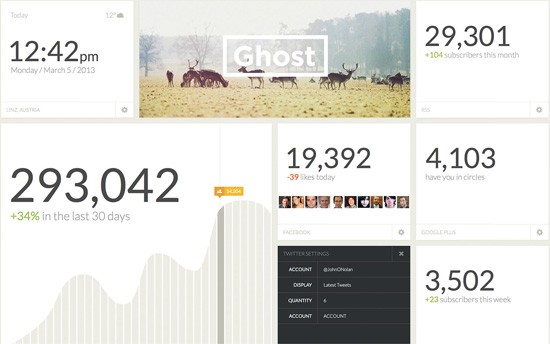
    <p>Its beautifully simple UI allows bloggers to compose their posts without being distracted by menus, widgets, settings and tools not related to writing.</p>
    <p><img src="http://cdn.sixrevisions.com/406-07_wordpress_alternative_ghost_dashboard.jpg" width="550" height="344" alt="Ghost dashboard" style="max-width: 100%; height: auto;"></p>
    <p>Ghost is built with JavaScript using Node.js, a web development platform optimized for performance and scalability due to its non-blocking I/O model. This could offer Ghost huge speed improvements over the PHP-based WordPress, with <a href="http://www.appdynamics.com/blog/nodejs/an-example-of-how-node-js-is-faster-than-php/" title="An example of how Node.js is faster than PHP - appdynamics.com" rel="nofollow external" class="bo">one case revealing</a> Ghost to be <strong>678% faster</strong> than WordPress.</p>
    <p>Compared to WordPress, however, it’s much harder to find a budget shared hosting service that can run Ghost due to its Node.js dependence. In contrast, WordPress and its required web server technologies PHP and MySQL are commonly available on a vast majority of web hosts.</p>
    <p>But if you’re using a <a href="http://sixrevisions.com/website-management/guide-vps-hosting/" title="A Complete Guide to VPS Hosting" rel="nofollow external" class="bo">VPS</a>, dedicated server, or shared hosting  that has Node.js installed, then you’re good to go. Also, keep in mind that Ghost is still new, and if it takes off, it will only be a matter of time before one-click installs for Ghost on web hosts become the norm.</p>
    <h3><a href="http://jekyllrb.com/" rel="nofollow external" class="bo">Jekyll</a></h3>
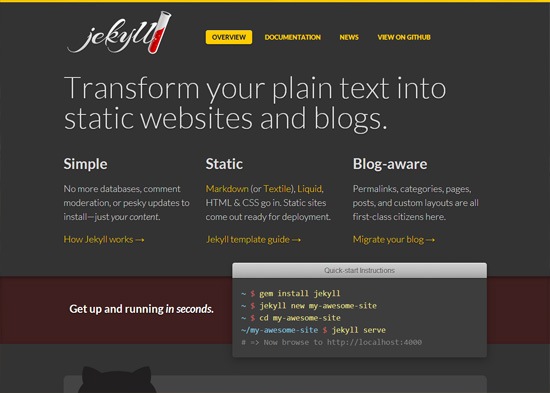
    <p><img src="http://cdn.sixrevisions.com/406-03_wordpress_alternative_jekyll.jpg" width="550" height="393" alt="Jekyll home page." style="max-width: 100%; height: auto;"></p>
    <p>If you want a <a href="http://sixrevisions.com/web-development/site-speed-performance/" title="10 Tips for Optimizing Your Website's Speed" rel="nofollow external" class="bo">fast-loading site</a> then you can’t do any better than serving plain static HTML documents. And if you want to do this more easily for content publishing, then Jekyll is the answer.</p>
    <p>Jekyll is a static site generator — a system that takes text files and stitches them together to create a static HTML site.</p>
    <p>Jekyll was created by Tom Preston-Werner, co-founder of GitHub.</p>
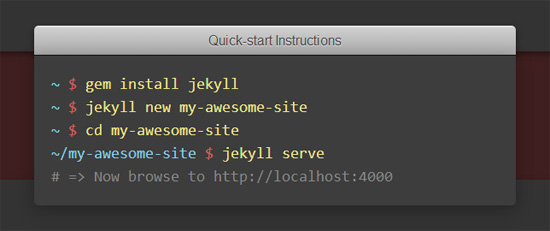
    <p>To use Jekyll, you must be unafraid to get your hands dirty using the command line, so it’s best suited as a WordPress alternative for hackers.</p>
    <p><img src="http://cdn.sixrevisions.com/406-08_wordpress_alternative_jekyll_cmd.jpg" width="550" height="231" alt="Jekyll command line" style="max-width: 100%; height: auto;"></p>
    <p>You can host your Jekyll site for free using <a href="http://pages.github.com/" rel="nofollow external" class="bo">GitHub Pages</a>, since Jekyll is static and doesn’t require server-side programming, unlike WordPress.</p>
    <p>If you’re a developer who would rather work with pure code than mess around with a UI, if you want an extremely high-performance publishing solution and the option to host your site for free, Jekyll is definitely worth trying.</p>
    <h3><a href="http://www.statamic.com/" rel="nofollow external" class="bo">Statamic</a></h3>
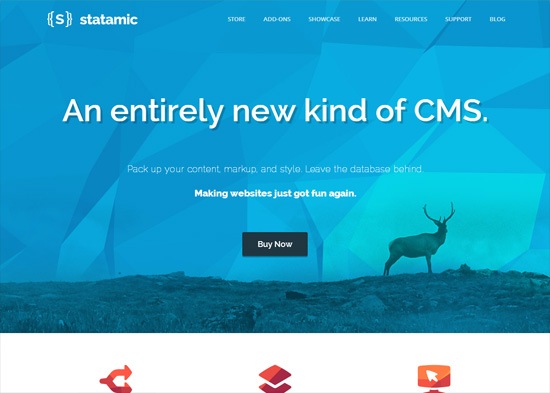
    <p><img src="http://cdn.sixrevisions.com/406-04_wordpress_alternative_statamic.jpg" width="550" height="393" alt="Statamic home" style="max-width: 100%; height: auto;"></p>
    <p>Statamic isn’t a static site generator like many people mistakenly refer to it as. It’s a flat-file CMS that mixes static and dynamic elements. (The name Statamic comes from the words <em>stat</em>ic and dyn<em>amic</em>).</p>
    <p><img src="http://cdn.sixrevisions.com/406-09_wordpress_alternative_statamic_showcase.jpg" width="550" height="498" alt="Statamic examples" style="max-width: 100%; height: auto;"></p>
    <p>With Statamic, your pages are rendered on-the-fly just like WordPress, but it does so without a relational database management system (e.g. MySQL) by storing content in a simple directory structure using flat files.</p>
    <p>Just because a site uses flat files doesn’t mean it can’t do dynamic things.</p>
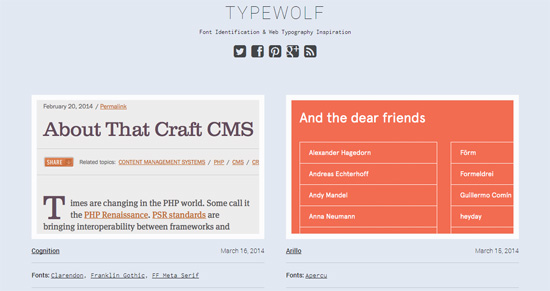
    <p>People are surprised when I tell them my content-centered web typography side project, <a href="http://www.typewolf.com/" rel="nofollow external" class="bo">Typewolf</a>, doesn’t use a database-driven content management system. Instead it runs on just flat files. It does lots of dynamic things like a WordPress site. For example, clicking on a font’s name will generate pages showing sites using that font but there’s no querying of a database to slow things down.</p>
    <p><img src="http://cdn.sixrevisions.com/406-08_wordpress_alternative_statamic_typewolf.jpg" width="550" height="291" alt="Typewolf" style="max-width: 100%; height: auto;"></p>
    <p>My opinion on Statamic may be biased because it is my CMS of choice. Because I’m such a fan of this content management system, I even launched <a href="http://www.typeandgrids.com/" rel="nofollow external" class="bo">a site that sells Statamic themes</a> — which might further add to my partiality to this CMS.</p>
    <p>Besides Statamic, <a href="http://getkirby.com/" rel="nofollow external" class="bo">Kirby</a> and <a href="http://pico.dev7studios.com/" rel="nofollow external" class="bo">Pico</a> are worth checking out as well if you want to give flat-file publishing platforms a try.</p>
    <h3><a href="https://buildwithcraft.com/" rel="nofollow external" class="bo">Craft</a></h3>
    <p><img src="http://cdn.sixrevisions.com/406-05_wordpress_alternative_craft.jpg" width="550" height="393" alt="Craft" style="max-width: 100%; height: auto;"></p>
    <p>Created by well-known ExpressionEngine add-on developers, Pixel &amp; Tonic, Craft is a new CMS that aims to bring simplicity to managing  content.</p>
    <p>Craft was built from the ground up to focus only on the core features that a CMS truly needs. The software’s goal is to avoid the bloat that comes with trying to include every possible feature and fulfill every single use-case.</p>
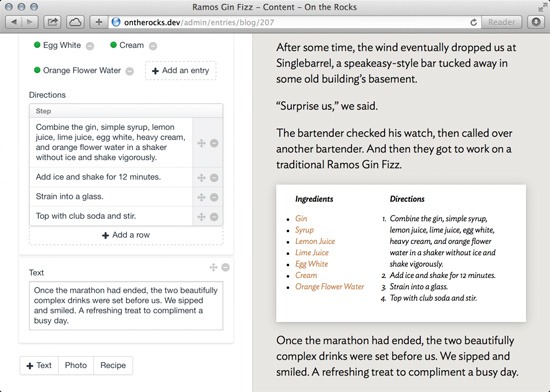
    <p><img src="http://cdn.sixrevisions.com/406-10_wordpress_alternative_craft_ui.jpg" width="550" height="392" alt="Craft UI" style="max-width: 100%; height: auto;"></p>
    <p>Craft has a unique business model where the core features are free, so you can get a basic site set up without having to purchase anything.</p>
    <p>However, if you need additional functionality for your site, you can buy packages. An example of this is the Localize package, which you can purchase if your site needs multi-language capabilities. Another package you can add to your Craft site is the Cloud package, which provides support for popular cloud services like Amazon S3 and Google Cloud.</p>
    <p><img src="http://cdn.sixrevisions.com/406-11_wordpress_alternative_craft_packages.jpg" width="550" height="623" alt="Craft packages" style="max-width: 100%; height: auto;"></p>
    <p>Craft has a growing community behind it, which is essential for any new CMS wanting to be a viable alternative to WordPress.</p>
    <h3><a href="https://grabaperch.com/" rel="nofollow external" class="bo">Perch</a></h3>
    <p><img src="http://cdn.sixrevisions.com/406-06_wordpress_alternative_perch.jpg" width="550" height="393" alt="Perch home" style="max-width: 100%; height: auto;"></p>
    <p>When I first heard about Perch, I assumed it was named after the type of fish I’d catch in ponds near my house as a kid. Now, from their website, I’m realizing it’s "perch" as in the things birds stand on.</p>
    <p>Perch describes itself as a "really little CMS". With this publishing platform, you can build your site however you want and then add in CMS functionality and dynamic components later on. So you don’t need to build your site around Perch from the beginning, which is great for existing sites that just want a few pages to be editable and dynamic.</p>
    <p>Perch has a control panel with a clean and simple UI that makes it an excellent CMS to hand off to your non-technical clients.</p>
    <p><img src="http://cdn.sixrevisions.com/406-12_wordpress_alternative_perch_ui.jpg" width="550" height="339" alt="Perch UI" style="max-width: 100%; height: auto;"></p>
    <p>Company sites and "brochureware" sites managed by non-tech site owners seem to be the market for Perch. The platform has add-ons available that could make it a nice solution for larger sites as well.</p>
    <h3>Looking Forward</h3>
    <p>I’m excited to see which of the above online publishing platforms become successful in the next few years, and which ones will fall out of fashion.</p>
    <p>If you’re already committed to WordPress and have no major issues with it, then it might not be a good idea to just dive into one of the above alternatives for your next big web project.</p>
    <p>There’s no sign WordPress is on the decline, and in fact it’s showing <a href="http://www.sfgate.com/business/ontherecord/article/WordPress-celebrates-10-years-of-growth-4687933.php" title="WordPress celebrates 10 years of growth - sfgate.com" rel="nofollow external" class="bo">growth year over year</a>.</p>
    <p>But if you have a small web project, if you have qualms with WordPress’s development direction out of being just a blogging platform, if you want a different approach to content management, or if you simply want to explore what else is out there, then spend a little bit of time playing around with Ghost, Jekyll, Statamic, Craft or Perch. </p>
    <p>You might just discover your new favorite CMS in the process.</p>
    <h3>Related Content</h3>
    <ul>
    <li><a href="http://sixrevisions.com/wordpress/improve-wordpress-themes-tips/" rel="nofollow external" class="bo">10 Basic Tips for Improving WordPress Themes</a></li>
    <li><a href="http://sixrevisions.com/wordpress/free-resources-wordpress/" rel="nofollow external" class="bo">Free Resources to Help You Build Your Next WordPress Site</a></li>
    <li><a href="http://sixrevisions.com/wordpress/saas-wordpress/" rel="nofollow external" class="bo">6 Questions To Ask Before You Install A WordPress Plugin</a></li>
    <li>
    <em>Related categories:</em> <a href="http://sixrevisions.com/category/wordpress/" rel="nofollow external" class="bo">WordPress</a> and <a href="http://sixrevisions.com/category/tools/" rel="nofollow external" class="bo">Tools</a>
    </li>
    </ul>
    <h3>About the Author</h3>
    <p><img src="http://cdn.sixrevisions.com/authors/jeremiah_shoaf_small.jpg" alt="" width="80" height="80" style="max-width: 100%; height: auto;"><strong>Jeremiah Shoaf</strong> is a freelance designer from Colorado. His side projects include a web typography gallery called <a href="http://www.typewolf.com/" rel="nofollow external" class="bo">Typewolf</a> and <a href="http://www.typeandgrids.com/" rel="nofollow external" class="bo">Type &amp; Grids</a>, a site offering HTML5 templates and flat-file CMS themes. He is <a href="https://twitter.com/typewolf" rel="nofollow external" class="bo">@typewolf</a> on Twitter.</p>
    <p>The post <a href="http://sixrevisions.com/wordpress/wordpress-alternatives/" rel="nofollow external" class="bo">5 Modern WordPress Alternatives to Keep an Eye On</a> appeared first on <a href="http://sixrevisions.com" rel="nofollow external" class="bo">Six Revisions</a>.</p>
    </div>
]]>
</Body>
<Summary>WordPress is the most dominant CMS on the market.   18.9% of websites run on WordPress and, just last year alone, it’s been downloaded 46 million times according Matt Mullenweg, the publishing...</Summary>
<Website>http://feedproxy.google.com/~r/SixRevisions/~3/7C7y2lJg9_A/</Website>
<TrackingUrl>https://my3.my.umbc.edu/api/v0/pixel/news/42492/guest@my.umbc.edu/85055513ee5beaf20e02c1215d16e89b/api/pixel</TrackingUrl>
<Tag>css</Tag>
<Tag>database</Tag>
<Tag>design</Tag>
<Tag>development</Tag>
<Tag>html</Tag>
<Tag>javascript</Tag>
<Tag>mysql</Tag>
<Tag>sql</Tag>
<Tag>web</Tag>
<Tag>wordpress</Tag>
<Group token="retired-583">Web Developer - Build Group</Group>
<GroupUrl>https://my3.my.umbc.edu/groups/retired-583</GroupUrl>
<AvatarUrl>https://assets3-my.umbc.edu/system/shared/avatars/groups/000/000/583/fc60f5d7abc2e080599bb6dc465db54d/xsmall.png?1363101197</AvatarUrl>
<AvatarUrl size="original">https://assets4-my.umbc.edu/system/shared/avatars/groups/000/000/583/fc60f5d7abc2e080599bb6dc465db54d/original.jpg?1363101197</AvatarUrl>
<AvatarUrl size="xxlarge">https://assets4-my.umbc.edu/system/shared/avatars/groups/000/000/583/fc60f5d7abc2e080599bb6dc465db54d/xxlarge.png?1363101197</AvatarUrl>
<AvatarUrl size="xlarge">https://assets4-my.umbc.edu/system/shared/avatars/groups/000/000/583/fc60f5d7abc2e080599bb6dc465db54d/xlarge.png?1363101197</AvatarUrl>
<AvatarUrl size="large">https://assets3-my.umbc.edu/system/shared/avatars/groups/000/000/583/fc60f5d7abc2e080599bb6dc465db54d/large.png?1363101197</AvatarUrl>
<AvatarUrl size="medium">https://assets3-my.umbc.edu/system/shared/avatars/groups/000/000/583/fc60f5d7abc2e080599bb6dc465db54d/medium.png?1363101197</AvatarUrl>
<AvatarUrl size="small">https://assets4-my.umbc.edu/system/shared/avatars/groups/000/000/583/fc60f5d7abc2e080599bb6dc465db54d/small.png?1363101197</AvatarUrl>
<AvatarUrl size="xsmall">https://assets3-my.umbc.edu/system/shared/avatars/groups/000/000/583/fc60f5d7abc2e080599bb6dc465db54d/xsmall.png?1363101197</AvatarUrl>
<AvatarUrl size="xxsmall">https://assets4-my.umbc.edu/system/shared/avatars/groups/000/000/583/fc60f5d7abc2e080599bb6dc465db54d/xxsmall.png?1363101197</AvatarUrl>
<Sponsor>Web Developer - Build Group</Sponsor>
<PawCount>0</PawCount>
<CommentCount>0</CommentCount>
<CommentsAllowed>true</CommentsAllowed>
<PostedAt>Mon, 17 Mar 2014 06:00:36 -0400</PostedAt>
</NewsItem>

<NewsItem contentIssues="true" id="42491" important="false" status="posted" url="https://my3.my.umbc.edu/posts/42491">
<Title>The designer&#8217;s guide to pixel hinting</Title>
<Body>
<![CDATA[
    <div class="html-content">
    <p><img alt="thumbnail" src="http://netdna.webdesignerdepot.com/uploads/2014/03/thumbnail4.jpg" width="200" height="160" style="max-width: 100%; height: auto;">Pixel-perfect icons and typography stand out among the crowd online. Obviously we all want to strive for such refined work, but sometimes even after trying we still end up with something a little… less. Pixel Hinting is one of the skills that takes an automatic feature and improves upon its results. Despite the ultra high resolution of displays today—like Apple’s retina displays—we still need to “fake” smooth curves lest we end up with a pixelated mess.</p> <p>Many designers and developers are moving more towards SVG and vector based approaches now; with the support only getting better by the day. But even so, vector based solutions have a long way to go before they’re mature enough to use in production. SVG is great for displaying vector shapes, but not so hot at resizing those shapes. So like everything else out there, there is a time and place for each solution.</p> <p> </p> <h1>What are vectors?</h1> <p>Vectors are essentially rendered results of the mathematical representation of a shape. When you see anything on your screen, it’s because your computer rendered those objects and bound them to the pixels on your display. In doing so, your computer has also made decisions on what should, and shouldn’t, be displayed as whole pixels. For example, the uppercase letter “D” has both a perfectly straight line, and a curved one.</p> <p><img src="http://netdna.webdesignerdepot.com/uploads/2014/03/0014.jpg" width="650" alt="The designer’s guide to pixel hinting" style="max-width: 100%; height: auto;"></p> <p>As you can see, without anti-aliasing the curved line on the “D” is quite pixelated. So to compensate, when vector shapes are rendered they are usually anti-aliased to provide a more… robust appearance. Instead of only displaying pixels that fall within the vector outline entirely, pixels are gradually shaded out. This tricks your brain into seeing a smoother line on curved shapes that don’t snap to the pixel grid perfectly.</p> <p><a href="http://netdna.webdesignerdepot.com/uploads/2014/03/0023.jpg" rel="nofollow external" class="bo"><img src="http://netdna.webdesignerdepot.com/uploads/2014/03/0023.jpg" width="650" alt="The designer’s guide to pixel hinting" style="max-width: 100%; height: auto;"></a></p> <p>Above you can see how the rendered “D” is given what is called half-pixels to help remove the jagged pixelation. However, this same feature also introduces a problem: computers are awful at figuring out what is visually appealing. So while adding these half-pixels makes the rounded corners look fantastic, it also makes the top/bottom inner line look blurred. The automatic anti-aliasing that occurs when a vector shape is rendered ends up making most parts of shapes and typography look great, but leaves others at an even worse quality than it started with.</p> <p> </p> <h1>Hello, pixel hinting.</h1> <p>Now that you have a short background on vector shapes and how they work, let’s jump into the real work. Pixel hinting involves moving the vector’s anchor points to rest on pixel borders in a more aesthetically pleasing way. Making those straight lines more perfect, while still leaving the half-pixels to the curves. Most commonly, pixel hinting is used on typography and shapes for raster images (logos, icons, branding, etc). Now, most importantly, in order to properly adjust your vector it must be in the size and shape you want it. Once you’ve pixel hinted your work, rotating or resizing it could—and probably would—throw all that work away by automatically anti-aliasing it again. Before we get started make sure the following settings are adjusted (I’ll be using Photoshop for this task):</p> <ul> <li>Turn on your pixel grid (View &gt; Show &gt; Grid, also make sure Extras is checked above the Show menu)</li> <li>Make sure your grid has a gridline every 10 pixels, with 10 subdivisions. Or something similar so that there is a line between each pixel.</li> <li>
    <strong>Disable</strong> snapping (View &gt; uncheck snap). We don’t want anchor points snapping at 1px increments, we want to move points within pixels.</li> </ul> <h2>Pixel hinting typography</h2> <p>The process for doing shapes vs typography is slightly different, so I’ll walk you through both. Ideally with typography, you want to kern your type before or during your hinting process. Regardless, pixel hinting should be one of the last things you do.</p> <p>First, select the typography you want to pixel hint and make a copy of the layer, then transform that layer into a shape.</p> <p><a href="http://netdna.webdesignerdepot.com/uploads/2014/03/0033.jpg" rel="nofollow external" class="bo"><img src="http://netdna.webdesignerdepot.com/uploads/2014/03/0033.jpg" width="650" alt="The designer’s guide to pixel hinting" style="max-width: 100%; height: auto;"></a></p> <p>You can see that the text falls awkwardly off the grid, both on the horizontal as well as the vertical axis. To fix this, we’re going to gently nudge each letter’s anchor points until they align more closely with the pixel grid laid out. The goal, is to get the shape lines close, if not directly on, the grid lines. Zoom in to nudge anchor points more precisely. While doing this, frequently zoom out to ensure your adjustments look alright.</p> <p>You don’t want to conform <em>precisely</em> to the grid, as that takes away the advantages of anti-aliasing in the first place. Instead, try to simply keep things consistent—only allow half-pixels on one side of each axis. For example, I always allow half-pixels to the right and top of letters, while forcing the left and bottom edges flush to the grid.</p> <p><a href="http://netdna.webdesignerdepot.com/uploads/2014/03/0042.jpg" rel="nofollow external" class="bo"><img src="http://netdna.webdesignerdepot.com/uploads/2014/03/0042.jpg" width="650" alt="The designer’s guide to pixel hinting" style="max-width: 100%; height: auto;"></a></p> <p>As you can see, the “get in” has been roughly adjusted, while the “touch” remains as is. Just like kerning, pixel hinting is much more of a craft than a science. It takes a keen eye to look and discern whether the work looks better or worse after adjustment. Don’t be discouraged if you find typographical pixel hinting rough, iterate and keep working with it. If your result still looks sub-par, you can always delete the layer and copy fresh from the original again. It takes some time to get typography in particular to look great, just keep going and sooner or later your hard work will pay off.</p> <h2>Pixel hinting vector shapes</h2> <p>Generally, pixel hinting shapes is reserved for icons or logos. Again, you want to make sure your shape is at the size and rotation you want it before starting as adjusting it later could throw away all your hard work. Adjusting shapes is a lot easier and requires less of an eye for intrinsic detail. That being said, more complex shapes take longer and are harder to adjust, so it’s best to start with something simple.</p> <p><a href="http://netdna.webdesignerdepot.com/uploads/2014/03/0052.jpg" rel="nofollow external" class="bo"><img src="http://netdna.webdesignerdepot.com/uploads/2014/03/0052.jpg" width="650" alt="The designer’s guide to pixel hinting" style="max-width: 100%; height: auto;"></a></p> <p>Above, you can see that our arrow and circle sit just slightly off where we would like them. The half-pixels created by anti-aliasing are causing the entire shape to look blurry as a result. So let’s nudge everything to fall on the grid a little better.</p> <p><a href="http://netdna.webdesignerdepot.com/uploads/2014/03/0062.jpg" rel="nofollow external" class="bo"><img src="http://netdna.webdesignerdepot.com/uploads/2014/03/0062.jpg" width="650" alt="The designer’s guide to pixel hinting" style="max-width: 100%; height: auto;"></a></p> <p>There we go! By adjusting the anchor points to line up with the grid, we end up with a much sharper icon. It’s important to mention that since this icon is a circle, any adjustments to the width had to also be mirrored to the height as well. Also, don’t forget to make sure the <em>inside</em> of the shape looks good and consistent as well. If you look at the previous image you’ll notice the inside sides of the circle aren’t anti-aliased the same.</p> <p><a href="http://netdna.webdesignerdepot.com/uploads/2014/03/0072.jpg" rel="nofollow external" class="bo"><img src="http://netdna.webdesignerdepot.com/uploads/2014/03/0072.jpg" width="650" alt="The designer’s guide to pixel hinting" style="max-width: 100%; height: auto;"></a></p> <p> </p> <h1>In conclusion</h1> <p>With the work above, the result is an image that looks sharper and more professional. Of course, you can apply these techniques to much more important things than a button.</p> <p>While the automatic anti-aliasing done by your computer looks acceptable, it could be better. So when it comes to your logo or important icons/typography in raster form, pixel hinting is more than just a niche skill; until the day we’re all using high pixel density displays, it’s essential.</p> <p><br><br> </p>
    <table width="100%"> <tbody>
    <tr> <td> <a href="http://www.mightydeals.com/deal/anodyne-font.html?ref=inwidget" rel="nofollow external" class="bo"><strong>Anodyne: 6 Distressed Fonts from Yellow Design Studio – only $9!</strong></a> </td> <td> <a href="http://www.mightydeals.com/?ref=inwidget" rel="nofollow external" class="bo"><br> <img src="http://mightydeals.com/web/images/widget-logo.png" height="40" width="90" alt="The designer’s guide to pixel hinting" style="max-width: 100%; height: auto;"><br> </a> </td> </tr> </tbody>
    </table> <p><br> </p> <a href="http://www.webdesignerdepot.com/2014/03/the-designers-guide-to-pixel-hinting/" rel="nofollow external" class="bo">Source</a> <br><br><br><a href="http://da.feedsportal.com/r/191801482241/u/49/f/661066/c/35285/s/38433022/sc/4/rc/1/rc.htm" rel="nofollow external" class="bo"><img src="http://da.feedsportal.com/r/191801482241/u/49/f/661066/c/35285/s/38433022/sc/4/rc/1/rc.img" style="max-width: 100%; height: auto;"></a><br><a href="http://da.feedsportal.com/r/191801482241/u/49/f/661066/c/35285/s/38433022/sc/4/rc/2/rc.htm" rel="nofollow external" class="bo"><img src="http://da.feedsportal.com/r/191801482241/u/49/f/661066/c/35285/s/38433022/sc/4/rc/2/rc.img" style="max-width: 100%; height: auto;"></a><br><a href="http://da.feedsportal.com/r/191801482241/u/49/f/661066/c/35285/s/38433022/sc/4/rc/3/rc.htm" rel="nofollow external" class="bo"><img src="http://da.feedsportal.com/r/191801482241/u/49/f/661066/c/35285/s/38433022/sc/4/rc/3/rc.img" style="max-width: 100%; height: auto;"></a><br><br><a href="http://da.feedsportal.com/r/191801482241/u/49/f/661066/c/35285/s/38433022/a2.htm" rel="nofollow external" class="bo"><img src="http://da.feedsportal.com/r/191801482241/u/49/f/661066/c/35285/s/38433022/a2.img" style="max-width: 100%; height: auto;"></a>
    </div>
]]>
</Body>
<Summary>Pixel-perfect icons and typography stand out among the crowd online. Obviously we all want to strive for such refined work, but sometimes even after trying we still end up with something a little…...</Summary>
<Website>http://rss.feedsportal.com/c/35285/f/661066/s/38433022/sc/4/l/0L0Swebdesignerdepot0N0C20A140C0A30Cthe0Edesigners0Eguide0Eto0Epixel0Ehinting0C/story01.htm</Website>
<TrackingUrl>https://my3.my.umbc.edu/api/v0/pixel/news/42491/guest@my.umbc.edu/c8ca72231cd874d37d727a881dd65542/api/pixel</TrackingUrl>
<Tag>anti-aliasing</Tag>
<Tag>art</Tag>
<Tag>controlling-anti-aliasing</Tag>
<Tag>css</Tag>
<Tag>design</Tag>
<Tag>design-techniques</Tag>
<Tag>development</Tag>
<Tag>html</Tag>
<Tag>html5</Tag>
<Tag>illustrator</Tag>
<Tag>javascript</Tag>
<Tag>mysql</Tag>
<Tag>oracle</Tag>
<Tag>photoshop</Tag>
<Tag>photoshop-tutorials</Tag>
<Tag>php</Tag>
<Tag>pixel-hinting</Tag>
<Tag>professional-graphics</Tag>
<Tag>sql</Tag>
<Tag>web-graphic-tutorials</Tag>
<Tag>web-graphics</Tag>
<Group token="retired-583">Web Developer - Build Group</Group>
<GroupUrl>https://my3.my.umbc.edu/groups/retired-583</GroupUrl>
<AvatarUrl>https://assets3-my.umbc.edu/system/shared/avatars/groups/000/000/583/fc60f5d7abc2e080599bb6dc465db54d/xsmall.png?1363101197</AvatarUrl>
<AvatarUrl size="original">https://assets4-my.umbc.edu/system/shared/avatars/groups/000/000/583/fc60f5d7abc2e080599bb6dc465db54d/original.jpg?1363101197</AvatarUrl>
<AvatarUrl size="xxlarge">https://assets4-my.umbc.edu/system/shared/avatars/groups/000/000/583/fc60f5d7abc2e080599bb6dc465db54d/xxlarge.png?1363101197</AvatarUrl>
<AvatarUrl size="xlarge">https://assets4-my.umbc.edu/system/shared/avatars/groups/000/000/583/fc60f5d7abc2e080599bb6dc465db54d/xlarge.png?1363101197</AvatarUrl>
<AvatarUrl size="large">https://assets3-my.umbc.edu/system/shared/avatars/groups/000/000/583/fc60f5d7abc2e080599bb6dc465db54d/large.png?1363101197</AvatarUrl>
<AvatarUrl size="medium">https://assets3-my.umbc.edu/system/shared/avatars/groups/000/000/583/fc60f5d7abc2e080599bb6dc465db54d/medium.png?1363101197</AvatarUrl>
<AvatarUrl size="small">https://assets4-my.umbc.edu/system/shared/avatars/groups/000/000/583/fc60f5d7abc2e080599bb6dc465db54d/small.png?1363101197</AvatarUrl>
<AvatarUrl size="xsmall">https://assets3-my.umbc.edu/system/shared/avatars/groups/000/000/583/fc60f5d7abc2e080599bb6dc465db54d/xsmall.png?1363101197</AvatarUrl>
<AvatarUrl size="xxsmall">https://assets4-my.umbc.edu/system/shared/avatars/groups/000/000/583/fc60f5d7abc2e080599bb6dc465db54d/xxsmall.png?1363101197</AvatarUrl>
<Sponsor>Web Developer - Build Group</Sponsor>
<PawCount>0</PawCount>
<CommentCount>0</CommentCount>
<CommentsAllowed>true</CommentsAllowed>
<PostedAt>Mon, 17 Mar 2014 04:15:23 -0400</PostedAt>
<EditAt>Mon, 17 Mar 2014 04:15:23 -0400</EditAt>
</NewsItem>

<NewsItem contentIssues="false" id="42490" important="false" status="posted" url="https://my3.my.umbc.edu/posts/42490">
<Title>Look, Smartphone: No Hands!</Title>
<Body>
<![CDATA[
    <div class="html-content">
    <p>Controlling an iPhone or Android phone with just your voice and a noise-cancelling headset is doable, but frustrating.</p>
    <p>I usually enjoy making fun of people who walk around wearing Bluetooth headsets, seemingly talking to themselves. So of course I felt like a hypocrite last week wandering around downtown San Francisco doing exactly that.</p>
    </div>
]]>
</Body>
<Summary>Controlling an iPhone or Android phone with just your voice and a noise-cancelling headset is doable, but frustrating.  I usually enjoy making fun of people who walk around wearing Bluetooth...</Summary>
<Website>http://www.technologyreview.com/news/525491/look-smartphone-no-hands/</Website>
<TrackingUrl>https://my3.my.umbc.edu/api/v0/pixel/news/42490/guest@my.umbc.edu/194e026e01b41ffe682cd7059e97ab22/api/pixel</TrackingUrl>
<Tag>development</Tag>
<Tag>internet</Tag>
<Tag>mit</Tag>
<Tag>technology</Tag>
<Tag>web</Tag>
<Group token="retired-583">Web Developer - Build Group</Group>
<GroupUrl>https://my3.my.umbc.edu/groups/retired-583</GroupUrl>
<AvatarUrl>https://assets3-my.umbc.edu/system/shared/avatars/groups/000/000/583/fc60f5d7abc2e080599bb6dc465db54d/xsmall.png?1363101197</AvatarUrl>
<AvatarUrl size="original">https://assets4-my.umbc.edu/system/shared/avatars/groups/000/000/583/fc60f5d7abc2e080599bb6dc465db54d/original.jpg?1363101197</AvatarUrl>
<AvatarUrl size="xxlarge">https://assets4-my.umbc.edu/system/shared/avatars/groups/000/000/583/fc60f5d7abc2e080599bb6dc465db54d/xxlarge.png?1363101197</AvatarUrl>
<AvatarUrl size="xlarge">https://assets4-my.umbc.edu/system/shared/avatars/groups/000/000/583/fc60f5d7abc2e080599bb6dc465db54d/xlarge.png?1363101197</AvatarUrl>
<AvatarUrl size="large">https://assets3-my.umbc.edu/system/shared/avatars/groups/000/000/583/fc60f5d7abc2e080599bb6dc465db54d/large.png?1363101197</AvatarUrl>
<AvatarUrl size="medium">https://assets3-my.umbc.edu/system/shared/avatars/groups/000/000/583/fc60f5d7abc2e080599bb6dc465db54d/medium.png?1363101197</AvatarUrl>
<AvatarUrl size="small">https://assets4-my.umbc.edu/system/shared/avatars/groups/000/000/583/fc60f5d7abc2e080599bb6dc465db54d/small.png?1363101197</AvatarUrl>
<AvatarUrl size="xsmall">https://assets3-my.umbc.edu/system/shared/avatars/groups/000/000/583/fc60f5d7abc2e080599bb6dc465db54d/xsmall.png?1363101197</AvatarUrl>
<AvatarUrl size="xxsmall">https://assets4-my.umbc.edu/system/shared/avatars/groups/000/000/583/fc60f5d7abc2e080599bb6dc465db54d/xxsmall.png?1363101197</AvatarUrl>
<Sponsor>Web Developer - Build Group</Sponsor>
<PawCount>0</PawCount>
<CommentCount>0</CommentCount>
<CommentsAllowed>true</CommentsAllowed>
<PostedAt>Mon, 17 Mar 2014 00:00:00 -0400</PostedAt>
<EditAt>Mon, 17 Mar 2014 00:00:00 -0400</EditAt>
</NewsItem>

</News>