Creating Brackets Extensions

A little while ago I wrote about the recent updates to the Brackets editor. Brackets is an open source project focused on web standards and built with web technologies. It has a narrow focus and therefore may not have a particular feature you’ve come to depend upon. Luckily, Brackets ships with a powerful extension API that lets you add any number of new features. In this article, I’m going to discuss this API and demonstrate how you can build your own extensions.
It is crucial that you remember that Brackets is in active development. This article is being written in December of 2013. It is certainly possible that the code demonstrated below is now out of date. Keep that in mind and be sure to check the wiki for the latest updates to the extension API.
Getting Started
I’m going to assume you read my last article and are already familiar with the extension manager. This provides a simple, one click method of installing extensions. One of the best ways you can learn to write extensions is by looking at the work done by others (that’s how I learned). I’d recommend grabbing a few extensions (there’s almost 200 available now) and tearing apart their code. Don’t be afraid to break a few while you’re at it.
Brackets puts all installed extensions within one main folder. To find that folder, go to the Help menu and select “Show Extensions Folder“. For my OS X install, this was located at /Users/ray/Library/Application Support/Brackets/extensions/user. If you go up from that folder, you’ll notice a disabled folder as well. Brackets will make a valiant effort to load no matter what, but if you ever find yourself in a situation where Brackets has completely crapped the bed and simply will not work, consider moving potentially bad extensions into the disabled folder. Later on in the article, I’ll discuss how you can monitor and debug extensions to help prevent such problems in the first place.
Begin by going to your user folder and creating a new folder, helloworld1. Yes, even though it is completely lame, we’re going to build a HelloWorld extension. Don’t hate me, I like simple. Inside that folder create a new file called main.js. Listing one shows what the contents of this file should be. Note that in this article I’ll go through a couple of different iterations of the helloworld extension. Each one will be named with a progressively higher number. So our first example is from helloworld1, the next helloworld2, and so on. It would make sense for you to simply copy the code into one folder, helloworld, instead of copying each one by themselves. If you do, you’ll have multiple related extensions running at once and that can definitely confuse things.
Listing 1: helloworld1/main.js
    define(function(require, exports, module) {

        function log(s) {
                console.log("[helloworld] "+s);
        }

        log("Hello from HelloWorld.");
    });
The first line defines our extension as a module that will be picked up by Brackets automatically on application load. The rest of the extension is a custom log message (you will see why in a second) and a call to that logger. Once you have this file saved, go back to Brackets, select the Debug menu, and hit Reload. (You can also use Command/Control+R to reload as well.)
Brackets will reload and … nothing else will happen. The extension we built didn’t actually do anything that we could see, but it did log to the console. But where is that console? Brackets provides an easy way to view the console. Simply go back to the Debug menu and select Show Developer Tools. This will open a new tab in Chrome with a familiar Dev Tools UI. In the screen shot below I’ve highlighted our log. Other extensions, and Brackets itself, will also log messages to this screen. By prefixing my log messages with [helloworld], I can make my own stuff a bit easier to find.

Note that the full Chrome console.api works here. You can do stuff like this to format your console messages:
    function log(s) {
        console.log("%c[helloworld] "+s,"color:blue;font-size:large");
    }
Go crazy, but try to remove these messages before you share your code with the rest of the world. In case you’re curious, you can’t use dev tools in another browser, like Firefox, at this time.
Integration Points
Now that you know the (very) basics, let’s talk about what Brackets extensions can do to the editor:
- They can create keyboard shortcuts, allowing them to respond to custom keystrokes.
- They can add to the top level menu.
- They can add context menus (and to a specific area, like the file listing or the editor window).
- They can create UI items. This can be a modal dialog or even a panel. (Currently the panel is locked to the bottom of the screen).
- They can create a linting provider (essentially they can register themselves as a code checker for a file type).
- They can create their own inline editors (a major feature of Brackets).
- They can register as a documentation provider (for example, adding MDN support for docs).
- They can integrate with Quick Find and Quick Open.
- They can add custom code hints and syntax colors.
- They can read the current file open in the editor as well as modify it. (They can also see the current selected text, if any.)
That describes how extensions can modify Brackets, but what can extensions actually do in terms of code? Keeping in mind that you’re writing extensions in pure web standards (HTML, JavaScript, and CSS), you actually have quite a bit of power. The only real limits relate to binary data. There is a File system API that gives you control over files but is limited to text data only. Luckily, you have a way out.
Any Brackets extension can integrate with Node.js. If you’ve got an existing Node.js package your extension can make calls to it and do, well, whatever Node.js can do, which is essentially anything.
Let’s update our extension to integrate with the editor a bit better. I’ll start by simply adding a menu item for the extension.
Listing 2: helloworld2/main.js
    /*
    Based - in part - on the HelloWorld sample extension on the Brackets wiki:

    https://github.com/adobe/brackets/wiki/Simple-%22Hello-World%22-extension

    */
    define(function(require, exports, module) {

        var CommandManager = brackets.getModule("command/CommandManager"),
                Menus = brackets.getModule("command/Menus"),
                AppInit = brackets.getModule("utils/AppInit");
        function log(s) {
                console.log("[helloworld2] "+s);
        }
        function handleHelloWorld() {
                alert("You ran me, thanks!");
        }
        AppInit.appReady(function () {

                log("Hello from HelloWorld2.");

                var HELLOWORLD_EXECUTE = "helloworld.execute";

                CommandManager.register("Run HelloWorld", HELLOWORLD_EXECUTE, handleHelloWorld);

                var menu = Menus.getMenu(Menus.AppMenuBar.VIEW_MENU);
                menu.addMenuItem(HELLOWORLD_EXECUTE);

        });

    });
We’ve got a few changes here so let’s tackle them one by one. You’ll notice that the extension begins with three calls to brackets.getModule. All extensions have access to a brackets object that provides an API where we can load in core functionality from the editor. In this case the extension has loaded two libraries we’ll need for the menu (CommandManager and Menus) and one which will be used to help initialize the extension (AppInit).
Lets talk about AppInit. You can see that most of the extension is now loaded with a appReady callback. This callback is fired when Brackets has completed loading and is generally considered “best practice” for extensions to make use of.
Registering a menu item takes a few steps. I begin by defining a “command ID”, a unique identifier for the item I’ll be adding to the UI. The typical way to do this is with the format extensionname.someaction. In my case, I used helloworld.execute. I can then register this command along with the function (handleHelloWorld) that should be called when the command is fired.
The final step is to add this command to the menu. You can probably guess that my menu item will be added under the View menu based on this value: Menus.AppMenuBar.VIEW_MENU. How did I know that value? Simple, I saw other extensions do it. Seriously though, there is no specific list of items like this yet. Don’t forget that Brackets is open source. I can easily pop over to the GitHub repo and check it out. In this case, the file is Menus.js, located on Github. In there I can see where the various different core menus are defined:
/**
      * Brackets Application Menu Constants
      * @enum {string}
    */
    var AppMenuBar = {
         FILE_MENU       : "file-menu",
         EDIT_MENU       : "edit-menu",
         VIEW_MENU       : "view-menu",
         NAVIGATE_MENU   : "navigate-menu",
         HELP_MENU       : "help-menu"
    };
As a general rule of thumb, it makes sense to have at least a cursory understanding of what’s available in Brackets itself. Your extensions will, from time to time, make use of multiple different features so it’s definitely in your best interest to at least know the lay of the land.
After reloading Brackets, you’ll now see the menu item in the View menu. Exactly where it is may be a bit random as you may have other extensions installed.

You can actually be a bit more specific about your position. Again, this is where the source code will help you. The same file I linked to above also contains the addMenuItem definition.
Put Some Lipstick on That Pig
Now that you’ve seen a simple example of how an extension can integrate into Brackets, let’s look at how we update the UI. In the previous version of our code, an alert was used to send a message. While this works, it isn’t very pretty. Your code can access the Brackets editor just like any other DOM modification code. While you can do anything you want, there are a few standard ways extensions update the UI in Brackets. (As a warning, in general you do not want to touch the DOM of the main editor UI. You can, but with future updates, your code may break. Also, users may not be happy if your extension changes something core to Brackets.)
The first method we’ll look at uses modal dialogs. Brackets already uses this and has an API available for extensions to call. As a simple example, let’s just update the HelloWorld extension to use a modal instead.
Listing 3: helloworld3/main.js
    /*
    Based - in part - on the HelloWorld sample extension on the Brackets wiki:

    https://github.com/adobe/brackets/wiki/Simple-%22Hello-World%22-extension

    */
    define(function(require, exports, module) {

        var CommandManager = brackets.getModule("command/CommandManager"),
            Menus = brackets.getModule("command/Menus"),
            Dialogs = brackets.getModule("widgets/Dialogs"),
            DefaultDialogs = brackets.getModule("widgets/DefaultDialogs"),
            AppInit = brackets.getModule("utils/AppInit");

        function log(s) {
                console.log("[helloworld3] "+s);
        }

        function handleHelloWorld() {
            Dialogs.showModalDialog(DefaultDialogs.DIALOG_ID_INFO, "Hello World", "Same Important Message");
        }

        AppInit.appReady(function () {

            log("Hello from HelloWorld3.");

            var HELLOWORLD_EXECUTE = "helloworld.execute";

            CommandManager.register("Run HelloWorld", HELLOWORLD_EXECUTE, handleHelloWorld);

            var menu = Menus.getMenu(Menus.AppMenuBar.VIEW_MENU);
            menu.addMenuItem(HELLOWORLD_EXECUTE);

        });

    });
Note the addition of two additional Brackets modules: Dialogs and DefaultDialogs. The next change is in handleHelloWorld. One of the methods in the Dialog library is the ability to show a dialog (no surprise there, I suppose). The method wants a class, a title, and a body, and that’s it. There’s more you can do with dialogs, but for now, this demonstrates the feature. Now when we run the command, we get a much prettier UI. (Along with default buttons and behaviours to handle closing the dialog.)

That’s one example, now lets look at another: creating a bottom panel. As with dialogs, we’ve got support from Brackets to make it easier. Let’s look at an example and then I’ll explain the changes.
Listing 4: helloworld4/main.js
    /*
    Based - in part - on the HelloWorld sample extension on the Brackets wiki:

    https://github.com/adobe/brackets/wiki/Simple-%22Hello-World%22-extension

    */
    define(function(require, exports, module) {

        var CommandManager = brackets.getModule("command/CommandManager"),
        Menus = brackets.getModule("command/Menus"),
        PanelManager = brackets.getModule("view/PanelManager"),
        AppInit = brackets.getModule("utils/AppInit");

        var HELLOWORLD_EXECUTE = "helloworld.execute";
        var panel;

        function log(s) {
                console.log("[helloworld4] "+s);
        }

        function handleHelloWorld() {
            if(panel.isVisible()) {
                panel.hide();
                CommandManager.get(HELLOWORLD_EXECUTE).setChecked(false);
            } else {
                panel.show();
                CommandManager.get(HELLOWORLD_EXECUTE).setChecked(true);
            }
        }

        AppInit.appReady(function () {

                log("Hello from HelloWorld4.");

                CommandManager.register("Run HelloWorld", HELLOWORLD_EXECUTE, handleHelloWorld);

                var menu = Menus.getMenu(Menus.AppMenuBar.VIEW_MENU);
                menu.addMenuItem(HELLOWORLD_EXECUTE);

                panel = PanelManager.createBottomPanel(HELLOWORLD_EXECUTE, $("<div class='bottom-panel'>HTML for my panel</div>"),200);

        });

    });
Let’s focus on the changes. First, I dropped the Dialog modules as I’m no longer using them. Instead, we load up the PanelManager. Down in the appReady block I’ve defined a new panel using the PanelManager API method createBottomPanel. Like the menu command this takes in a unique ID so I just reuse HELLOWORLD_EXECUTE. The second argument is a jQuery-wrapped block of HTML (and in case you’re wondering, yes we can do this nicer), and finally, a minimum size. This sets up the panel but doesn’t actually execute it.
In the event handler, we have tied to the menu, we can ask the panel if it is visible and then either hide or show it. That part should be pretty trivial. For fun I’ve added in a bit more complexity. Notice that CommandManager lets us get a menu item and set a checked property. This may be unnecessary as the user can see the panel easily enough themselves, but adding the check just makes things a little bit more obvious. In the screen shot below you can see the panel in its visible state.

Right away you may be wondering about the panel HTML. Is there a better way to provide the HTML? Anyway to style it? Yep, lets look at a more advanced version.
Listing 5: helloworld5/main.js
    /*
    Based - in part - on the HelloWorld sample extension on the Brackets wiki:

    https://github.com/adobe/brackets/wiki/Simple-%22Hello-World%22-extension

    */
    define(function(require, exports, module) {
        var CommandManager = brackets.getModule("command/CommandManager"),
        Menus = brackets.getModule("command/Menus"),
        PanelManager = brackets.getModule("view/PanelManager"),
        ExtensionUtils          = brackets.getModule("utils/ExtensionUtils"),
        AppInit = brackets.getModule("utils/AppInit");

        var HELLOWORLD_EXECUTE = "helloworld.execute";
        var panel;
        var panelHtml     = require("text!panel.html");

        function log(s) {
                console.log("[helloworld5] "+s);
        }

        function handleHelloWorld() {
            if(panel.isVisible()) {
                panel.hide();
                CommandManager.get(HELLOWORLD_EXECUTE).setChecked(false);
            } else {
                panel.show();
                CommandManager.get(HELLOWORLD_EXECUTE).setChecked(true);
            }
        }

        AppInit.appReady(function () {

            log("Hello from HelloWorld5.");
            ExtensionUtils.loadStyleSheet(module, "helloworld.css");
            CommandManager.register("Run HelloWorld", HELLOWORLD_EXECUTE, handleHelloWorld);

            var menu = Menus.getMenu(Menus.AppMenuBar.VIEW_MENU);
            menu.addMenuItem(HELLOWORLD_EXECUTE);

            panel = PanelManager.createBottomPanel(HELLOWORLD_EXECUTE, $(panelHtml),200);

        });

    });
As before, I’m going to focus on the changes. First note that I’ve included a variable called panelHtml that is loaded via require. This lets me define my HTML outside of my JavaScript code. (You can also use templating engines. Brackets ships with Mustache.) The HTML behind the panel is rather simple.
Listing 6: helloworld5/panel.html
    <div class="bottom-panel helloworld-panel" id="helloworldPanel">
    <h1>My Panel</h1>

    <p>
    My panel brings all the boys to the yard,<br/>
    And they're like<br/>
    It's better than yours,<br/>
    Damn right it's better than yours,<br/>
    I can teach you,<br/>
    But I have to charge
    </p>
    </div>
Returning to main.js, I’ve demonstrated another feature, loadStyleSheet. This lets you load an extension specific style sheet. I created a file, helloworld.css, with some simple (but tasteful) CSS styles.
Listing 7: helloworld5/helloworld.css
    .helloworld-panel h1 {
            color: red;
    }

    .helloworld-panel p {
            color: blue;
            font-weight: bold;
    }
Note that I prefixed my styles with a unique name. This helps ensure my classes don’t conflict with anything built into Brackets. With these simple changes my panel now looks much better, and you can see why I’m known world wide for my superior design skills.

Packaging and Sharing Your Kick Butt Extension
Of course, just creating the coolest Brackets extension isn’t quite enough. You probably (hopefully!) want to share it with others. One option is to just zip up the directory and put it on your website. Folks can download the zip, extract it, and copy it to their Brackets extensions folder.
But that’s not cool. You want to be cool, right? In order to share your extension and make it available via the Brackets Extension manager, you simply need to add a package.json file to your extension. If you’ve ever used Node.js, then this will seem familiar. Here is a sample one for our extension.
Listing 8: helloworld6/package.json
    {
        "name": "camden.helloworld",
        "title": "HelloWorld",
        "description": "Adds HelloWorld support to Brackets.",
        "homepage": "https://github.com/cfjedimaster/something real here",
        "version": "1.0.0",
        "author": "Raymond Camden <raymondcamden@gmail.com> (http://www.raymondcamden.com)",
        "license": "MIT",
        "engines": {
            "brackets": "<=0.34.0"
        }
    }
Most of this is self-explanatory, but the real crucial portion is the engines block. Brackets updates itself pretty rapidly. If Brackets added a particular feature at some point that your extension relies on, you can add a simple conditional here to ensure folks don’t try to install your extension on an incompatible version. (You can find a full listing of the possible settings on the Wiki.)
Once you’ve done this, the next part is to upload it to the Brackets Registry. You will need to log in via your GitHub account, but once you’ve done that, you can then simply upload your zip. Your extension will then be available to anyone using Brackets. Even better, if you update your extension, the Extension Manager will actually be able to flag this to the user so they know an update is available.
What Else?
Hopefully, you’ve seen how easy it is to extend Brackets. There’s more we didn’t cover, like the Linting API and NodeJS integration, but this article should be more than enough to get you started. As a reminder, do not forget there is a large collection of extensions available for you to start playing with right now. Good luck!
]]>
A little while ago I wrote about the recent updates to the Brackets editor. Brackets is an open source project focused on web standards and built with web technologies. It has a narrow focus and...
http://feedproxy.google.com/~r/nettuts/~3/OnsSgMdfwkY/
https://my3.my.umbc.edu/api/v0/pixel/news/40913/guest@my.umbc.edu/061c9d55f8ae6dfba682b43935354f37/api/pixel
brackets
css
development
extensions
html
javascript
javascript-and-ajax
mysql
php
sql
tutorials
wed
Web Developer - Build Group
https://my3.my.umbc.edu/groups/retired-583
https://assets3-my.umbc.edu/system/shared/avatars/groups/000/000/583/fc60f5d7abc2e080599bb6dc465db54d/xsmall.png?1363101197
https://assets4-my.umbc.edu/system/shared/avatars/groups/000/000/583/fc60f5d7abc2e080599bb6dc465db54d/original.jpg?1363101197
https://assets4-my.umbc.edu/system/shared/avatars/groups/000/000/583/fc60f5d7abc2e080599bb6dc465db54d/xxlarge.png?1363101197
https://assets4-my.umbc.edu/system/shared/avatars/groups/000/000/583/fc60f5d7abc2e080599bb6dc465db54d/xlarge.png?1363101197
https://assets3-my.umbc.edu/system/shared/avatars/groups/000/000/583/fc60f5d7abc2e080599bb6dc465db54d/large.png?1363101197
https://assets3-my.umbc.edu/system/shared/avatars/groups/000/000/583/fc60f5d7abc2e080599bb6dc465db54d/medium.png?1363101197
https://assets4-my.umbc.edu/system/shared/avatars/groups/000/000/583/fc60f5d7abc2e080599bb6dc465db54d/small.png?1363101197
https://assets3-my.umbc.edu/system/shared/avatars/groups/000/000/583/fc60f5d7abc2e080599bb6dc465db54d/xsmall.png?1363101197
https://assets4-my.umbc.edu/system/shared/avatars/groups/000/000/583/fc60f5d7abc2e080599bb6dc465db54d/xxsmall.png?1363101197
Web Developer - Build Group
0
0
true
Mon, 03 Feb 2014 09:00:21 -0500
Mon, 03 Feb 2014 09:00:21 -0500
Late New News
Continuing Coverage of Not Much
Greetings everyone!
To all of you who were at our meeting last friday, we essentially covered the points laid out in the last news update.
In terms of updates, we're looking for people to begin brainstorming new event ideas for this month. We will have a plan for our monthly event by wednesday. I super promise.
Additionally, I will be working on updating our youtube channel today with at least one silly furry video, so go check that out.
Alright, looks like we're done here. Akabra out.
]]>
Greetings everyone! To all of you who were at our meeting last friday, we essentially covered the points laid out in the last news update. In terms of updates, we're looking for people to begin...
https://my3.my.umbc.edu/api/v0/pixel/news/40911/guest@my.umbc.edu/a65e36e05c9090e18d29cefc5e49b957/api/pixel
Federation of Furry Fans of the Furry Fandom
https://my3.my.umbc.edu/groups/retired-489
https://assets4-my.umbc.edu/images/avatars/group/7/xsmall.png?1789595427
https://assets1-my.umbc.edu/images/avatars/group/7/original.png?1789595427
https://assets1-my.umbc.edu/images/avatars/group/7/xxlarge.png?1789595427
https://assets4-my.umbc.edu/images/avatars/group/7/xlarge.png?1789595427
https://assets1-my.umbc.edu/images/avatars/group/7/large.png?1789595427
https://assets2-my.umbc.edu/images/avatars/group/7/medium.png?1789595427
https://assets4-my.umbc.edu/images/avatars/group/7/small.png?1789595427
https://assets4-my.umbc.edu/images/avatars/group/7/xsmall.png?1789595427
https://assets3-my.umbc.edu/images/avatars/group/7/xxsmall.png?1789595427
Federation of Furry Fans of the Furry Fandom
0
1
true
Mon, 03 Feb 2014 08:31:58 -0500
One Solution To Responsive Images
Responsive images have been, and are, one of the hardest problems in responsive Web design right now. Until browser vendors give us a native solution, we have to think on the fly and come up with our own solutions. “Retina” images are especially a challenge because if you have sized your layout with ems or percentages (as you should!), then you cannot be sure of the exact pixel dimensions of each image being displayed.
In this article, we’ll look at one solution to the problem that we implemented on our portfolio website at Etch, where you can see an early working version in the wild.
Requirements
We used a content-first approach on Etch. We knew we wanted to use a lot of images to quickly convey the atmosphere of the company. These would be accompanied by small snippets, or “soundbites,” of text.
The next decision was on image sizes and aspect ratios. To get maximum control over the design, we knew we needed maximum control over the images. We decided to use Instagram as the base for our imagery for the following reasons:
- The aspect ratio is fixed.
- Most employees here already use it.
- Those lovely filters.
Instagram allows for a maximum image size of 600 pixels, so we now had our first set of content constraints to work with: images with a 1:1 aspect ratio, and a maximum image size of 600 × 600. Having constraints on the content side made the design process easier because they limited our options, thus forcing decisions.
When the content was completed, we began looking at the design. Again, to keep maximum control, we decided on an adaptive design style with fixed column sizes. We used grid block elements that match our maximum image size. Each grid block would either be 600 × 600 or 300 × 300, which also conveniently fit our rough plan of a minimum width of 320 pixels for the viewport on the website.
During the rest of the design process, we noticed that we needed two other image sizes: thumbnails at 100 × 100, and hero images that stretch the full width of the content (300, 600, 900, 1200, 1600, 1800). All images would also need to be “Retina” ready — or, to put it another way, compatible with displays with high pixel densities. This gave us the final set of requirements for a responsive images solution for the website:
- Potential image widths (in pixels) of 100, 300, 600, 900, 1200, 1600, 1800
- Retina ready
- Must be crisp with minimal resizing (some people notice a drop in quality with even downsized images)
Having to resize that many images manually, even using a Photoshop script, seemed like too much work. Anything like that should be automated, so that you can focus on fun and interesting coding instead. Automation also removes the chance for human error, like forgetting to do it. The ideal solution would be for us to add an image file once and forget about it.
Common Solutions
Before going over our solution, let’s look at some common solutions currently being used. To keep up with currently popular methods and the work that the Web community is doing to find a solution to responsive images, head over to the W3C Responsive Images Community Group.
Picture Element
First up, the picture element. While this doesn’t currently have native support and browser vendors are still deciding on picture versus srcset versus whatever else is up for discussion, we can use it with a polyfill.
    <picture alt="description">
      <source src="small.jpg">
      <source src="medium.jpg" media="(min-width: 40em)">
      <source src="large.jpg" media="(min-width: 80em)">
    </picture>
The picture element is great if you want to serve images with a different shape, focal point or other feature beyond just resizing. However, you’ll have to presize all of the different images to be ready to go straight in the HTML. This solution also couples HTML with media queries, and we know that coupling CSS to HTML is bad for maintenance. This solution also doesn’t cover high-definition displays
For this project, the picture element required too much configuration and manual creation and storage of the different image sizes and their file paths.
srcset
Another popular solution, srcset, has recently been made available natively in some WebKit-based browsers. At the time of creating our plugin, this wasn’t available, and it looks like we’ll be waiting a while longer until cross-browser compatibility is good enough to use it without a JavaScript fallback. At the time of writing, srcset is usable only in the Chrome and Safari nightly builds.
<img src="fallback.jpg" srcset="small.jpg 640w 1x, small-hd.jpg 640w 2x, large.jpg 1x, large-hd.jpg 2x" alt="…">
The snippet above shows srcset in use. Again, we see what essentially amounts to media queries embedded in HTML, which really bugs me. We’d also need to create different image sizes before runtime, which means either setting up a script or manually doing it, a tiresome job.
Server-Side Sniffing
If you’d rather not use JavaScript to decide which image to serve, you could try sniffing out the user agent server-side and automatically send an appropriately sized image. As a blanket rule, we almost always say don’t rely on server-side sniffing. It’s very unreliable, and many browsers contain inaccurate UA strings. On top of that, the sheer number of new devices and screen sizes coming out every month will lead you to maintenance hell.
Other Solutions in the Wild
We chose to make our own plugin because including layout code in the HTML seemed undesirable and having to create different image sizes beforehand was not enticing.
If you’d like to explore other common solutions to decide which is best for your project, several great articles and examples are available on the Web, including one on this very website.
- “Choosing a Responsive Image Solution,” Sherri Alexander, Smashing Magazine
Alexander looks at the high-level requirements for responsive images, and then dissects the variety of solutions currently available in the wild.
- “Which Responsive Image Solution Should You Use,” Chris Coyier, CSS-Tricks
Coyer takes us through imaging requirements while suggesting appropriate solutions.
-
Adaptive Images
A solution very similar to Etch’s in its implementation. It uses a PHP script to size and serve the appropriate images. Unfortunately, this wasn’t available when we were coding the website.
-
Picturefill
This is a JavaScript replacement for markup in the style of the picture element.
- “Responsive Images Using Cookies,” Keith Clark
Clark uses a cookie to store the screen’s size, and then images are requested via a PHP script. Again, it’s similar to our solution but wasn’t available at the time.
Onto our solution.
Our Solution
With both picture and srcset HTML syntaxes seeming like too much effort in the wrong places, we looked for a simpler solution. We wanted to be able to add a single image path and let the CSS, JavaScript and PHP deal with serving the correct image — instead of the HTML, which should simply have the correct information in place.
At the time of developing the website, no obvious solution matched our requirements. Most centered on emulating picture or srcset, which we had already determined weren’t right for our needs.
The Etch website is very image-heavy, which would make manually resizing each image a lengthy process and prone to human error. Even running an automated Photoshop script was deemed to require too much maintenance.
Our solution was to find the display width of the image with JavaScript at page-loading time, and then pass the src and width to a PHP script, which would resize and cache the images on the fly before inserting them back into the DOM.
We’ll look at an abstracted example of the code, written in HTML, JavaScript, PHP and LESS. You can find a working demo on my website. If you’d like to grab the files for the demo, they can be found on GitHub.
Markup
The markup for the demo can be found in the index.html file on GitHub.
We wrap the highest-resolution version of an image in noscript tags, for browsers with JavaScript turned off. The reason is that, if we think of performance as a feature and JavaScript as an enhancement, then non-JavaScript users would still receive the content, just not an optimized experience of that content. These noscript elements are then wrapped in a div element, with the image’s src and alt properties as data attributes. This provides the information that the JavaScript needs to send to the server.
    <div data-src="img/screen.JPG" data-alt="crispy" class="img-wrap js-crispy">
        <noscript><img src="img/screen.JPG" alt="Crispy"></noscript>
    </div>
The background of the image wrapper is set as a loading GIF, to show that the images are still loading and not just broken.
An alternative (which we used in one of our side projects, PhoSho) is to use the lowest-resolution size of the image that you will be displaying (if known), instead of the loading GIF. This takes slightly more bandwidth because more than one image is being loaded, but it has an appearance similar to that of progressive JPEGs as the page is loading. As always, see what your requirements dictate.

(Large preview)
JavaScript
The JavaScript communicates for us between the HTML and the server. It fetches an array of images from the DOM, with their corresponding widths, and retrieves the appropriate cached image file from the server.
Our original plugin sent one request to the server per image, but this caused a lot of extra requests. By bundling our images together as an array, we cut down the requests and kept the server happy.
You can find the JavaScript plugin in /js/resize.js in the GitHub repository.
First, we set an array of breakpoints in the plugin that are the same as the breakpoints in the CSS where the image sizes change. We used em values for the breakpoints because they are based on the display font size. This is a good practice because visually impaired users might change their display’s default font size. This also makes it easier to match our CSS breakpoints with the JavaScript ones. If you prefer, the plugin works just fine with pixel-based breakpoints.
    breakpoints: [
        "32em"
        "48em"
        "62em"
        "76em"
    ]
As we pass each of these breakpoints, we need to check the images to make sure they are the correct size. At page-loading time, we first set the current breakpoint being displayed to the user using the JavaScript matchMedia function. If you need to support old browsers (Internet Explorer 7, 8 and 9), you might require the matchMedia polyfill by Paul Irish.
    getCurrentBreakpoint: function() {
          var bp, breakpoint, _fn, _i, _len, _ref,
            _this = this;

          bp = this.breakpoints[0];

          _ref = this.breakpoints;

          _fn = function(breakpoint) {
            // Check if the breakpoint passes
            if (window.matchMedia && window.matchMedia("all and (min-width: " + breakpoint + ")").matches) {
              return bp = breakpoint;
            }
          };

          for (_i = 0, _len = _ref.length; _i < _len; _i++) {
            breakpoint = _ref[_i];
            _fn(breakpoint);
          }

          return bp;
        }
After setting the current breakpoint, we gather the images to be resized from the DOM by looping through them and adding them to the plugin’s images array.
    gather: function() {
          var el, els, _i, _len;

          els = $(this.els);

          this.images = [];

          for (_i = 0, _len = els.length; _i < _len; _i++) {
            el = els[_i];
            this.add(el);
          }

          this.grabFromServer();
        }
The PHP script on the server needs the image’s src and current width in order to resize it correctly, so we created some serialized POST data to send to the server. We use jQuery’s param method to quickly convert the image into a usable query string.
    buildQuery: function() {
          var image = { image: this.images }
          return $.param(image);
        }
The images are then sent via an AJAX request to the server to be resized. Note the single request, to minimize server load.
    grabFromServer: function() {
          var data,
            _this = this;

          data = this.buildQuery();

          $.get("resize.php", data, function(data) {
              var image, _i, _len;
              for (_i = 0, _len = data.length; _i < _len; _i++) {
                image = data[_i];
                _this.loadImage(image);
              }
            }
          );
        }
Once we have retrieved the images from the server, we can add them to the DOM or replace the image already in place if it has changed. If it’s the same image, then nothing happens and the image won’t need to be redownloaded because it’s already in the browser’s cache.
    loadImage: function(image) {
          var el, img,
            _this = this;

          el = $("[data-src='" + image.og_src + "']");

          img = $("");

          img.attr("src", image.src).attr("alt", el.attr("data-alt"));

          if (el.children("img").length) {
            el.children("img").attr("src", image.src);
          } else {
            img.load(function() {
              el.append(img);
              el.addClass('img-loaded');
            });
          }
        }
PHP
With the JavaScript simply requesting an array of images at different sizes, the PHP is where the bulk of the action happens.
We use two scripts. One is a resize class (found in /php/lib/resize-class.php in the demo), which creates cached versions of the image at the sizes we need. The other script sits in the Web root, calculates the most appropriate size to display, and acts as an interface between the JavaScript and the resizer.
Starting with the sizing and interface script, we first set an array of pixel sizes of the images that we expect to display, as well as the path to the cached images folder. The image sizes are in pixels because the server doesn’t know anything about the user’s current text-zoom level, only what the physical image sizes being served are.
    $sizes = array(
        '100',
        '300',
        '600',
        '1200',
        '1500',
    );

    $cache = 'img/cache/';
Next, we create a small function that returns the image size closest to the current display size.
    function closest($search, $arr) {
        $closest = null;
        foreach($arr as $item) {
            // distance from image width -> current closest entry is greater than distance from
            if ($closest == null || abs($search - $closest) > abs($item - $search)) {
                $closest = $item;
            }
        }
        $closest = ($closest == null) ? $closest = $search : $closest;
        return $closest;
    }
Finally, we can loop through the image paths posted to the script and pass them to the resize class to get the path to the cached image file (and create that file, if necessary).
    $crispy = new resize($image,$width,$cache);
    $newSrc = $crispy->resizeImage();
We return the original image path in order to find the image again in the DOM and the path to the correctly sized cached image file. All of the image paths are sent back as an array so that we can loop through them and add them to the HTML.
$images[] = array('og_src' => $src, 'src' => '/'.$newSrc);
In the resize class, we initially need to gather some information about the image for the resizing process. We use Exif to determine the type of image because the file could possibly have an incorrect extension or no extension at all.
    function __construct($fileName, $width, $cache) {

        $this->src = $fileName;
        $this->newWidth = $width;
        $this->cache = $cache;
        $this->path = $this->setPath($width);

        $this->imageType = exif_imagetype($fileName);

        switch($this->imageType)
        {
            case IMAGETYPE_JPEG:
                $this->path .= '.jpg';
                break;

            case IMAGETYPE_GIF:
                $this->path .= '.gif';
                break;

            case IMAGETYPE_PNG:
                $this->path .= '.png';
                break;

            default:
                // *** Not recognized
                break;
        }
    }
The $this->path property above, containing the cached image path, is set using a combination of the display width, a hash of the file’s last modified time and src, and the original file name.
Upon calling the resizeImage method, we check to see whether the path set in $this->path already exists and, if so, we just return the cached file path.
If the file does not exist, then we open the image with GD to be resized.
Once it’s ready for use, we calculate the width-to-height ratio of the original image and use that to give us the height of the cached image after having been resized to the required width.
    if ($this->image) {
        $this->width  = imagesx($this->image);
        $this->height = imagesy($this->image);
    }

    $ratio = $this->height/$this->width;
    $newHeight = $this->newWidth*$ratio;
Then, with GD, we resize the original image to the new dimensions and return the path of the cached image file to the interface script.
    $this->imageResized = imagecreatetruecolor($this->newWidth, $newHeight);
    imagecopyresampled($this->imageResized, $this->image, 0, 0, 0, 0, $this->newWidth, $newHeight, $this->width, $this->height);

    $this->saveImage($this->newWidth);

    return $this->path;
What Have We Achieved?
This plugin enables us to have one single batch of images for the website. We don’t have to think about how to resize images because the process is automated. This makes maintenance and updates much easier, and it removes a layer of thinking that is better devoted to more important tasks. Plug it in once and forget about it.
TL;DR? Let’s summarize the functionality once more for good measure.
In our markup, we provide an image wrapper that contains a <noscript> fallback. This wrapper has a data attribute of our original high-resolution image for a reference. We use JavaScript to send an AJAX request to a PHP file on the server, asking for the correctly sized version of this image. The PHP file either resizes the image and delivers the path of the correctly sized image or just returns the path if the image has already been created. Once the AJAX request has been completed, we append the new image to the DOM, or we just update the src if one has already been added. If the user resizes their browser, then we check again to see whether a better image size should be used.
Pros And Cons
All responsive image solutions have their pros and cons, and you should investigate several before choosing one for your project. Ours happens to work for our very specific set of requirements, and it wouldn’t be our default solution. As far as we can tell, there is no default solution at the moment, so we’d recommend trying out as many as possible.
How does this solution weigh up?
Pros
- Fast initial page download due to lower image weight
- Easy to use once set up
- Low maintenance
- Fast once cached files have been created
- Serves image at correct pixel size (within tolerance)
- Serves new image when display size changes (within tolerance)
Cons
- Unable to choose image focus area
- Requires PHP and JavaScript for full functionality
- Can’t cover all possible image sizes if fluid images are used
- Might not be compatible with some content management systems
- Resizing all images with one request means that, with an empty cache, you have to wait for all to be resized, rather than just one image
- The PHP script is tied to breakpoints, so it can’t be dropped in without tweaking
Responsive image solutions have come a long way in recent months, and if we had to do this again, we’d probably look at something like the adaptive images solution because it removes even more non-semantic HTML from the page by modifying .htaccess.
Wrapping Up
Until we have a native solution for responsive images, there will be no “right” way. Always investigate several options before settling on one for your project. The example here works well for websites with a few common display sizes for images across breakpoints, but it is by no means the definitive solution. Until then, why not have a go at creating your own solution, or play around with this one on GitHub?
(al, il)
SmashingMag front page image credits: PhoSho's front page showcase.
© Gavyn McKenzie for Smashing Magazine, 2014.
]]>
Responsive images have been, and are, one of the hardest problems in responsive Web design right now. Until browser vendors give us a native solution, we have to think on the fly and come...
http://www.smashingmagazine.com/2014/02/03/one-solution-to-responsive-images/
https://my3.my.umbc.edu/api/v0/pixel/news/40908/guest@my.umbc.edu/a50bf569bd63b2250083a4cdabb2f001/api/pixel
css
design
development
html
javascript
mobile
mysql
php
sql
web
Web Developer - Build Group
https://my3.my.umbc.edu/groups/retired-583
https://assets3-my.umbc.edu/system/shared/avatars/groups/000/000/583/fc60f5d7abc2e080599bb6dc465db54d/xsmall.png?1363101197
https://assets4-my.umbc.edu/system/shared/avatars/groups/000/000/583/fc60f5d7abc2e080599bb6dc465db54d/original.jpg?1363101197
https://assets4-my.umbc.edu/system/shared/avatars/groups/000/000/583/fc60f5d7abc2e080599bb6dc465db54d/xxlarge.png?1363101197
https://assets4-my.umbc.edu/system/shared/avatars/groups/000/000/583/fc60f5d7abc2e080599bb6dc465db54d/xlarge.png?1363101197
https://assets3-my.umbc.edu/system/shared/avatars/groups/000/000/583/fc60f5d7abc2e080599bb6dc465db54d/large.png?1363101197
https://assets3-my.umbc.edu/system/shared/avatars/groups/000/000/583/fc60f5d7abc2e080599bb6dc465db54d/medium.png?1363101197
https://assets4-my.umbc.edu/system/shared/avatars/groups/000/000/583/fc60f5d7abc2e080599bb6dc465db54d/small.png?1363101197
https://assets3-my.umbc.edu/system/shared/avatars/groups/000/000/583/fc60f5d7abc2e080599bb6dc465db54d/xsmall.png?1363101197
https://assets4-my.umbc.edu/system/shared/avatars/groups/000/000/583/fc60f5d7abc2e080599bb6dc465db54d/xxsmall.png?1363101197
Web Developer - Build Group
0
0
true
Mon, 03 Feb 2014 07:48:06 -0500
Bits Blog: Tech’s Diversity Problem Is Apparent as Early as High School
In several states, no girls, black or Hispanic students took the Advanced Placement exam in computer science last year, illustrating the lack of diversity in the tech industry.


 ]]>
In several states, no girls, black or Hispanic students took the Advanced Placement exam in computer science last year, illustrating the lack of diversity in the tech industry.
http://bits.blogs.nytimes.com/2014/02/02/techs-diversity-problem-is-apparent-as-early-as-high-school/?partner=rss&emc=rss
https://my3.my.umbc.edu/api/v0/pixel/news/40909/guest@my.umbc.edu/cf8ebcf3f7795f7627908dfac60aacab/api/pixel
blacks
census-bureau
children
college-board
computers-and-the-internet
education-k-12
equal-educational-opportunities
hispanic-americans
new
policy
technology
tests-and-examinations
women-and-girls
york
Web Developer - Build Group
https://my3.my.umbc.edu/groups/retired-583
https://assets3-my.umbc.edu/system/shared/avatars/groups/000/000/583/fc60f5d7abc2e080599bb6dc465db54d/xsmall.png?1363101197
https://assets4-my.umbc.edu/system/shared/avatars/groups/000/000/583/fc60f5d7abc2e080599bb6dc465db54d/original.jpg?1363101197
https://assets4-my.umbc.edu/system/shared/avatars/groups/000/000/583/fc60f5d7abc2e080599bb6dc465db54d/xxlarge.png?1363101197
https://assets4-my.umbc.edu/system/shared/avatars/groups/000/000/583/fc60f5d7abc2e080599bb6dc465db54d/xlarge.png?1363101197
https://assets3-my.umbc.edu/system/shared/avatars/groups/000/000/583/fc60f5d7abc2e080599bb6dc465db54d/large.png?1363101197
https://assets3-my.umbc.edu/system/shared/avatars/groups/000/000/583/fc60f5d7abc2e080599bb6dc465db54d/medium.png?1363101197
https://assets4-my.umbc.edu/system/shared/avatars/groups/000/000/583/fc60f5d7abc2e080599bb6dc465db54d/small.png?1363101197
https://assets3-my.umbc.edu/system/shared/avatars/groups/000/000/583/fc60f5d7abc2e080599bb6dc465db54d/xsmall.png?1363101197
https://assets4-my.umbc.edu/system/shared/avatars/groups/000/000/583/fc60f5d7abc2e080599bb6dc465db54d/xxsmall.png?1363101197
Web Developer - Build Group
0
0
true
Mon, 03 Feb 2014 07:42:19 -0500
Mon, 03 Feb 2014 11:14:24 -0500
Due to current weather conditions, classes at our Columbia location will have a...
Due to current weather conditions, classes at our Columbia location will have a delayed opening for 11:00 a.m.
]]>
Due to current weather conditions, classes at our Columbia location will have a delayed opening for 11:00 a.m.
http://www.facebook.com/umbctraining/posts/10151839692216076
https://my3.my.umbc.edu/api/v0/pixel/news/40907/guest@my.umbc.edu/38eeaa16f8512595c0d004650c7c240a/api/pixel
ccna
ceh
centers
cisco
cyber
cybersecurity
information
it
leadership
management
microsoft
project
security
technology
training
umbc
UMBC Training Centers
https://my3.my.umbc.edu/groups/retired-575
https://assets1-my.umbc.edu/system/shared/avatars/groups/000/000/575/83756b985266168d0d29c6c9a146db50/xsmall.png?1361981335
https://assets4-my.umbc.edu/system/shared/avatars/groups/000/000/575/83756b985266168d0d29c6c9a146db50/original.jpg?1361981335
https://assets3-my.umbc.edu/system/shared/avatars/groups/000/000/575/83756b985266168d0d29c6c9a146db50/xxlarge.png?1361981335
https://assets4-my.umbc.edu/system/shared/avatars/groups/000/000/575/83756b985266168d0d29c6c9a146db50/xlarge.png?1361981335
https://assets1-my.umbc.edu/system/shared/avatars/groups/000/000/575/83756b985266168d0d29c6c9a146db50/large.png?1361981335
https://assets2-my.umbc.edu/system/shared/avatars/groups/000/000/575/83756b985266168d0d29c6c9a146db50/medium.png?1361981335
https://assets4-my.umbc.edu/system/shared/avatars/groups/000/000/575/83756b985266168d0d29c6c9a146db50/small.png?1361981335
https://assets1-my.umbc.edu/system/shared/avatars/groups/000/000/575/83756b985266168d0d29c6c9a146db50/xsmall.png?1361981335
https://assets2-my.umbc.edu/system/shared/avatars/groups/000/000/575/83756b985266168d0d29c6c9a146db50/xxsmall.png?1361981335
UMBC Training Centers
0
1
true
Mon, 03 Feb 2014 06:18:05 -0500
Mon, 03 Feb 2014 06:18:05 -0500
A Guide to Social Logins
]]>
In several states, no girls, black or Hispanic students took the Advanced Placement exam in computer science last year, illustrating the lack of diversity in the tech industry.
http://bits.blogs.nytimes.com/2014/02/02/techs-diversity-problem-is-apparent-as-early-as-high-school/?partner=rss&emc=rss
https://my3.my.umbc.edu/api/v0/pixel/news/40909/guest@my.umbc.edu/cf8ebcf3f7795f7627908dfac60aacab/api/pixel
blacks
census-bureau
children
college-board
computers-and-the-internet
education-k-12
equal-educational-opportunities
hispanic-americans
new
policy
technology
tests-and-examinations
women-and-girls
york
Web Developer - Build Group
https://my3.my.umbc.edu/groups/retired-583
https://assets3-my.umbc.edu/system/shared/avatars/groups/000/000/583/fc60f5d7abc2e080599bb6dc465db54d/xsmall.png?1363101197
https://assets4-my.umbc.edu/system/shared/avatars/groups/000/000/583/fc60f5d7abc2e080599bb6dc465db54d/original.jpg?1363101197
https://assets4-my.umbc.edu/system/shared/avatars/groups/000/000/583/fc60f5d7abc2e080599bb6dc465db54d/xxlarge.png?1363101197
https://assets4-my.umbc.edu/system/shared/avatars/groups/000/000/583/fc60f5d7abc2e080599bb6dc465db54d/xlarge.png?1363101197
https://assets3-my.umbc.edu/system/shared/avatars/groups/000/000/583/fc60f5d7abc2e080599bb6dc465db54d/large.png?1363101197
https://assets3-my.umbc.edu/system/shared/avatars/groups/000/000/583/fc60f5d7abc2e080599bb6dc465db54d/medium.png?1363101197
https://assets4-my.umbc.edu/system/shared/avatars/groups/000/000/583/fc60f5d7abc2e080599bb6dc465db54d/small.png?1363101197
https://assets3-my.umbc.edu/system/shared/avatars/groups/000/000/583/fc60f5d7abc2e080599bb6dc465db54d/xsmall.png?1363101197
https://assets4-my.umbc.edu/system/shared/avatars/groups/000/000/583/fc60f5d7abc2e080599bb6dc465db54d/xxsmall.png?1363101197
Web Developer - Build Group
0
0
true
Mon, 03 Feb 2014 07:42:19 -0500
Mon, 03 Feb 2014 11:14:24 -0500
Due to current weather conditions, classes at our Columbia location will have a...
Due to current weather conditions, classes at our Columbia location will have a delayed opening for 11:00 a.m.
]]>
Due to current weather conditions, classes at our Columbia location will have a delayed opening for 11:00 a.m.
http://www.facebook.com/umbctraining/posts/10151839692216076
https://my3.my.umbc.edu/api/v0/pixel/news/40907/guest@my.umbc.edu/38eeaa16f8512595c0d004650c7c240a/api/pixel
ccna
ceh
centers
cisco
cyber
cybersecurity
information
it
leadership
management
microsoft
project
security
technology
training
umbc
UMBC Training Centers
https://my3.my.umbc.edu/groups/retired-575
https://assets1-my.umbc.edu/system/shared/avatars/groups/000/000/575/83756b985266168d0d29c6c9a146db50/xsmall.png?1361981335
https://assets4-my.umbc.edu/system/shared/avatars/groups/000/000/575/83756b985266168d0d29c6c9a146db50/original.jpg?1361981335
https://assets3-my.umbc.edu/system/shared/avatars/groups/000/000/575/83756b985266168d0d29c6c9a146db50/xxlarge.png?1361981335
https://assets4-my.umbc.edu/system/shared/avatars/groups/000/000/575/83756b985266168d0d29c6c9a146db50/xlarge.png?1361981335
https://assets1-my.umbc.edu/system/shared/avatars/groups/000/000/575/83756b985266168d0d29c6c9a146db50/large.png?1361981335
https://assets2-my.umbc.edu/system/shared/avatars/groups/000/000/575/83756b985266168d0d29c6c9a146db50/medium.png?1361981335
https://assets4-my.umbc.edu/system/shared/avatars/groups/000/000/575/83756b985266168d0d29c6c9a146db50/small.png?1361981335
https://assets1-my.umbc.edu/system/shared/avatars/groups/000/000/575/83756b985266168d0d29c6c9a146db50/xsmall.png?1361981335
https://assets2-my.umbc.edu/system/shared/avatars/groups/000/000/575/83756b985266168d0d29c6c9a146db50/xxsmall.png?1361981335
UMBC Training Centers
0
1
true
Mon, 03 Feb 2014 06:18:05 -0500
Mon, 03 Feb 2014 06:18:05 -0500
A Guide to Social Logins
This reference guide will discuss what social login is, look at social login examples in web apps, and provide links to relevant documentation and tutorials.
What is Social Login?
Social login gives users the option to sign-up and login on app using their account on a social network like Facebook, Twitter, or Google+.
Here’s a beautiful social login example on the to-do list app Wunderlist:

The app allows its users to sign-up and login using Facebook, Google, or by providing a username and password.
Social login is a type of single sign-on, a software design pattern that allows people to use the same username and password to access different systems.
Social login is also called social sign-in or social sign-on.
Social Login Examples
Let’s look at some real-world examples of web apps using social login.
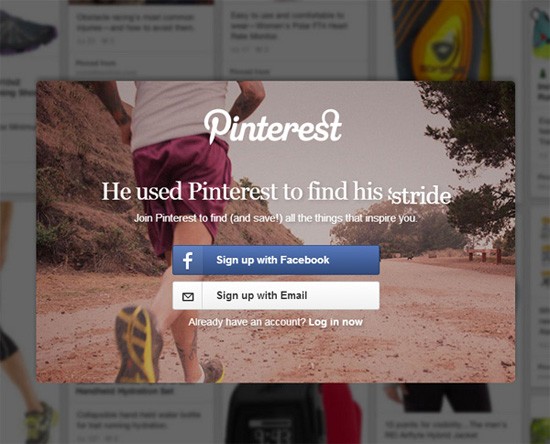
The social image board gives users the option to sign-up and connect their Pinterest account with Facebook.
Pinterest, with permission, can post on their users’ Facebook timelines, giving their product more exposure and possibly more sign-ups from friends of their users.
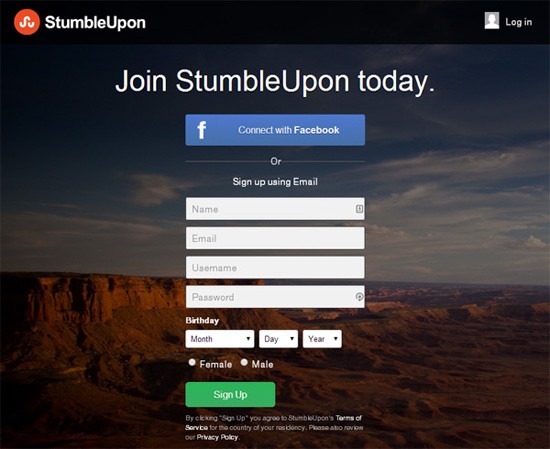
StumbleUpon’s (SU’s) social login option is an example of how social logins can make the onboarding process easier for people.
Signing up using a Facebook account requires less effort compared to SU’s email sign-up option which asks users to fill out 8 input fields: name, email, username, password, birth date, sex, and birth date. Most of this information can be attained from a person’s Facebook profile if they already have them up there, and their SU username can be auto-suggested based on their Facebook ID.
Example 3: Canva

Canva is a design collaboration app. The social nature of web-based collaboration makes a Facebook login a logical option.
Additionally, since Canva is relatively new (it just launched 6 months ago) people who trust Facebook with their username/password credentials more than the new app might be more compelled to sign-up.
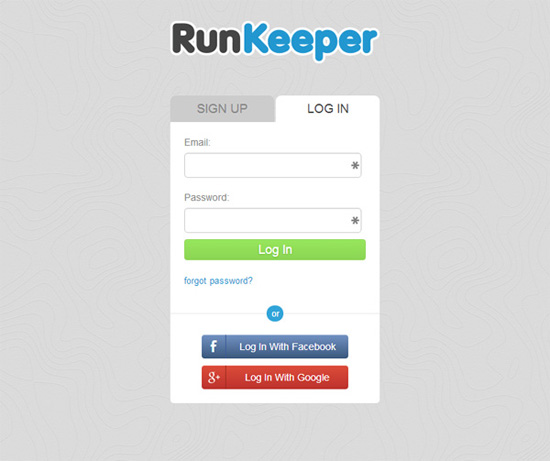
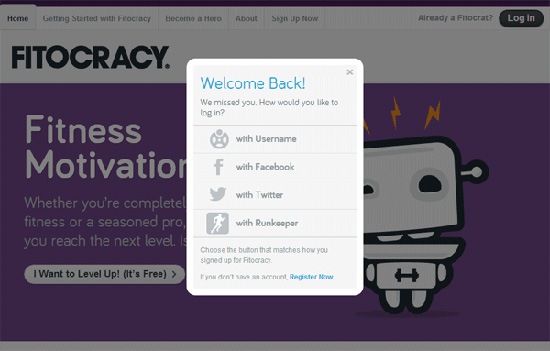
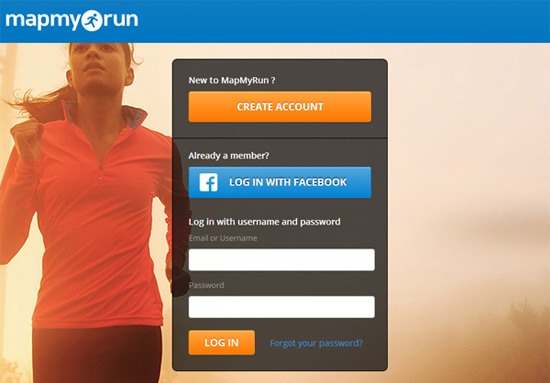
Many studies show that social support has health/fitness benefits.
That could be a reason why it’s a good idea for RunKeeper — a mobile app for tracking your running activities — to give users the option to sign-in and connect their accounts to their Facebook and Google+ networks.
Posting progress and activities on social networks can be an avenue for social encouragement, motivation, and support for runners using the app.
Example 5: Karma
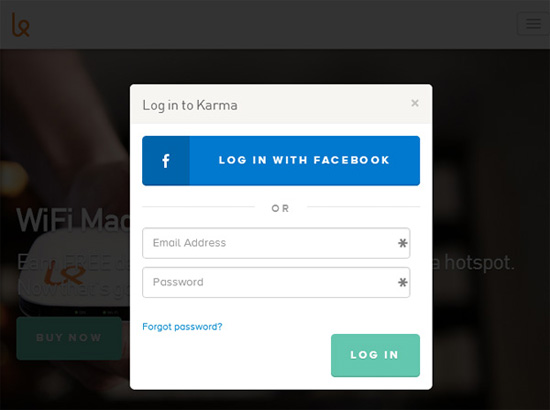
Karma is a pocket-sized WiFi hotspot that allows people around you to connect and share your wireless Internet connection.
Karma users using Facebook social login allows the company to store and use the person’s Facebook profile data (photo, email address, Facebook ID).
With opt-in permission, web apps can use information sourced from social media accounts to automatically pre-populate user account information so that the person doesn’t have to, for instance, manually upload a photo or input their email address.
But when they launched, reviews by early adopters and tech news sites like TechCrunch and Gizmodo criticized the requirement of Facebook authentication as a condition to using Karma.
So, now, Facebook social sign-in is an option on Karma, but not a requirement. This clues us in to a best practice: Give users a choice of whether or not they would like to connect their social network to your app.
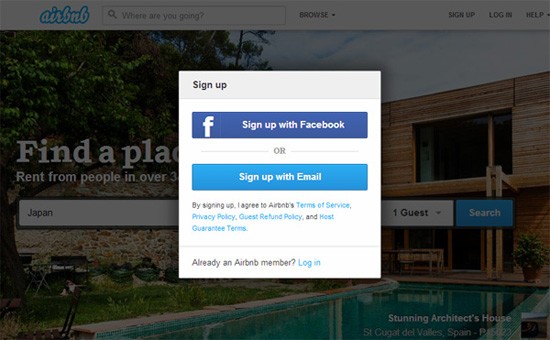
On Airbnb, users who connect their Airbnb account to their Facebook account get additional privileges compared to those who don’t.
Benefits include added trust, safety and verification, which is required for booking or hosting in some cases.

In a few cases, social login is mandatory. This is true for web apps like Buffer, which helps you manage your social media posts. In order to do its job, Buffer needs permission to access your social media accounts.
Example 8: Quora

On Quora, creating an account is required to access all of the site’s content.
According to Quora, requiring people to sign-in is because the site "depends on everyone being able to pitch in when they know something" and — the thinking goes — forced sign-in reduces the tendency of individuals to lurk without chipping in.
Forced sign-in on Quora has been criticized by journalists and some Quora users. However, the social sign-in option on Quora at least makes the process quicker for people who take advantage of social login.
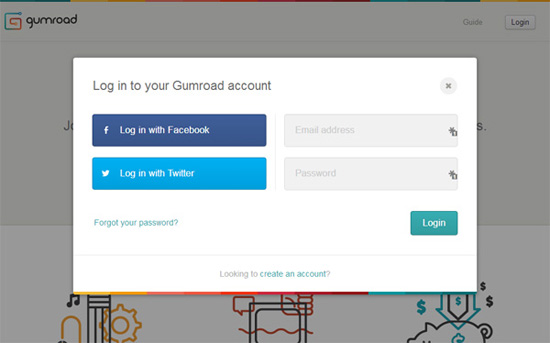
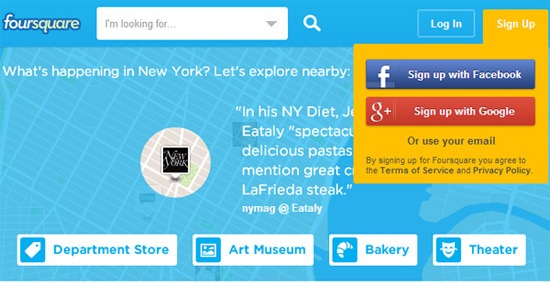
Here are other sites that use social logins:

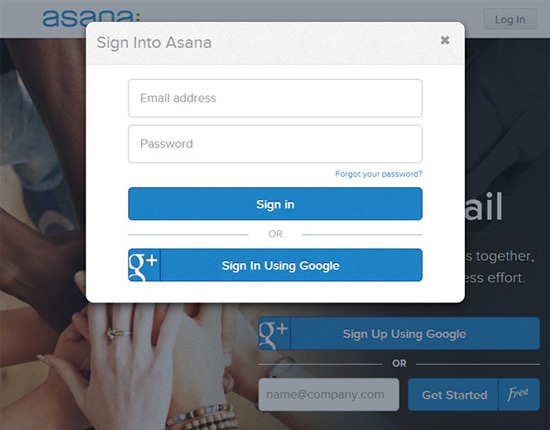
Example 11: Asana

Benefits of Social Login
As we can see from the examples above, users and developers can gain several advantages by using social login.
Benefits for Users
Users get these advantages:
Ease of signing up to a website
Social logins make signing up to sites and apps quicker because it usually involves clicking a few buttons.
Predictability of the sign-up process
Using social login give users who regularly use the method a streamlined and uniform process regardless of which site their signing into.
Manage fewer accounts
Using social login means users will have fewer web app accounts to deal with.
Trust
It might be hard for some site visitors to get the feeling of confidence they need to compel them to provide their personal information to an unknown site.
People might be more comfortable having their information handled by familiar social networking platforms they already trust.
Benefits for Developers
Developers get these advantages:
Authentication of users
For apps, allowing social login can provide an additional layer of verification that the user is a real person.
It’s free (under most conditions)
Implementing social logins entails using APIs like Google+ API or Facebook Login that are usually free and publically accessible.
However, some APIs have a quota for how much a third-party app can use them, and the app developer might be required to pay if they need more resources than the limit allocated to them.
Individualized user experiences
Users who choose to connect their social network to your app allows you to leverage existing information in their social graph that can improve their experience while using your app.
Pre-population of blank state inputs
Users who choose to sign-in to your app using their existing social media account gives you the ability to auto-suggest or auto-populate their account settings (e.g. profile photo, email address, phone number) if the information is present in their social media account. This in turn can ease or improve the first-run blank slate experience.
Make your app more social and engaging
Social logins can connect your app to your users’ social networks (if they permit you), giving your app more exposure and engagement opportunities.
Reduce failed login attempts and forgotten password requests
If a person is already logged into Facebook (for example), they don’t need to retype or remember their password to access your system.
Spam protection
Requiring authentication can slow down spam because signing into the system requires third-party verification.
Spam protection also comes in the form of the social network’s more mature spam-prevention technology.
It just makes sense for social apps
Some apps simply need to use social login. For example, at JustUnfollow and Buffer (mentioned earlier), which are tools for helping you manage your social media account, social login is required in order for them to do their jobs.

Why You Wouldn’t Use Social Logins
There are several reasons for choosing not to provide social logins as an option for your users.
Dependence on External Platforms
Using any third-party service subjects you to terms-of-use changes.
Terms can (and do) change. Restrictions are often put into place. Web services get closed down permanently.
If your mission-critical processes rely heavily on third-party services, you might find yourself in trouble if – for instance – Facebook, Google, or Twitter suddenly make changes to their platforms that restrict your use of their services.
Some apps have shut down or have failed due to API changes (e.g. Twit Cleaner).
Privacy Concerns
It’s been revealed that social platforms use their APIs as a source of user data outside of their own domains.
One such example is the Facebook Like button that the social network uses to learn about people’s browsing behavior.
Facebook Login, the service allowing other sites and apps to use Facebook as a mode of user authentication, is different from the Like button, but we could reasonably come to a conclusion that analogous data-mining techniques could be used by the platform.
Dealing with Multiple Account Types
Developers will need to create a system that’s able to negotiate between normal email sign-ins and various social sign-ins.
Decision Paralysis
It’s been shown in some studies that too much choice can negatively affect conversion rates.
The idea can apply to the situation where you’re presenting users with several methods for creating an account on your app.
Dilution of Your Brand Identity
By showing Facebook-, Google-, and Twitter-branded buttons in your login forms, we could argue that this competes with your own business identity. This is what Oliver Reichenstein, founder of strategic design company, iA, says about social media buttons: "What we know for sure is that these magic buttons promote their own brands — and that they tend to make you look a little desperate."
It’s Not Worth It
In a discussion about social login, Aarron Walter, director of UX design at MailChimp, concluded that the benefits of allowing their users to sign-in using Facebook or Twitter didn’t provide the company with enough incentives to keep the social login option. They witnessed only 3.4% of their users using social logins, which is not worth negative impact of diluting their own brand identity, according to the blog post.
Tips for Social Login Implementation
Based on my observations, here are tips for those who are considering social login options.
Social Login Should be Optional
As discussed earlier, apps and services requiring people to connect their social media profiles are criticized for the decision. Social login should be an option, not a requirement.
Limit the Number of Social Login Options
Decision paralysis could come into play if you provide too many social login options, which in turn could affect user acquisition.
Stick to the most popular options, which are currently Facebook, Twitter, and Google.
Have an Exit Strategy
Always plan for the event that the social login platforms you’re using suddenly decide to restrict or remove your access. It has happened in the past. It could happen in the future.
Popular Social Login API Docs
Here is a reference table for popular social login APIs:
Social Login Tutorials and Resources
Facebook
Google
Instagram
LinkedIn
Twitter
Related Content
About the Author
 Jacob Gube is the founder and editor-in-chief of Six Revisions. He’s a front-end web developer by profession. If you’d like to connect with him, head on over to the contact page or follow him on Twitter: @sixrevisions.
The post A Guide to Social Logins appeared first on Six Revisions.
]]>
This reference guide will discuss what social login is, look at social login examples in web apps, and provide links to relevant documentation and tutorials. What is Social Login? Social...
http://feedproxy.google.com/~r/SixRevisions/~3/cnhFDxhcxqg/
https://my3.my.umbc.edu/api/v0/pixel/news/40906/guest@my.umbc.edu/593a7f8825098d56a3c86ae147aa1a9c/api/pixel
css
database
design
development
html
javascript
mysql
sql
web
web-development
Web Developer - Build Group
https://my3.my.umbc.edu/groups/retired-583
https://assets3-my.umbc.edu/system/shared/avatars/groups/000/000/583/fc60f5d7abc2e080599bb6dc465db54d/xsmall.png?1363101197
https://assets4-my.umbc.edu/system/shared/avatars/groups/000/000/583/fc60f5d7abc2e080599bb6dc465db54d/original.jpg?1363101197
https://assets4-my.umbc.edu/system/shared/avatars/groups/000/000/583/fc60f5d7abc2e080599bb6dc465db54d/xxlarge.png?1363101197
https://assets4-my.umbc.edu/system/shared/avatars/groups/000/000/583/fc60f5d7abc2e080599bb6dc465db54d/xlarge.png?1363101197
https://assets3-my.umbc.edu/system/shared/avatars/groups/000/000/583/fc60f5d7abc2e080599bb6dc465db54d/large.png?1363101197
https://assets3-my.umbc.edu/system/shared/avatars/groups/000/000/583/fc60f5d7abc2e080599bb6dc465db54d/medium.png?1363101197
https://assets4-my.umbc.edu/system/shared/avatars/groups/000/000/583/fc60f5d7abc2e080599bb6dc465db54d/small.png?1363101197
https://assets3-my.umbc.edu/system/shared/avatars/groups/000/000/583/fc60f5d7abc2e080599bb6dc465db54d/xsmall.png?1363101197
https://assets4-my.umbc.edu/system/shared/avatars/groups/000/000/583/fc60f5d7abc2e080599bb6dc465db54d/xxsmall.png?1363101197
Web Developer - Build Group
0
0
true
Mon, 03 Feb 2014 05:00:18 -0500
The best free WordPress plugins for February 2014
 Welcome, friends, to WebdesignerDepot’s first monthly WordPress plugin roundup of 2014.
If there’s one word that I would use to describe the WordPress community, it’s this: huge. It should come as no surprise, then, that there are plugins being released and updated every single day. Some of them bring features that we all wish WordPress had by default. Some of them might only be useful to any given website creator once in their lifetime.
Either way, there’s a lot to explore, and every month, I’ll be writing about the freshest plugins making their way out of beta.
Now, without further ado, here’s this month’s batch of eye-catching plugins:
Custom Resources
If you use third-party themes for your WordPress site, this plugin might be for you. Simply put, it allows you to define CSS and JS files to be included in your site, no matter what theme you’re using (it also helps out if your theme is updated frequently).
Additionally, there are fields for including styles and JS code right “in the page” itself, if you want to do that kind of thing.

GuiForm
GuiForm is one of the more interesting form solutions that I’ve found. You can embed the plugin just about anywhere on your site, or on other sites, through a WordPress shortcode, JavaScript, an iframe (the shortcode generates an iframe, by the way), or by copying and pasting the raw HTML. With that last option, you can customize the form to look however you like.
Form submissions can be sent to your e-mail, and you have a fair amount of control over how the information is presented in said e-mail. You can also view form submissions as entries in the admin panel. By the look of things, I imagine that you could also display said entries on your site’s front end, if that’s what you want. That would require some custom queries though.

Zurb Foundation 5 Clearing Gallery
If you’re using a theme that includes Foundation as its base, this plugin will automatically apply Foundation’s “Clearing” plugin to WordPress’ default gallery function. Nifty. Requires Foundation 4/5.

Google Publisher Plugin (beta)
Ah, Google. Can they do anything wrong? I mean, okay, there was Buzz, Wave, and a few others, but this one’s good, I promise. In the beta release of this official plugin by Google, we are given easy access to two tools: Adsense, and Webmaster Tools.
Just install the plugin, verify that the site is yours, and you’re automatically connected to both of these services. From there, you can quite easily insert ads into your site, and access all of the goodies provided by Webmaster Tools.

WP-DraftsForFriends
The concept is right in the name: want to show someone a draft of your latest WordPress post, on your site, without making a user account for them? Wp-DraftsForFriends creates a temporary link (you can define a time period of seconds, minutes, hours, or days) which will allow non-users to see your draft.

PhotoPress – Masonry Gallery
As you can probably tell by now, I’m kind of a fan of extending WordPress’ default functions over replacing them with new code. Hence, another-related plugin.
This one relies on another plugin, PhotoPress – Gallery, which allows you to create galleries based on taxonomies, and can creates galleries out of post types as opposed to attached images. PhotoPress – Masonry Gallery adds to this functionality by implementing a “masonry” layout that is, incidentally, responsive.

Featured Image Zoom
Featured Image Zoom seems like it might be useful for anyone making a simple product catalog, or, well… any other use case where you need zoomable images. You can call it in your template, or with a shortcode.

JSJ Code Highlight
Post a lot of code on your site? Want to give it some line numbers and syntax highlighting? This plugin handles, well… almost everything. To make it work, you have to go into text mode when editing your post and make sure it has the necessary markup for the syntax highlighting to trigger. But then, you’re already posting code, so why not?

WP Post Series
Ever wanted a simple way to organize and present series of posts on your WordPress blog? Here ya go. A separate admin screen is added to the “Posts” section where you can define new series. Then, it’s just matter of selecting said series in the editing screen of each post in question.
WP Backup Lite
A simple solution for backing up your site. The “Lite” (free) version of this plugin only allows for manual backups to whatever computer you’re using, to the server you’re using, and/or a remote server via FTP. The pro version includes options for backing up your site to Dropbox and Amazon’s S3 service.
Eventissimo
Eventissimo is a detailed tool with everything you’d expect from an event-management plugin, with one bonus: you can hook it up to Facebook. Any event created in WordPress will automatically be posted as a facebook event as well. If you do events, and Facebook is a big part of your strategy, look into this one.

GZip Ninja Speed Compression
This plugin only works if you’re on an Apache server. Other than that, though, it’s all install-and-go. The plugin is supported by ads on its (seemingly redundant) admin screen. That aside, it’s a simple tool that saves you bandwidth. Hard to argue with that.
Did I miss any awesome plugins from the past four weeks? Have you tried out any of these? Let us know in the comments.
Source


 ]]>
Welcome, friends, to WebdesignerDepot’s first monthly WordPress plugin roundup of 2014. If there’s one word that I would use to describe the WordPress community, it’s this: huge. It should come...
http://rss.feedsportal.com/c/35285/f/661066/s/36a5824e/sc/4/l/0L0Swebdesignerdepot0N0C20A140C0A20Cthe0Ebest0Efree0Ewordpress0Eplugins0Efor0Efebruary0E20A140C/story01.htm
https://my3.my.umbc.edu/api/v0/pixel/news/40905/guest@my.umbc.edu/5ee06ad5928ab4c64cd1f1310a293173/api/pixel
art
cheap-wordpress-resources
css
design
development
free-wordpress-plugins
html
html5
illustrator
javascript
mysql
new-wordpress-resources
oracle
photoshop
php
resources
sql
wordpress-plugins
wp-plugins
Web Developer - Build Group
https://my3.my.umbc.edu/groups/retired-583
https://assets3-my.umbc.edu/system/shared/avatars/groups/000/000/583/fc60f5d7abc2e080599bb6dc465db54d/xsmall.png?1363101197
https://assets4-my.umbc.edu/system/shared/avatars/groups/000/000/583/fc60f5d7abc2e080599bb6dc465db54d/original.jpg?1363101197
https://assets4-my.umbc.edu/system/shared/avatars/groups/000/000/583/fc60f5d7abc2e080599bb6dc465db54d/xxlarge.png?1363101197
https://assets4-my.umbc.edu/system/shared/avatars/groups/000/000/583/fc60f5d7abc2e080599bb6dc465db54d/xlarge.png?1363101197
https://assets3-my.umbc.edu/system/shared/avatars/groups/000/000/583/fc60f5d7abc2e080599bb6dc465db54d/large.png?1363101197
https://assets3-my.umbc.edu/system/shared/avatars/groups/000/000/583/fc60f5d7abc2e080599bb6dc465db54d/medium.png?1363101197
https://assets4-my.umbc.edu/system/shared/avatars/groups/000/000/583/fc60f5d7abc2e080599bb6dc465db54d/small.png?1363101197
https://assets3-my.umbc.edu/system/shared/avatars/groups/000/000/583/fc60f5d7abc2e080599bb6dc465db54d/xsmall.png?1363101197
https://assets4-my.umbc.edu/system/shared/avatars/groups/000/000/583/fc60f5d7abc2e080599bb6dc465db54d/xxsmall.png?1363101197
Web Developer - Build Group
0
0
true
Mon, 03 Feb 2014 03:15:44 -0500
Mon, 03 Feb 2014 03:15:44 -0500
A New Way to Look at Suicide
]]>
Welcome, friends, to WebdesignerDepot’s first monthly WordPress plugin roundup of 2014. If there’s one word that I would use to describe the WordPress community, it’s this: huge. It should come...
http://rss.feedsportal.com/c/35285/f/661066/s/36a5824e/sc/4/l/0L0Swebdesignerdepot0N0C20A140C0A20Cthe0Ebest0Efree0Ewordpress0Eplugins0Efor0Efebruary0E20A140C/story01.htm
https://my3.my.umbc.edu/api/v0/pixel/news/40905/guest@my.umbc.edu/5ee06ad5928ab4c64cd1f1310a293173/api/pixel
art
cheap-wordpress-resources
css
design
development
free-wordpress-plugins
html
html5
illustrator
javascript
mysql
new-wordpress-resources
oracle
photoshop
php
resources
sql
wordpress-plugins
wp-plugins
Web Developer - Build Group
https://my3.my.umbc.edu/groups/retired-583
https://assets3-my.umbc.edu/system/shared/avatars/groups/000/000/583/fc60f5d7abc2e080599bb6dc465db54d/xsmall.png?1363101197
https://assets4-my.umbc.edu/system/shared/avatars/groups/000/000/583/fc60f5d7abc2e080599bb6dc465db54d/original.jpg?1363101197
https://assets4-my.umbc.edu/system/shared/avatars/groups/000/000/583/fc60f5d7abc2e080599bb6dc465db54d/xxlarge.png?1363101197
https://assets4-my.umbc.edu/system/shared/avatars/groups/000/000/583/fc60f5d7abc2e080599bb6dc465db54d/xlarge.png?1363101197
https://assets3-my.umbc.edu/system/shared/avatars/groups/000/000/583/fc60f5d7abc2e080599bb6dc465db54d/large.png?1363101197
https://assets3-my.umbc.edu/system/shared/avatars/groups/000/000/583/fc60f5d7abc2e080599bb6dc465db54d/medium.png?1363101197
https://assets4-my.umbc.edu/system/shared/avatars/groups/000/000/583/fc60f5d7abc2e080599bb6dc465db54d/small.png?1363101197
https://assets3-my.umbc.edu/system/shared/avatars/groups/000/000/583/fc60f5d7abc2e080599bb6dc465db54d/xsmall.png?1363101197
https://assets4-my.umbc.edu/system/shared/avatars/groups/000/000/583/fc60f5d7abc2e080599bb6dc465db54d/xxsmall.png?1363101197
Web Developer - Build Group
0
0
true
Mon, 03 Feb 2014 03:15:44 -0500
Mon, 03 Feb 2014 03:15:44 -0500
A New Way to Look at Suicide

It’s that time of year …
The air is painfully cold and the sun is a friend that we certainly haven’t seen much of in a while.
Life can seem gloomy.
Its likely that you know someone who has struggled with or is still struggling with seasonal depression. Maybe you do yourself. But what happens when this temporary pain morphs into a desire to die?
In the United States, more people die of suicide than murder every year. Suicide kills more people than AIDS, cancer, heart disease, or liver disease and more men and women between the ages of 15 and 44 than war.
Historically, arguments against suicide have originated from religious ideals that define suicide as a sin–a wrongful act against God.
In opposition to this argument, secular thinkers have treated suicide as a personal right, an act of cultural defiance. This inevitability led many to romanticize and glorify suicide.
Great artists, poets, and writers who died by their own hand are often seen as courageous figures of defiance. The famed Sylvia Plath was one such writer. Plath gassed herself when her son was only a year old. Her son later grew up to kill himself.
This occurrence is no anomaly. When a parent commits suicide the child is 3 times more likely to commit suicide themselves.
Which leads to an interesting thought: Does suicide cause suicide?
Jennifer Michael Hecht, author of Stay: A History of Suicide and the Philosophies Against It, certainly thinks so. She goes as far as to claim that “suicidal influence is strong enough that a suicide might also be considered a homicide.”
Hecht claims that if committing suicide can cause others to kill themselves, then the opposite must be true: not committing suicide will keep others alive.
Hecht believes that remaining alive is one of the most basic acts of moral good that a human can preform. She believes that it is our duty to society to stay alive. She states in her book that:
“We are indebted to one another and the debt is a kind of faith — a beautiful, difficult, strange faith. We believe each other into being.”
What do you think? Is this argument against suicide a moving one?
]]>
It’s that time of year … The air is painfully cold and the sun is a friend that we certainly haven’t seen much of in a while. Life can seem gloomy. Its likely that you know someone who has...
http://usdemocrazy.net/a-new-way-to-look-at-suicide/
https://my3.my.umbc.edu/api/v0/pixel/news/40904/guest@my.umbc.edu/35191c7a910e6cd0c6d7ac779ee902f9/api/pixel
current
democracy
news
politics
suicide
suicide-prevention
uncategorized
us
usdemocrazy
USDemocrazy
https://my3.my.umbc.edu/groups/retired-12
https://assets1-my.umbc.edu/system/shared/avatars/groups/000/000/012/f0935e4cd5920aa6c7c996a5ee53a70f/xsmall.png?1279120129
https://assets4-my.umbc.edu/system/shared/avatars/groups/000/000/012/f0935e4cd5920aa6c7c996a5ee53a70f/original.jpg?1279120129
https://assets3-my.umbc.edu/system/shared/avatars/groups/000/000/012/f0935e4cd5920aa6c7c996a5ee53a70f/xxlarge.png?1279120129
https://assets4-my.umbc.edu/system/shared/avatars/groups/000/000/012/f0935e4cd5920aa6c7c996a5ee53a70f/xlarge.png?1279120129
https://assets4-my.umbc.edu/system/shared/avatars/groups/000/000/012/f0935e4cd5920aa6c7c996a5ee53a70f/large.png?1279120129
https://assets1-my.umbc.edu/system/shared/avatars/groups/000/000/012/f0935e4cd5920aa6c7c996a5ee53a70f/medium.png?1279120129
https://assets2-my.umbc.edu/system/shared/avatars/groups/000/000/012/f0935e4cd5920aa6c7c996a5ee53a70f/small.png?1279120129
https://assets1-my.umbc.edu/system/shared/avatars/groups/000/000/012/f0935e4cd5920aa6c7c996a5ee53a70f/xsmall.png?1279120129
https://assets1-my.umbc.edu/system/shared/avatars/groups/000/000/012/f0935e4cd5920aa6c7c996a5ee53a70f/xxsmall.png?1279120129
USDemocrazy
23
59
true
Mon, 03 Feb 2014 00:26:30 -0500
Paradise Lost

Courtesy of usatoday.com
An ocean cruise vacation. For many, it embodies the perfect getaway, a little slice of
heaven out at sea. Who wouldn’t love to live in the height of luxury on a massive cruise liner?
Of course, that dream can devolve into a nightmare rather rapidly.
Just ask the hundreds who have fallen victim to a stomach bug on two separate luxury liners within the past week.
Then again, at least those poor souls were surrounded by decadence while miserable. This guy had to rough out his trek alone.
Inside a decrepit fiberglass boat.
In the middle of the Pacific.
For 16 months.
Surviving on seaturtle blood.
Not even one lousy complementary chocolate or fresh towel.
Lesson learned: there are worse things than never getting that extravagant Carnival cruise.
Such as, well, having to survive it.
]]>
Courtesy of usatoday.com An ocean cruise vacation. For many, it embodies the perfect getaway, a little slice of heaven out at sea. Who wouldn’t love to live in the height of luxury on a massive...
http://usdemocrazy.net/paradise-lost/
https://my3.my.umbc.edu/api/v0/pixel/news/40903/guest@my.umbc.edu/d423ec633afc65feae9245f8706f85b0/api/pixel
current
democracy
news
politics
uncategorized
us
usdemocrazy
USDemocrazy
https://my3.my.umbc.edu/groups/retired-12
https://assets1-my.umbc.edu/system/shared/avatars/groups/000/000/012/f0935e4cd5920aa6c7c996a5ee53a70f/xsmall.png?1279120129
https://assets4-my.umbc.edu/system/shared/avatars/groups/000/000/012/f0935e4cd5920aa6c7c996a5ee53a70f/original.jpg?1279120129
https://assets3-my.umbc.edu/system/shared/avatars/groups/000/000/012/f0935e4cd5920aa6c7c996a5ee53a70f/xxlarge.png?1279120129
https://assets4-my.umbc.edu/system/shared/avatars/groups/000/000/012/f0935e4cd5920aa6c7c996a5ee53a70f/xlarge.png?1279120129
https://assets4-my.umbc.edu/system/shared/avatars/groups/000/000/012/f0935e4cd5920aa6c7c996a5ee53a70f/large.png?1279120129
https://assets1-my.umbc.edu/system/shared/avatars/groups/000/000/012/f0935e4cd5920aa6c7c996a5ee53a70f/medium.png?1279120129
https://assets2-my.umbc.edu/system/shared/avatars/groups/000/000/012/f0935e4cd5920aa6c7c996a5ee53a70f/small.png?1279120129
https://assets1-my.umbc.edu/system/shared/avatars/groups/000/000/012/f0935e4cd5920aa6c7c996a5ee53a70f/xsmall.png?1279120129
https://assets1-my.umbc.edu/system/shared/avatars/groups/000/000/012/f0935e4cd5920aa6c7c996a5ee53a70f/xxsmall.png?1279120129
USDemocrazy
11
1
true
Mon, 03 Feb 2014 00:14:57 -0500
Building a Better Battery
As tech companies focus on small, wearable devices, they have encountered an obstacle: Battery technology is largely stuck in the 20th century.


 ]]>
As tech companies focus on small, wearable devices, they have encountered an obstacle: Battery technology is largely stuck in the 20th century.
http://www.nytimes.com/2014/02/03/technology/building-a-better-battery.html?partner=rss&emc=rss
https://my3.my.umbc.edu/api/v0/pixel/news/40900/guest@my.umbc.edu/14fe4bdea7c880dfe3df35dc331129cb/api/pixel
a123-systems-inc-aone-nasdaq
apple-inc-aapl-nasdaq
batteries
computers-and-the-internet
google-inc-goog-nasdaq
microsoft-corporation-msft-nasdaq
new
nokia-oyj-nok-nyse
silicon-valley-calif
technology
tesla-motors-inc-tsla-nasdaq
toyota-motor-corporation-tm-nyse
wearable-computing
yahoo-inc-yhoo-nasdaq
york
Web Developer - Build Group
https://my3.my.umbc.edu/groups/retired-583
https://assets3-my.umbc.edu/system/shared/avatars/groups/000/000/583/fc60f5d7abc2e080599bb6dc465db54d/xsmall.png?1363101197
https://assets4-my.umbc.edu/system/shared/avatars/groups/000/000/583/fc60f5d7abc2e080599bb6dc465db54d/original.jpg?1363101197
https://assets4-my.umbc.edu/system/shared/avatars/groups/000/000/583/fc60f5d7abc2e080599bb6dc465db54d/xxlarge.png?1363101197
https://assets4-my.umbc.edu/system/shared/avatars/groups/000/000/583/fc60f5d7abc2e080599bb6dc465db54d/xlarge.png?1363101197
https://assets3-my.umbc.edu/system/shared/avatars/groups/000/000/583/fc60f5d7abc2e080599bb6dc465db54d/large.png?1363101197
https://assets3-my.umbc.edu/system/shared/avatars/groups/000/000/583/fc60f5d7abc2e080599bb6dc465db54d/medium.png?1363101197
https://assets4-my.umbc.edu/system/shared/avatars/groups/000/000/583/fc60f5d7abc2e080599bb6dc465db54d/small.png?1363101197
https://assets3-my.umbc.edu/system/shared/avatars/groups/000/000/583/fc60f5d7abc2e080599bb6dc465db54d/xsmall.png?1363101197
https://assets4-my.umbc.edu/system/shared/avatars/groups/000/000/583/fc60f5d7abc2e080599bb6dc465db54d/xxsmall.png?1363101197
Web Developer - Build Group
0
0
true
Sun, 02 Feb 2014 19:22:03 -0500
Sun, 02 Feb 2014 19:22:03 -0500
]]>
As tech companies focus on small, wearable devices, they have encountered an obstacle: Battery technology is largely stuck in the 20th century.
http://www.nytimes.com/2014/02/03/technology/building-a-better-battery.html?partner=rss&emc=rss
https://my3.my.umbc.edu/api/v0/pixel/news/40900/guest@my.umbc.edu/14fe4bdea7c880dfe3df35dc331129cb/api/pixel
a123-systems-inc-aone-nasdaq
apple-inc-aapl-nasdaq
batteries
computers-and-the-internet
google-inc-goog-nasdaq
microsoft-corporation-msft-nasdaq
new
nokia-oyj-nok-nyse
silicon-valley-calif
technology
tesla-motors-inc-tsla-nasdaq
toyota-motor-corporation-tm-nyse
wearable-computing
yahoo-inc-yhoo-nasdaq
york
Web Developer - Build Group
https://my3.my.umbc.edu/groups/retired-583
https://assets3-my.umbc.edu/system/shared/avatars/groups/000/000/583/fc60f5d7abc2e080599bb6dc465db54d/xsmall.png?1363101197
https://assets4-my.umbc.edu/system/shared/avatars/groups/000/000/583/fc60f5d7abc2e080599bb6dc465db54d/original.jpg?1363101197
https://assets4-my.umbc.edu/system/shared/avatars/groups/000/000/583/fc60f5d7abc2e080599bb6dc465db54d/xxlarge.png?1363101197
https://assets4-my.umbc.edu/system/shared/avatars/groups/000/000/583/fc60f5d7abc2e080599bb6dc465db54d/xlarge.png?1363101197
https://assets3-my.umbc.edu/system/shared/avatars/groups/000/000/583/fc60f5d7abc2e080599bb6dc465db54d/large.png?1363101197
https://assets3-my.umbc.edu/system/shared/avatars/groups/000/000/583/fc60f5d7abc2e080599bb6dc465db54d/medium.png?1363101197
https://assets4-my.umbc.edu/system/shared/avatars/groups/000/000/583/fc60f5d7abc2e080599bb6dc465db54d/small.png?1363101197
https://assets3-my.umbc.edu/system/shared/avatars/groups/000/000/583/fc60f5d7abc2e080599bb6dc465db54d/xsmall.png?1363101197
https://assets4-my.umbc.edu/system/shared/avatars/groups/000/000/583/fc60f5d7abc2e080599bb6dc465db54d/xxsmall.png?1363101197
Web Developer - Build Group
0
0
true
Sun, 02 Feb 2014 19:22:03 -0500
Sun, 02 Feb 2014 19:22:03 -0500


