<?xml version="1.0"?>
<News hasArchived="true" page="9245" pageCount="10751" pageSize="10" timestamp="Fri, 14 Aug 2026 14:20:04 -0400" url="https://my3.my.umbc.edu/posts.xml?mode=activity&amp;page=9245">
<NewsItem contentIssues="true" id="19733" important="false" status="posted" url="https://my3.my.umbc.edu/posts/19733">
<Title>How do I access WebAssign through Blackboard?</Title>
<Body>
<![CDATA[
    <div class="html-content"><div>    <p>
            Page
                <strong>edited</strong> by
                        <a href="https://wiki.umbc.edu/display/~amocko1%0A" rel="nofollow external" class="bo">Andrea Mocko</a>
                </p>
            <div>
            <h2>Show Me</h2>
    <p><a href="http://www.youtube.com/watch?v=_Cuywhch8Rw" rel="nofollow external" class="bo"><img src="http://img.youtube.com/vi/_Cuywhch8Rw/1.jpg" style="max-width: 100%; height: auto;"></a></p>
    <p>Video - 00:35</p>
    <h2>Tell me</h2>
    <p>If your instructor is using WebAssign, then there should be a link somewhere in your course, but the precise location is up to the instructor. Some courses have a <strong>Tools</strong> or <strong>Communications</strong> link on the main course menu, going to a page containing a set of course tools including WebAssign. Others may place a link to WebAssign in a content area of the coursesite, or even as a link directly on the main menu.</p>
    <p>If you can't find the link in your course, ask your instructor.</p>
    <h2>Rate this Article</h2>
    <p>


    <strong>Was this helpful?</strong>
    <a href="https://apps-my.umbc.edu/apps/rt-track/script.php?u=http://wiki.umbc.edu%2Fpages%2Fviewpage.action%3FpageId%3D23659427&amp;q=33&amp;v=1&amp;s=faq&amp;l=blackboard+student+webassign" rel="nofollow external" class="bo">Yes</a>
     | <a href="https://docs.google.com/a/umbc.edu/spreadsheet/viewform?formkey=dEpyOEZxa29QY05BaVpBVzZSYmRMM0E6MA&amp;entry_15=http%3A%2F%2Fwiki.umbc.edu%2Fpages%2Fviewpage.action%3FpageId%3D23659427" rel="nofollow external" class="bo">No</a>
     | <a href="https://docs.google.com/a/umbc.edu/spreadsheet/viewform?formkey=dEpyOEZxa29QY05BaVpBVzZSYmRMM0E6MA&amp;entry_15=http%3A%2F%2Fwiki.umbc.edu%2Fpages%2Fviewpage.action%3FpageId%3D23659427" rel="nofollow external" class="bo">Correct or Suggest an Article</a>
     | <a href="https://apps-my.umbc.edu/apps/rt-track/script.php?u=http://wiki.umbc.edu%2Fpages%2Fviewpage.action%3FpageId%3D23659427&amp;q=33&amp;v=0&amp;s=faq&amp;l=blackboard+student+webassign" rel="nofollow external" class="bo">Request Help</a></p>
        </div>
            <div>
           <a href="https://wiki.umbc.edu/pages/viewpage.action?pageId=23659427" rel="nofollow external" class="bo">View Online</a>
                  ·
           <a href="https://wiki.umbc.edu/pages/diffpagesbyversion.action?pageId=23659427&amp;revisedVersion=9&amp;originalVersion=8" rel="nofollow external" class="bo">View Changes Online</a>       
                      </div>
    </div></div>
]]>
</Body>
<Summary>Page             edited by                     Andrea Mocko                                  Show Me    Video - 00:35  Tell me  If your instructor is using WebAssign, then there should be a link...</Summary>
<Website>https://wiki.umbc.edu/pages/viewpage.action?pageId=23659427</Website>
<TrackingUrl>https://my3.my.umbc.edu/api/v0/pixel/news/19733/guest@my.umbc.edu/9d2303d845d29346cebe6cbd08b289be/api/pixel</TrackingUrl>
<Tag>blackboard</Tag>
<Tag>faq</Tag>
<Tag>student</Tag>
<Tag>webassign</Tag>
<Group token="retired-428">UMBC FAQ</Group>
<GroupUrl>https://my3.my.umbc.edu/groups/retired-428</GroupUrl>
<AvatarUrl>https://assets3-my.umbc.edu/images/avatars/group/1/xsmall.png?1786448318</AvatarUrl>
<AvatarUrl size="original">https://assets2-my.umbc.edu/images/avatars/group/1/original.png?1786448318</AvatarUrl>
<AvatarUrl size="xxlarge">https://assets4-my.umbc.edu/images/avatars/group/1/xxlarge.png?1786448318</AvatarUrl>
<AvatarUrl size="xlarge">https://assets2-my.umbc.edu/images/avatars/group/1/xlarge.png?1786448318</AvatarUrl>
<AvatarUrl size="large">https://assets4-my.umbc.edu/images/avatars/group/1/large.png?1786448318</AvatarUrl>
<AvatarUrl size="medium">https://assets3-my.umbc.edu/images/avatars/group/1/medium.png?1786448318</AvatarUrl>
<AvatarUrl size="small">https://assets4-my.umbc.edu/images/avatars/group/1/small.png?1786448318</AvatarUrl>
<AvatarUrl size="xsmall">https://assets3-my.umbc.edu/images/avatars/group/1/xsmall.png?1786448318</AvatarUrl>
<AvatarUrl size="xxsmall">https://assets3-my.umbc.edu/images/avatars/group/1/xxsmall.png?1786448318</AvatarUrl>
<Sponsor>UMBC FAQ</Sponsor>
<PawCount>0</PawCount>
<CommentCount>0</CommentCount>
<CommentsAllowed>true</CommentsAllowed>
<PostedAt>Tue, 20 Nov 2012 11:42:27 -0500</PostedAt>
<EditAt>Sat, 03 Aug 2013 15:35:46 -0400</EditAt>
</NewsItem>

<NewsItem contentIssues="true" id="19734" important="false" status="posted" url="https://my3.my.umbc.edu/posts/19734">
<Title>How do I import content into my Blackboard course shell?</Title>
<Body>
<![CDATA[
    <div class="html-content"><div>    <p>
            Page
                <strong>edited</strong> by
                        <a href="https://wiki.umbc.edu/display/~anna%0A" rel="nofollow external" class="bo">Anna Sniadach</a>
                </p>
            <div>
            <h2>Show me</h2>
    <a href="http://my.umbc.edu/groups/faq/media/8672" rel="nofollow external" class="bo"><img src="http://img.youtube.com/vi/MqNYhKy50co/3.jpg" style="max-width: 100%; height: auto;"></a><p>Video Length - 01:52</p>
    <h2>Tell me</h2>    <div>
                                <span>Icon</span>
                    <div>
                                Prior to importing content you need to have created an export package of the content from your old Bb course, and saved that ZIP file to your local computer.  See <a href="https://wiki.umbc.edu/x/FIBaAQ" rel="nofollow external" class="bo">this FAQ</a> for details on that process.
                        </div>
        </div>
    <p>Go to the new course, where you want the content to appear</p>
    <ol>
    <li>In the Control Panel, click <strong>Packages and Utilities</strong> and <strong>Import Package/View Logs</strong>
    </li>
    <li>Click <strong>Import Package</strong>
    </li>
    <li>Browse your desktop for the course export ZIP file</li>
    <li>Select the components to import (include settings - you may have duplicate buttons for the standard buttons but you will see the empty box icon and you can delete them)</li>
    <li>Click <strong>Submit</strong>
    </li>
    </ol>
    <p>When the import process is complete, you will receive a confirmation email.</p>    <div>
                                <span>Icon</span>
                    <div>
                                <strong>NOTE</strong>: This process can take a substantial amount of time, even <u><strong>AFTER</strong></u> you've received a confirmation email. Be patient. Re-submitting the file will not speed this up and will only result in multiple copies of your course files.
                        </div>
        </div>
    <h3>Related Article:</h3>
    <p><a href="https://wiki.umbc.edu/pages/viewpage.action?pageId=22708244" rel="nofollow external" class="bo">How do I export or archive my old Blackboard course?</a></p>
    <h2>Rate this Article</h2>
    <p>


    <strong>Was this helpful?</strong>
    <a href="https://apps-my.umbc.edu/apps/rt-track/script.php?u=http://wiki.umbc.edu%2Fpages%2Fviewpage.action%3FpageId%3D22708253&amp;q=33&amp;v=1&amp;s=faq&amp;l=blackboard+faculty+video" rel="nofollow external" class="bo">Yes</a>
     | <a href="https://docs.google.com/a/umbc.edu/spreadsheet/viewform?formkey=dEpyOEZxa29QY05BaVpBVzZSYmRMM0E6MA&amp;entry_15=http%3A%2F%2Fwiki.umbc.edu%2Fpages%2Fviewpage.action%3FpageId%3D22708253" rel="nofollow external" class="bo">No</a>
     | <a href="https://docs.google.com/a/umbc.edu/spreadsheet/viewform?formkey=dEpyOEZxa29QY05BaVpBVzZSYmRMM0E6MA&amp;entry_15=http%3A%2F%2Fwiki.umbc.edu%2Fpages%2Fviewpage.action%3FpageId%3D22708253" rel="nofollow external" class="bo">Correct or Suggest an Article</a>
     | <a href="https://apps-my.umbc.edu/apps/rt-track/script.php?u=http://wiki.umbc.edu%2Fpages%2Fviewpage.action%3FpageId%3D22708253&amp;q=33&amp;v=0&amp;s=faq&amp;l=blackboard+faculty+video" rel="nofollow external" class="bo">Request Help</a></p>
        </div>
            <div>
           <a href="https://wiki.umbc.edu/pages/viewpage.action?pageId=22708253" rel="nofollow external" class="bo">View Online</a>
                  ·
           <a href="https://wiki.umbc.edu/pages/diffpagesbyversion.action?pageId=22708253&amp;revisedVersion=27&amp;originalVersion=26" rel="nofollow external" class="bo">View Changes Online</a>       
                      </div>
    </div></div>
]]>
</Body>
<Summary>Page             edited by                     Anna Sniadach                                  Show me  Video Length - 01:52  Tell me                                   Icon...</Summary>
<Website>https://wiki.umbc.edu/pages/viewpage.action?pageId=22708253</Website>
<TrackingUrl>https://my3.my.umbc.edu/api/v0/pixel/news/19734/guest@my.umbc.edu/20e2caab3f7f6455a37292438b1f07e5/api/pixel</TrackingUrl>
<Tag>blackboard</Tag>
<Tag>faculty</Tag>
<Tag>faq</Tag>
<Group token="retired-428">UMBC FAQ</Group>
<GroupUrl>https://my3.my.umbc.edu/groups/retired-428</GroupUrl>
<AvatarUrl>https://assets3-my.umbc.edu/images/avatars/group/1/xsmall.png?1786448318</AvatarUrl>
<AvatarUrl size="original">https://assets2-my.umbc.edu/images/avatars/group/1/original.png?1786448318</AvatarUrl>
<AvatarUrl size="xxlarge">https://assets4-my.umbc.edu/images/avatars/group/1/xxlarge.png?1786448318</AvatarUrl>
<AvatarUrl size="xlarge">https://assets2-my.umbc.edu/images/avatars/group/1/xlarge.png?1786448318</AvatarUrl>
<AvatarUrl size="large">https://assets4-my.umbc.edu/images/avatars/group/1/large.png?1786448318</AvatarUrl>
<AvatarUrl size="medium">https://assets3-my.umbc.edu/images/avatars/group/1/medium.png?1786448318</AvatarUrl>
<AvatarUrl size="small">https://assets4-my.umbc.edu/images/avatars/group/1/small.png?1786448318</AvatarUrl>
<AvatarUrl size="xsmall">https://assets3-my.umbc.edu/images/avatars/group/1/xsmall.png?1786448318</AvatarUrl>
<AvatarUrl size="xxsmall">https://assets3-my.umbc.edu/images/avatars/group/1/xxsmall.png?1786448318</AvatarUrl>
<Sponsor>UMBC FAQ</Sponsor>
<PawCount>0</PawCount>
<CommentCount>0</CommentCount>
<CommentsAllowed>true</CommentsAllowed>
<PostedAt>Tue, 20 Nov 2012 11:42:15 -0500</PostedAt>
<EditAt>Wed, 11 Sep 2013 10:25:51 -0400</EditAt>
</NewsItem>

<NewsItem contentIssues="true" id="19735" important="false" status="posted" url="https://my3.my.umbc.edu/posts/19735">
<Title>How do I enable email notifications of Blackboard discussion board postings?</Title>
<Body>
<![CDATA[
    <div class="html-content"><div>    <p>
            Page
                <strong>edited</strong> by
                        <a href="https://wiki.umbc.edu/display/~amocko1%0A" rel="nofollow external" class="bo">Andrea Mocko</a>
                </p>
            <div>
            <h2>Show me</h2>
    <a href="http://www.youtube.com/watch?v=vGO_tcMCZFc" rel="nofollow external" class="bo"><img src="http://img.youtube.com/vi/vGO_tcMCZFc/1.jpg" style="max-width: 100%; height: auto;"></a><p>Video Length - 01:37</p>
    <h2>Tell me</h2>
    <p>When "opt in" discussion board subscription is enabled, Blackboard sends out email alerts if there are new posts or replies. The instructor decides whether the subscription email contains the entire message or a link to the message.</p>
    <p>Subscriptions to forums or threads can be enabled when the forum is first created or when the forum settings are edited.</p>
    <ol>
    <li>To enable subscription in a forum that already exists, click on the chevrons to the right of the forum name.</li>
    <li>Select <strong>Edit</strong>
    </li>
    <li>Under #3. Forum Settings, select the Subscribe options to allow users to subscribe to the entire forum, or to individual threads.</li>
    <li>Click <strong>Submit</strong>
    </li>
    <li>The same options are also available when you first create a forum.</li>
    </ol>
    <h2>Rate this Article</h2>
    <p>


    <strong>Was this helpful?</strong>
    <a href="https://apps-my.umbc.edu/apps/rt-track/script.php?u=http://wiki.umbc.edu%2Fpages%2Fviewpage.action%3FpageId%3D22708259&amp;q=33&amp;v=1&amp;s=faq&amp;l=blackboard+faculty+video" rel="nofollow external" class="bo">Yes</a>
     | <a href="https://docs.google.com/a/umbc.edu/spreadsheet/viewform?formkey=dEpyOEZxa29QY05BaVpBVzZSYmRMM0E6MA&amp;entry_15=http%3A%2F%2Fwiki.umbc.edu%2Fpages%2Fviewpage.action%3FpageId%3D22708259" rel="nofollow external" class="bo">No</a>
     | <a href="https://docs.google.com/a/umbc.edu/spreadsheet/viewform?formkey=dEpyOEZxa29QY05BaVpBVzZSYmRMM0E6MA&amp;entry_15=http%3A%2F%2Fwiki.umbc.edu%2Fpages%2Fviewpage.action%3FpageId%3D22708259" rel="nofollow external" class="bo">Correct or Suggest an Article</a>
     | <a href="https://apps-my.umbc.edu/apps/rt-track/script.php?u=http://wiki.umbc.edu%2Fpages%2Fviewpage.action%3FpageId%3D22708259&amp;q=33&amp;v=0&amp;s=faq&amp;l=blackboard+faculty+video" rel="nofollow external" class="bo">Request Help</a></p>
        </div>
            <div>
           <a href="https://wiki.umbc.edu/pages/viewpage.action?pageId=22708259" rel="nofollow external" class="bo">View Online</a>
                  ·
           <a href="https://wiki.umbc.edu/pages/diffpagesbyversion.action?pageId=22708259&amp;revisedVersion=15&amp;originalVersion=14" rel="nofollow external" class="bo">View Changes Online</a>       
                      </div>
    </div></div>
]]>
</Body>
<Summary>Page             edited by                     Andrea Mocko                                  Show me  Video Length - 01:37  Tell me  When "opt in" discussion board subscription is enabled,...</Summary>
<Website>https://wiki.umbc.edu/pages/viewpage.action?pageId=22708259</Website>
<TrackingUrl>https://my3.my.umbc.edu/api/v0/pixel/news/19735/guest@my.umbc.edu/12ac5e15152df5b3a69c2edaf4f513a3/api/pixel</TrackingUrl>
<Tag>blackboard</Tag>
<Tag>faculty</Tag>
<Tag>faq</Tag>
<Tag>video</Tag>
<Group token="retired-428">UMBC FAQ</Group>
<GroupUrl>https://my3.my.umbc.edu/groups/retired-428</GroupUrl>
<AvatarUrl>https://assets3-my.umbc.edu/images/avatars/group/1/xsmall.png?1786448318</AvatarUrl>
<AvatarUrl size="original">https://assets2-my.umbc.edu/images/avatars/group/1/original.png?1786448318</AvatarUrl>
<AvatarUrl size="xxlarge">https://assets4-my.umbc.edu/images/avatars/group/1/xxlarge.png?1786448318</AvatarUrl>
<AvatarUrl size="xlarge">https://assets2-my.umbc.edu/images/avatars/group/1/xlarge.png?1786448318</AvatarUrl>
<AvatarUrl size="large">https://assets4-my.umbc.edu/images/avatars/group/1/large.png?1786448318</AvatarUrl>
<AvatarUrl size="medium">https://assets3-my.umbc.edu/images/avatars/group/1/medium.png?1786448318</AvatarUrl>
<AvatarUrl size="small">https://assets4-my.umbc.edu/images/avatars/group/1/small.png?1786448318</AvatarUrl>
<AvatarUrl size="xsmall">https://assets3-my.umbc.edu/images/avatars/group/1/xsmall.png?1786448318</AvatarUrl>
<AvatarUrl size="xxsmall">https://assets3-my.umbc.edu/images/avatars/group/1/xxsmall.png?1786448318</AvatarUrl>
<Sponsor>UMBC FAQ</Sponsor>
<PawCount>0</PawCount>
<CommentCount>0</CommentCount>
<CommentsAllowed>true</CommentsAllowed>
<PostedAt>Tue, 20 Nov 2012 11:42:07 -0500</PostedAt>
<EditAt>Sat, 03 Aug 2013 14:57:20 -0400</EditAt>
</NewsItem>

<NewsItem contentIssues="true" id="19736" important="false" status="posted" url="https://my3.my.umbc.edu/posts/19736">
<Title>How do I export or archive my old Blackboard course?</Title>
<Body>
<![CDATA[
    <div class="html-content"><div>    <p>
            Page
                <strong>edited</strong> by
                        <a href="https://wiki.umbc.edu/display/~anna%0A" rel="nofollow external" class="bo">Anna Sniadach</a>
                </p>
            <div>
            <h2>Show me</h2>
    <a href="http://my.umbc.edu/groups/faq/media/4832" rel="nofollow external" class="bo"><img src="http://img.youtube.com/vi/oK4n64r_4gI/1.jpg" style="max-width: 100%; height: auto;"></a><p>Video Length - 02:02</p>
    <h2>Tell me</h2>
    <ol>
    <li>Navigate to <strong>Control Panel</strong> at the bottom of the sidebar on the left.</li>
    <li>Select <strong>Packages and Utilities</strong> and then <strong>Export/Archive Course.</strong>
    </li>
    <li>Click the appropriate button (Export or Archive), and then choose the sections you wish to include (selecting settings is recommended).  If you want to transfer material to another course, choose Export. If you want to preserve an exact replica of your course, including student enrollment and work, choose Archive. Please be aware that only DoIT system administrators can "restore" an archived course on the UMBC Blackboard production server.</li>
    <li>Submit the form. Look for a message in a green bar at the top of the page saying that the action has been queued.</li>
    <li>Check your email for a message from Blackboard that the process has been completed</li>
    <li>Navigate back to <strong>Control Panel</strong> &gt; <strong>Packages and Utilities</strong> &gt; <strong>Export/Archive Course</strong>
    </li>
    <li>Click the link to download the zip file to your local computer. </li>
    </ol>    <div>
                                <span>Icon</span>
                    <div>
                                The file name consists of the course ID and the time of export.
                        </div>
        </div>
    <h2>Related Article</h2>
    <p><a href="https://wiki.umbc.edu/pages/viewpage.action?pageId=22708253" rel="nofollow external" class="bo">How do I import content into my Blackboard course shell?</a></p>
    <h2>Rate this Article</h2>
    <p>


    <strong>Was this helpful?</strong>
    <a href="https://apps-my.umbc.edu/apps/rt-track/script.php?u=http://wiki.umbc.edu%2Fpages%2Fviewpage.action%3FpageId%3D22708244&amp;q=33&amp;v=1&amp;s=faq&amp;l=blackboard+faculty+video" rel="nofollow external" class="bo">Yes</a>
     | <a href="https://docs.google.com/a/umbc.edu/spreadsheet/viewform?formkey=dEpyOEZxa29QY05BaVpBVzZSYmRMM0E6MA&amp;entry_15=http%3A%2F%2Fwiki.umbc.edu%2Fpages%2Fviewpage.action%3FpageId%3D22708244" rel="nofollow external" class="bo">No</a>
     | <a href="https://docs.google.com/a/umbc.edu/spreadsheet/viewform?formkey=dEpyOEZxa29QY05BaVpBVzZSYmRMM0E6MA&amp;entry_15=http%3A%2F%2Fwiki.umbc.edu%2Fpages%2Fviewpage.action%3FpageId%3D22708244" rel="nofollow external" class="bo">Correct or Suggest an Article</a>
     | <a href="https://apps-my.umbc.edu/apps/rt-track/script.php?u=http://wiki.umbc.edu%2Fpages%2Fviewpage.action%3FpageId%3D22708244&amp;q=33&amp;v=0&amp;s=faq&amp;l=blackboard+faculty+video" rel="nofollow external" class="bo">Request Help</a></p>
        </div>
            <div>
           <a href="https://wiki.umbc.edu/pages/viewpage.action?pageId=22708244" rel="nofollow external" class="bo">View Online</a>
                  ·
           <a href="https://wiki.umbc.edu/pages/diffpagesbyversion.action?pageId=22708244&amp;revisedVersion=26&amp;originalVersion=25" rel="nofollow external" class="bo">View Changes Online</a>       
                      </div>
    </div></div>
]]>
</Body>
<Summary>Page             edited by                     Anna Sniadach                                  Show me  Video Length - 02:02  Tell me   Navigate to Control Panel at the bottom of the sidebar on the...</Summary>
<Website>https://wiki.umbc.edu/pages/viewpage.action?pageId=22708244</Website>
<TrackingUrl>https://my3.my.umbc.edu/api/v0/pixel/news/19736/guest@my.umbc.edu/d1362221daa9aacd80dae1a8a273fb1b/api/pixel</TrackingUrl>
<Tag>blackboard</Tag>
<Tag>faculty</Tag>
<Tag>faq</Tag>
<Tag>video</Tag>
<Group token="retired-428">UMBC FAQ</Group>
<GroupUrl>https://my3.my.umbc.edu/groups/retired-428</GroupUrl>
<AvatarUrl>https://assets3-my.umbc.edu/images/avatars/group/1/xsmall.png?1786448318</AvatarUrl>
<AvatarUrl size="original">https://assets2-my.umbc.edu/images/avatars/group/1/original.png?1786448318</AvatarUrl>
<AvatarUrl size="xxlarge">https://assets4-my.umbc.edu/images/avatars/group/1/xxlarge.png?1786448318</AvatarUrl>
<AvatarUrl size="xlarge">https://assets2-my.umbc.edu/images/avatars/group/1/xlarge.png?1786448318</AvatarUrl>
<AvatarUrl size="large">https://assets4-my.umbc.edu/images/avatars/group/1/large.png?1786448318</AvatarUrl>
<AvatarUrl size="medium">https://assets3-my.umbc.edu/images/avatars/group/1/medium.png?1786448318</AvatarUrl>
<AvatarUrl size="small">https://assets4-my.umbc.edu/images/avatars/group/1/small.png?1786448318</AvatarUrl>
<AvatarUrl size="xsmall">https://assets3-my.umbc.edu/images/avatars/group/1/xsmall.png?1786448318</AvatarUrl>
<AvatarUrl size="xxsmall">https://assets3-my.umbc.edu/images/avatars/group/1/xxsmall.png?1786448318</AvatarUrl>
<Sponsor>UMBC FAQ</Sponsor>
<PawCount>0</PawCount>
<CommentCount>0</CommentCount>
<CommentsAllowed>true</CommentsAllowed>
<PostedAt>Tue, 20 Nov 2012 11:41:58 -0500</PostedAt>
<EditAt>Wed, 11 Sep 2013 09:37:39 -0400</EditAt>
</NewsItem>

<NewsItem contentIssues="false" id="110384" important="false" status="posted" url="https://my3.my.umbc.edu/posts/110384">
<Title>Donald Norris, Public Policy, in the Baltimore Sun</Title>
<Body>
<![CDATA[
    <div class="html-content">“Now that the governor’s proposal to expand gambling in Maryland has passed at the ballot box, some state senators and delegates who backed the controversial measure are looking to collect,” writes reporter Annie Linskey in today’s Baltimore Sun. The idea that those legislators who backed Gov. O’Malley in his support of the gambling legislation would seek benefits in return for its passage is not a new concept to Donald F. Norris, professor and chairman of UMBC’s Department of Public Policy. “I think it is a nearly universal phenomenon in legislative bodies,” he says. “It is a matter of bargaining and …</div>
]]>
</Body>
<Summary>“Now that the governor’s proposal to expand gambling in Maryland has passed at the ballot box, some state senators and delegates who backed the controversial measure are looking to collect,”...</Summary>
<Website>https://news.umbc.edu/donald-norris-public-policy-in-the-baltimore-sun-7/</Website>
<TrackingUrl>https://my3.my.umbc.edu/api/v0/pixel/news/110384/guest@my.umbc.edu/9e8459dae0342348404749a4dc319510/api/pixel</TrackingUrl>
<Tag>cahss</Tag>
<Tag>policy-and-society</Tag>
<Tag>publicpolicy</Tag>
<Group token="umbc-news">UMBC News</Group>
<GroupUrl>https://my3.my.umbc.edu/groups/umbc-news</GroupUrl>
<AvatarUrl>https://assets2-my.umbc.edu/system/shared/avatars/groups/000/001/944/2c79aeea85b1abb37f8cf9fbcdc382b0/xsmall.png?1632921809</AvatarUrl>
<AvatarUrl size="original">https://assets4-my.umbc.edu/system/shared/avatars/groups/000/001/944/2c79aeea85b1abb37f8cf9fbcdc382b0/original.png?1632921809</AvatarUrl>
<AvatarUrl size="xxlarge">https://assets4-my.umbc.edu/system/shared/avatars/groups/000/001/944/2c79aeea85b1abb37f8cf9fbcdc382b0/xxlarge.png?1632921809</AvatarUrl>
<AvatarUrl size="xlarge">https://assets1-my.umbc.edu/system/shared/avatars/groups/000/001/944/2c79aeea85b1abb37f8cf9fbcdc382b0/xlarge.png?1632921809</AvatarUrl>
<AvatarUrl size="large">https://assets1-my.umbc.edu/system/shared/avatars/groups/000/001/944/2c79aeea85b1abb37f8cf9fbcdc382b0/large.png?1632921809</AvatarUrl>
<AvatarUrl size="medium">https://assets1-my.umbc.edu/system/shared/avatars/groups/000/001/944/2c79aeea85b1abb37f8cf9fbcdc382b0/medium.png?1632921809</AvatarUrl>
<AvatarUrl size="small">https://assets4-my.umbc.edu/system/shared/avatars/groups/000/001/944/2c79aeea85b1abb37f8cf9fbcdc382b0/small.png?1632921809</AvatarUrl>
<AvatarUrl size="xsmall">https://assets2-my.umbc.edu/system/shared/avatars/groups/000/001/944/2c79aeea85b1abb37f8cf9fbcdc382b0/xsmall.png?1632921809</AvatarUrl>
<AvatarUrl size="xxsmall">https://assets4-my.umbc.edu/system/shared/avatars/groups/000/001/944/2c79aeea85b1abb37f8cf9fbcdc382b0/xxsmall.png?1632921809</AvatarUrl>
<Sponsor>UMBC News</Sponsor>
<PawCount>0</PawCount>
<CommentCount>0</CommentCount>
<CommentsAllowed>false</CommentsAllowed>
<PostedAt>Tue, 20 Nov 2012 11:23:50 -0500</PostedAt>
</NewsItem>

<NewsItem contentIssues="true" id="19729" important="false" status="posted" url="https://my3.my.umbc.edu/posts/19729">
<Title>MS Defense: Smartphone Application and Data Privacy Control Using Semantically Rich Reasoning and Context Modeling</Title>
<Body>
<![CDATA[
    <div class="html-content">
    <p><a href="http://www.csee.umbc.edu/wp-content/uploads/2012/11/Headersmart.jpg" rel="nofollow external" class="bo"><img alt="" height="300" src="http://www.csee.umbc.edu/wp-content/uploads/2012/11/Headersmart.jpg" width="700" style="max-width: 100%; height: auto;"></a></p>
    <p><span>MS Thesis Defense</span></p>
    <p><strong><span>Smartphone Application and Data Privacy Control Using Semantically Rich Reasoning and Context Modeling</span></strong></p>
    <p><span>Dibyajyoti Ghosh</span></p>
    <p><span>9:00am Tuesday, 20 November 2012, ITE 325B, UMBC</span></p>
    <p> </p>
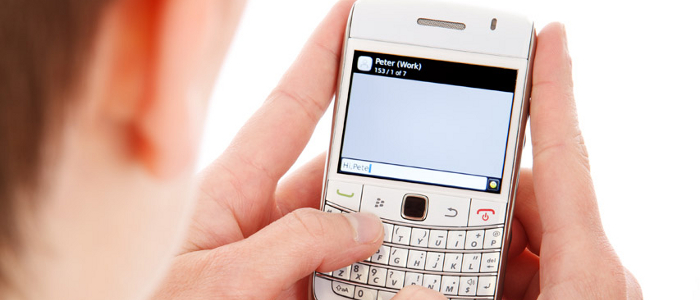
    <p>We present our ongoing work on user data and contextual privacy preservation in mobile devices through semantic reasoning. Recent advances in context modeling, tracking and collaborative localization has led to the emergence of a new class of smartphone applications that can access and share embedded sensor data. Unfortunately, this also means significant amount of user context information is now accessible to applications and potentially others, creating serious privacy and security concerns. Mobile OS frameworks like Android lack mechanisms for dynamic privacy control. We show how data flow among applications can be successfully filtered at a much more granular level using semantic web driven technologies that model device location, surroundings, application roles as well as context-dependent information sharing policies.</p>
    <p>Committee members:</p>
    <ul>
    <li>Prof. Anupam Joshi (Chair)</li>
    <li>Prof. Tim Finin</li>
    <li>Prof. Yelena Yesha</li>
    <li>Prof. Shujia Zhou</li>
    </ul>
    </div>
]]>
</Body>
<Summary>MS Thesis Defense   Smartphone Application and Data Privacy Control Using Semantically Rich Reasoning and Context Modeling   Dibyajyoti Ghosh   9:00am Tuesday, 20 November 2012, ITE 325B, UMBC    ...</Summary>
<Website>http://www.csee.umbc.edu/2012/11/ms-defense-smartphone-application-and-data-privacy-control-using-semantically-rich-reasoning-and-context-modeling/</Website>
<TrackingUrl>https://my3.my.umbc.edu/api/v0/pixel/news/19729/guest@my.umbc.edu/547c4be00148640b0ae794196c51921e/api/pixel</TrackingUrl>
<Tag>cybersecurity</Tag>
<Tag>news</Tag>
<Tag>talks</Tag>
<Group token="csee">Computer Science and Electrical Engineering</Group>
<GroupUrl>https://my3.my.umbc.edu/groups/csee</GroupUrl>
<AvatarUrl>https://assets3-my.umbc.edu/system/shared/avatars/groups/000/000/099/d117dca133c64bf78a4b7696dd007189/xsmall.png?1314043393</AvatarUrl>
<AvatarUrl size="original">https://assets1-my.umbc.edu/system/shared/avatars/groups/000/000/099/d117dca133c64bf78a4b7696dd007189/original.png?1314043393</AvatarUrl>
<AvatarUrl size="xxlarge">https://assets1-my.umbc.edu/system/shared/avatars/groups/000/000/099/d117dca133c64bf78a4b7696dd007189/xxlarge.png?1314043393</AvatarUrl>
<AvatarUrl size="xlarge">https://assets4-my.umbc.edu/system/shared/avatars/groups/000/000/099/d117dca133c64bf78a4b7696dd007189/xlarge.png?1314043393</AvatarUrl>
<AvatarUrl size="large">https://assets3-my.umbc.edu/system/shared/avatars/groups/000/000/099/d117dca133c64bf78a4b7696dd007189/large.png?1314043393</AvatarUrl>
<AvatarUrl size="medium">https://assets1-my.umbc.edu/system/shared/avatars/groups/000/000/099/d117dca133c64bf78a4b7696dd007189/medium.png?1314043393</AvatarUrl>
<AvatarUrl size="small">https://assets2-my.umbc.edu/system/shared/avatars/groups/000/000/099/d117dca133c64bf78a4b7696dd007189/small.png?1314043393</AvatarUrl>
<AvatarUrl size="xsmall">https://assets3-my.umbc.edu/system/shared/avatars/groups/000/000/099/d117dca133c64bf78a4b7696dd007189/xsmall.png?1314043393</AvatarUrl>
<AvatarUrl size="xxsmall">https://assets3-my.umbc.edu/system/shared/avatars/groups/000/000/099/d117dca133c64bf78a4b7696dd007189/xxsmall.png?1314043393</AvatarUrl>
<Sponsor>Computer Science and Electrical Engineering</Sponsor>
<PawCount>1</PawCount>
<CommentCount>0</CommentCount>
<CommentsAllowed>true</CommentsAllowed>
<PostedAt>Tue, 20 Nov 2012 11:22:38 -0500</PostedAt>
<EditAt>Sun, 18 Nov 2012 11:22:38 -0500</EditAt>
</NewsItem>

<NewsItem contentIssues="false" id="19720" important="false" status="posted" url="https://my3.my.umbc.edu/posts/19720">
<Title>Spring Co-op for Chemical Engineers with McCormick</Title>
<Body>
<![CDATA[
    <div class="html-content">McCormick &amp; Company, Incorporated, a global leader in flavor, is seeking a Process Development Intern in its Consumer Product Division (CPD) Headquarters, located at 211 Schilling Circle in Hunt Valley, MD.  This internship will start in January 2013 and will run until June 2013.   This is a full time position Monday through Friday from 8:00AM to 4.30PM, but some flexibility with hours may be available.  Note that this is a paid internship, but relocation and/or housing related expenses will not be covered.<br> <br>With more than $3 billion in annual sales, the Company manufactures, markets and distributes spices, seasoning mixes, condiments and other flavorful products to the entire food industry – retail outlets, food manufacturers and foodservice businesses.  Every day, no matter where or what you eat, you can enjoy food flavored by McCormick.  McCormick brings passion to flavor™!<br> <br> <br>RESPONSIBILITIES<br>•    Participate in numerous process development improvement projects. <br>•    Receive exposure to Fit-for-Use Projects, Cost Savings Projects, as well as other process improvement initiatives.<br>•    Support day-to-day core lab work and analysis <br>•    Serve as resource to the process development team<br>•    Handle other duties as assigned<br> <br> <br>REQUIRED QUALIFICATIONS<br>•    Current enrollment as an undergraduate college Junior or Senior <br>•    High School Diploma or GED<br>•    Grade point average of 3.0 or better within major <br>•    Ability to work independently, learn new tasks, solve problems, and show strong self-motivation &amp; initiative <br>•    Demonstrated organization and planning skills and a strong attention to detail<br>•    Proficiency with Microsoft Excel, Word, and PowerPoint <br>•    Ability to handle multiple tasks in a fast-paced, deadline driven environment<br>•    A collaborative / participative team orientation and comfort level working with and through people to accomplish goals<br>•    Demonstrated leadership experience (i.e. team captain, team lead, committee chair, project lead etc.) <br><br>PREFERRED QUALIFICATIONS<br>•    Currently pursuing a Bachelor’s Degree in Chemical Engineering<br>•    Relevant school and/or work experience<br>•    Participation in extra-curricular activities<br>•    Ability to perform data analysis <br><br>If interested, please log onto <a href="http://www.mccormickcorporation.com">www.mccormickcorporation.com</a> and apply for #100699.<br><br>
    </div>
]]>
</Body>
<Summary>McCormick &amp; Company, Incorporated, a global leader in flavor, is seeking a Process Development Intern in its Consumer Product Division (CPD) Headquarters, located at 211 Schilling Circle in...</Summary>
<TrackingUrl>https://my3.my.umbc.edu/api/v0/pixel/news/19720/guest@my.umbc.edu/bf5d7e5a658ea8812f672e53618506b8/api/pixel</TrackingUrl>
<Group token="shriver">The Shriver Center</Group>
<GroupUrl>https://my3.my.umbc.edu/groups/shriver</GroupUrl>
<AvatarUrl>https://assets2-my.umbc.edu/system/shared/avatars/groups/000/000/008/0bfad113286cf6b1bc6dedbdbfc7e5ef/xsmall.png?1441293069</AvatarUrl>
<AvatarUrl size="original">https://assets1-my.umbc.edu/system/shared/avatars/groups/000/000/008/0bfad113286cf6b1bc6dedbdbfc7e5ef/original.jpg?1441293069</AvatarUrl>
<AvatarUrl size="xxlarge">https://assets3-my.umbc.edu/system/shared/avatars/groups/000/000/008/0bfad113286cf6b1bc6dedbdbfc7e5ef/xxlarge.png?1441293069</AvatarUrl>
<AvatarUrl size="xlarge">https://assets2-my.umbc.edu/system/shared/avatars/groups/000/000/008/0bfad113286cf6b1bc6dedbdbfc7e5ef/xlarge.png?1441293069</AvatarUrl>
<AvatarUrl size="large">https://assets1-my.umbc.edu/system/shared/avatars/groups/000/000/008/0bfad113286cf6b1bc6dedbdbfc7e5ef/large.png?1441293069</AvatarUrl>
<AvatarUrl size="medium">https://assets1-my.umbc.edu/system/shared/avatars/groups/000/000/008/0bfad113286cf6b1bc6dedbdbfc7e5ef/medium.png?1441293069</AvatarUrl>
<AvatarUrl size="small">https://assets4-my.umbc.edu/system/shared/avatars/groups/000/000/008/0bfad113286cf6b1bc6dedbdbfc7e5ef/small.png?1441293069</AvatarUrl>
<AvatarUrl size="xsmall">https://assets2-my.umbc.edu/system/shared/avatars/groups/000/000/008/0bfad113286cf6b1bc6dedbdbfc7e5ef/xsmall.png?1441293069</AvatarUrl>
<AvatarUrl size="xxsmall">https://assets3-my.umbc.edu/system/shared/avatars/groups/000/000/008/0bfad113286cf6b1bc6dedbdbfc7e5ef/xxsmall.png?1441293069</AvatarUrl>
<Sponsor>Shriver Center:Intern, Co-op, Research &amp; Service-Learning</Sponsor>
<PawCount>0</PawCount>
<CommentCount>0</CommentCount>
<CommentsAllowed>true</CommentsAllowed>
<PostedAt>Tue, 20 Nov 2012 11:14:44 -0500</PostedAt>
</NewsItem>

<NewsItem contentIssues="true" id="19721" important="false" status="posted" url="https://my3.my.umbc.edu/posts/19721">
<Title>How do I migrate my UMBC email to UMBC Gmail?</Title>
<Body>
<![CDATA[
    <div class="html-content"><div>    <p>
            Page
                <strong>edited</strong> by
                        <a href="https://wiki.umbc.edu/display/~amocko1" rel="nofollow external" class="bo">Andrea Mocko</a>
                </p>
            <div>
            <h2>Tell me</h2>
    <ol>
    <li><div>
    <strong>Copy Local Mail to UMBC Webmail Servers</strong><br>Some users may have mail stored locally on their desktop hard drive. If you have mail stored locally this you should copy this mail up to the mail severs. This will allow our migration scripts to copy all of your mail to Gmail. If you are not sure, don't worry about it, it can be moved to Gmail later.</div></li>
    <li><div>
    <strong><a href="https://webadmin.umbc.edu/admin/Accounts/Gmail" rel="nofollow external" class="bo">Begin the Migration</a><br></strong>Click the link above. This launches UMBC's migration script to begin copying your UMBC Webmail email to the new UMBC Gmail environment.</div></li>
    <li>
    <strong><a href="https://sites.google.com/a/umbc.edu/gmail-migration/home/faqs#TOC-Will-my-password-be-same-I-use-now-1" rel="nofollow external" class="bo">Change Your UMBC Password</a></strong><div><table>
    <colgroup></colgroup>
    <tbody><tr>
    <td><img src="/images/icons/emoticons/forbidden.png" width="16" height="16" alt="" style="max-width: 100%; height: auto;"></td>
    <td><p>You will need to change your password if you access your mail from your phone or desktop mail client!</p></td>
    </tr></tbody>
    </table></div>
    <p>Enable Mobile Device, IMAP and POP support by changing your UMBC password. If you won't be using a mobile device or a mail client(e.g.Outlook, Thunderbird, MacMail) then you don't need to change your UMBC password right now.</p>
    </li>
    <li>
    <strong>Configure Your Gmail Web Client</strong><div>There are a few things you need to change on your Gmail Web client at <strong><a href="http://gmail.umbc.edu/" rel="nofollow external" class="bo">gmail.umbc.edu</a></strong><br><ul>
    <li>
    <a href="https://sites.google.com/a/umbc.edu/gmail-migration/home/faqs#TOC-Turning-Off-Conversation-Threading-1" rel="nofollow external" class="bo">Turn OFF Conversation Threading</a> (this provides a more traditional mail interface with mail messages viewed separately versus threading)</li>
    <li>
    <a href="https://sites.google.com/a/umbc.edu/gmail-migration/home/faqs#TOC-Basic-IMAP-POP-and-SMTP-Settings-fo1" rel="nofollow external" class="bo">Turn ON IMAP and POP support</a> This allows you to use a desktop mail client (e.g. Outlook, Thunderbird, Mac Mail)<a href="https://sites.google.com/a/umbc.edu/gmail-migration/home/faqs#TOC-Will-my-existing-Address-book-be-mi1" rel="nofollow external" class="bo">Copy Your Local Address Book to Google Contacts</a>
    </li>
    </ul>
    </div>
    </li>
    <li><div>It is important that you copy your contacts to Google contacts. Once copied Google makes these contacts available from the cloud to (Mobile devices, Gmail Web Interfaces and the Outlook Mail Client).</div></li>
    <li>
    <div><strong><a href="https://sites.google.com/a/umbc.edu/gmail-migration/home/faqs#TOC-Will-I-be-able-to-use-my-desktop-ma1" rel="nofollow external" class="bo">Setup Desktop Mail Client</a></strong></div>Some users may not want to jump right in to using the Gmail Web Interface. Click the link above to see documentation on setting up your client.</li>
    <li>
    <strong>Login to Google at UMBC</strong><br><ul>
    <li>UMBC Google Mail             <strong><a href="http://gmail.umbc.edu/" rel="nofollow external" class="bo">gmail.umbc.edu</a></strong>
    </li>
    <li>UMBC Google Calendar      <strong><a href="http://gcal.umbc.edu/" rel="nofollow external" class="bo">gcal.umbc.edu</a></strong>
    </li>
    <li>UMBC Google Docs           <strong><a href="http://gdocs.umbc.edu/" rel="nofollow external" class="bo">gdocs.umbc.edu</a></strong>
    </li>
    <li>Mail Client If you opted to setup a desktop mail client you should launch that (e.g. Outlook, Thunderbird, MacMail)</li>
    </ul>
    </li>
    </ol>
    <h2>Rate this Article</h2>
    <p>


    <strong>Was this helpful?</strong>
    <a href="https://apps-my.umbc.edu/apps/rt-track/script.php?u=http://wiki.umbc.edu%2Fpages%2Fviewpage.action%3FpageId%3D30541586&amp;q=0&amp;v=1&amp;s=faq&amp;l=gmail+accounts+email" rel="nofollow external" class="bo">Yes</a>
     | <a href="https://docs.google.com/a/umbc.edu/spreadsheet/viewform?formkey=dEpyOEZxa29QY05BaVpBVzZSYmRMM0E6MA&amp;entry_15=http%3A%2F%2Fwiki.umbc.edu%2Fpages%2Fviewpage.action%3FpageId%3D30541586" rel="nofollow external" class="bo">No</a>
     | <a href="https://docs.google.com/a/umbc.edu/spreadsheet/viewform?formkey=dEpyOEZxa29QY05BaVpBVzZSYmRMM0E6MA&amp;entry_15=http%3A%2F%2Fwiki.umbc.edu%2Fpages%2Fviewpage.action%3FpageId%3D30541586" rel="nofollow external" class="bo">Correct or Suggest an Article</a>
     | <a href="https://apps-my.umbc.edu/apps/rt-track/script.php?u=http://wiki.umbc.edu%2Fpages%2Fviewpage.action%3FpageId%3D30541586&amp;q=0&amp;v=0&amp;s=faq&amp;l=gmail+accounts+email" rel="nofollow external" class="bo">Request Help</a></p>
    <p><a href="http://my.umbc.edu/help/request" rel="nofollow external" class="bo"><img src="https://wiki.umbc.edu/download/attachments/26280988/RequestHelpicon.png?version=1&amp;modificationDate=1335482115000" style="max-width: 100%; height: auto;"></a></p>
    <p> </p>
        </div>
            <div>
           <a href="https://wiki.umbc.edu/pages/viewpage.action?pageId=30541586" rel="nofollow external" class="bo">View Online</a>
                  ·
           <a href="https://wiki.umbc.edu/pages/diffpagesbyversion.action?pageId=30541586&amp;revisedVersion=9&amp;originalVersion=8" rel="nofollow external" class="bo">View Changes Online</a>       
                      </div>
    </div></div>
]]>
</Body>
<Summary>Page             edited by                     Andrea Mocko                                  Tell me    Copy Local Mail to UMBC Webmail Servers Some users may have mail stored locally on their...</Summary>
<Website>https://wiki.umbc.edu/pages/viewpage.action?pageId=30541586</Website>
<TrackingUrl>https://my3.my.umbc.edu/api/v0/pixel/news/19721/guest@my.umbc.edu/66883bffb7d710541a5c19eb5f82145c/api/pixel</TrackingUrl>
<Tag>accounts</Tag>
<Tag>email</Tag>
<Tag>faq</Tag>
<Tag>gmail</Tag>
<Group token="retired-428">UMBC FAQ</Group>
<GroupUrl>https://my3.my.umbc.edu/groups/retired-428</GroupUrl>
<AvatarUrl>https://assets3-my.umbc.edu/images/avatars/group/1/xsmall.png?1786448318</AvatarUrl>
<AvatarUrl size="original">https://assets2-my.umbc.edu/images/avatars/group/1/original.png?1786448318</AvatarUrl>
<AvatarUrl size="xxlarge">https://assets4-my.umbc.edu/images/avatars/group/1/xxlarge.png?1786448318</AvatarUrl>
<AvatarUrl size="xlarge">https://assets2-my.umbc.edu/images/avatars/group/1/xlarge.png?1786448318</AvatarUrl>
<AvatarUrl size="large">https://assets4-my.umbc.edu/images/avatars/group/1/large.png?1786448318</AvatarUrl>
<AvatarUrl size="medium">https://assets3-my.umbc.edu/images/avatars/group/1/medium.png?1786448318</AvatarUrl>
<AvatarUrl size="small">https://assets4-my.umbc.edu/images/avatars/group/1/small.png?1786448318</AvatarUrl>
<AvatarUrl size="xsmall">https://assets3-my.umbc.edu/images/avatars/group/1/xsmall.png?1786448318</AvatarUrl>
<AvatarUrl size="xxsmall">https://assets3-my.umbc.edu/images/avatars/group/1/xxsmall.png?1786448318</AvatarUrl>
<Sponsor>UMBC FAQ</Sponsor>
<PawCount>0</PawCount>
<CommentCount>0</CommentCount>
<CommentsAllowed>true</CommentsAllowed>
<PostedAt>Tue, 20 Nov 2012 11:14:27 -0500</PostedAt>
<EditAt>Wed, 12 Dec 2012 09:19:14 -0500</EditAt>
</NewsItem>

<NewsItem contentIssues="true" id="19722" important="false" status="posted" url="https://my3.my.umbc.edu/posts/19722">
<Title>Accounts</Title>
<Body>
<![CDATA[
    <div class="html-content"><div>    <p>
            Page
                <strong>edited</strong> by
                        <a href="https://wiki.umbc.edu/display/~amocko1" rel="nofollow external" class="bo">Andrea Mocko</a>
                </p>
            <div>
            <div>
    <div><div><p><img src="https://wiki.umbc.edu/download/attachments/20283426/myumbc.png?version=1&amp;modificationDate=1366990694000&amp;api=v2" style="max-width: 100%; height: auto;"></p></div></div>
    <div>
    <div><div>
    <div><table><tbody><tr><td>
    <strong>Information for...</strong><br><ul>
    <li><a href="https://wiki.umbc.edu/display/faq/Recommended+Account+FAQs+for+Applicants" rel="nofollow external" class="bo">Applicants</a></li>
    <li><a href="https://wiki.umbc.edu/display/faq/Recommended+Account+FAQs+for+Newly+Admitted+and+Current+Students" rel="nofollow external" class="bo">Newly Admitted and Current Students</a></li>
    <li><a href="https://wiki.umbc.edu/display/faq/Recommended+Account+FAQs+for+Faculty+and+Staff" rel="nofollow external" class="bo">Faculty and Staff</a></li>
    </ul>
    </td></tr></tbody></table></div>
    <h3>Browse All Accounts Articles</h3>
    <p></p>
    <div>
    
            
                    <div>
                <span>Collapse all</span>
                <div>
                    <a href="#" rel="nofollow external" class="bo">Expand all</a>  
                    <a href="#" rel="nofollow external" class="bo">Collapse all</a>
                </div>
            </div>
        
        <ul>
            
        </ul>


    </div>
    
    </div></div>
    <div><div>
    <h3>Recommended Articles</h3>
    <ul>
    <li><a href="https://wiki.umbc.edu/display/faq/Types+of+Accounts" rel="nofollow external" class="bo">Overview of Accounts</a></li>
    <li><a href="https://wiki.umbc.edu/pages/viewpage.action?pageId=1867969" rel="nofollow external" class="bo">Create a myUMBC Account</a></li>
    <li><a href="https://wiki.umbc.edu/pages/viewpage.action?pageId=1867913" rel="nofollow external" class="bo">Upgrade from Portal to Full Access Account</a></li>
    <li><a href="https://wiki.umbc.edu/pages/viewpage.action?pageId=1867939" rel="nofollow external" class="bo">Change your myUMBC Password</a></li>
    <li><a href="https://wiki.umbc.edu/pages/viewpage.action?pageId=1867942" rel="nofollow external" class="bo">Reset a Forgotten Password</a></li>
    <li><a href="https://wiki.umbc.edu/pages/viewpage.action?pageId=1867908" rel="nofollow external" class="bo">Setup Security Questions to Recover Passwords</a></li>
    <li><a href="https://wiki.umbc.edu/pages/viewpage.action?pageId=31196868" rel="nofollow external" class="bo">Sponsor an Account for a Non-UMBC User</a></li>
    </ul>
    <h3>Popular Accounts Articles</h3>
    <p><span></span></p>
    <ol>
                            <li>
                    
                                                        <a href="/pages/viewpage.action?pageId=1867913" rel="nofollow external" class="bo">How do I upgrade my portal account to a full myUMBC account?</a>
                        
                                    (195)
                                </li>
                            <li>
                    
                                                        <a href="/pages/viewpage.action?pageId=1867942" rel="nofollow external" class="bo">I have forgotten my myUMBC password. What should I do?</a>
                        
                                    (165)
                                </li>
                            <li>
                    
                                                        <a href="/display/faq/Accounts" rel="nofollow external" class="bo">Accounts</a>
                        
                                    (160)
                                </li>
                            <li>
                    
                                                        <a href="/pages/viewpage.action?pageId=1867969" rel="nofollow external" class="bo">How do I create a myUMBC account?</a>
                        
                                    (124)
                                </li>
                            <li>
                    
                                                        <a href="/pages/viewpage.action?pageId=30541586" rel="nofollow external" class="bo">How do I migrate my UMBC email to UMBC Gmail?</a>
                        
                                    (122)
                                </li>
                            <li>
                    
                                                        <a href="/pages/viewpage.action?pageId=1867940" rel="nofollow external" class="bo">What is my campus ID?</a>
                        
                                    (75)
                                </li>
                            <li>
                    
                                                        <a href="/pages/viewpage.action?pageId=1867941" rel="nofollow external" class="bo">How do I create a myUMBC portal account?</a>
                        
                                    (72)
                                </li>
                            <li>
                    
                                                        <a href="/pages/viewpage.action?pageId=1867939" rel="nofollow external" class="bo">How do I change my myUMBC password?</a>
                        
                                    (71)
                                </li>
                            <li>
                    
                                                        <a href="/pages/viewpage.action?pageId=1867908" rel="nofollow external" class="bo">How do I setup my security questions to reset a forgotten password?</a>
                        
                                    (63)
                                </li>
                            <li>
                    
                                                        <a href="/pages/viewpage.action?pageId=1867909" rel="nofollow external" class="bo">How do I create an email alias?</a>
                        
                                    (43)
                                </li>
                        </ol>
        <p> </p>
    <div><div>
    <h4>Don't See What You're Looking For?</h4>
    <p><a href="https://rt.umbc.edu/SelfService/Create.html?Queue=33" rel="nofollow external" class="bo"><img src="https://wiki.umbc.edu/download/attachments/29853066/RequestHelpicon.png?version=1&amp;modificationDate=1335472984000&amp;api=v2" style="max-width: 100%; height: auto;"></a></p>
    <p><span><strong>Help us improve</strong>: </span><a href="https://docs.google.com/a/umbc.edu/spreadsheet/viewform?hl=en_US&amp;formkey=dEpyOEZxa29QY05BaVpBVzZSYmRMM0E6MA#gid=0" rel="nofollow external" class="bo">Suggest an article</a><span> or </span><a href="https://wiki.umbc.edu/pages/viewpage.action?pageId=30542501" rel="nofollow external" class="bo">Add Comment</a><span> on any page.</span></p>
    </div></div>
    </div></div>
    </div>
    <div><div><p> </p></div></div>
    </div>
        </div>
            <div>
           <a href="https://wiki.umbc.edu/display/faq/Accounts" rel="nofollow external" class="bo">View Online</a>
                  ·
           <a href="https://wiki.umbc.edu/pages/diffpagesbyversion.action?pageId=20283426&amp;revisedVersion=40&amp;originalVersion=39" rel="nofollow external" class="bo">View Changes Online</a>       
                      </div>
    </div></div>
]]>
</Body>
<Summary>Page             edited by                     Andrea Mocko                                            Information for...   Applicants  Newly Admitted and Current Students  Faculty and Staff...</Summary>
<Website>https://wiki.umbc.edu/display/faq/Accounts</Website>
<TrackingUrl>https://my3.my.umbc.edu/api/v0/pixel/news/19722/guest@my.umbc.edu/943bc815435fb7869f02aaaafa6b2088/api/pixel</TrackingUrl>
<Tag>faq</Tag>
<Group token="retired-428">UMBC FAQ</Group>
<GroupUrl>https://my3.my.umbc.edu/groups/retired-428</GroupUrl>
<AvatarUrl>https://assets3-my.umbc.edu/images/avatars/group/1/xsmall.png?1786448318</AvatarUrl>
<AvatarUrl size="original">https://assets2-my.umbc.edu/images/avatars/group/1/original.png?1786448318</AvatarUrl>
<AvatarUrl size="xxlarge">https://assets4-my.umbc.edu/images/avatars/group/1/xxlarge.png?1786448318</AvatarUrl>
<AvatarUrl size="xlarge">https://assets2-my.umbc.edu/images/avatars/group/1/xlarge.png?1786448318</AvatarUrl>
<AvatarUrl size="large">https://assets4-my.umbc.edu/images/avatars/group/1/large.png?1786448318</AvatarUrl>
<AvatarUrl size="medium">https://assets3-my.umbc.edu/images/avatars/group/1/medium.png?1786448318</AvatarUrl>
<AvatarUrl size="small">https://assets4-my.umbc.edu/images/avatars/group/1/small.png?1786448318</AvatarUrl>
<AvatarUrl size="xsmall">https://assets3-my.umbc.edu/images/avatars/group/1/xsmall.png?1786448318</AvatarUrl>
<AvatarUrl size="xxsmall">https://assets3-my.umbc.edu/images/avatars/group/1/xxsmall.png?1786448318</AvatarUrl>
<Sponsor>UMBC FAQ</Sponsor>
<PawCount>0</PawCount>
<CommentCount>0</CommentCount>
<CommentsAllowed>true</CommentsAllowed>
<PostedAt>Tue, 20 Nov 2012 11:12:54 -0500</PostedAt>
<EditAt>Tue, 11 Jun 2013 13:26:35 -0400</EditAt>
</NewsItem>

<NewsItem contentIssues="true" id="19719" important="false" status="posted" url="https://my3.my.umbc.edu/posts/19719">
<Title>Attention Commuters</Title>
<Body>
<![CDATA[
    <div class="html-content">No UMBC Transit Shuttle service from November 22nd-23rd. <br>
    </div>
]]>
</Body>
<Summary>No UMBC Transit Shuttle service from November 22nd-23rd.</Summary>
<Website>http://www.umbc.edu/ocss</Website>
<TrackingUrl>https://my3.my.umbc.edu/api/v0/pixel/news/19719/guest@my.umbc.edu/2a5ed31c7360139926d98d8fa8144471/api/pixel</TrackingUrl>
<Group token="ocss">Commuter Connections </Group>
<GroupUrl>https://my3.my.umbc.edu/groups/ocss</GroupUrl>
<AvatarUrl>https://assets4-my.umbc.edu/system/shared/avatars/groups/000/000/369/e9220286d22558b24422af119b418d0c/xsmall.png?1770828767</AvatarUrl>
<AvatarUrl size="original">https://assets2-my.umbc.edu/system/shared/avatars/groups/000/000/369/e9220286d22558b24422af119b418d0c/original.png?1770828767</AvatarUrl>
<AvatarUrl size="xxlarge">https://assets3-my.umbc.edu/system/shared/avatars/groups/000/000/369/e9220286d22558b24422af119b418d0c/xxlarge.png?1770828767</AvatarUrl>
<AvatarUrl size="xlarge">https://assets4-my.umbc.edu/system/shared/avatars/groups/000/000/369/e9220286d22558b24422af119b418d0c/xlarge.png?1770828767</AvatarUrl>
<AvatarUrl size="large">https://assets1-my.umbc.edu/system/shared/avatars/groups/000/000/369/e9220286d22558b24422af119b418d0c/large.png?1770828767</AvatarUrl>
<AvatarUrl size="medium">https://assets1-my.umbc.edu/system/shared/avatars/groups/000/000/369/e9220286d22558b24422af119b418d0c/medium.png?1770828767</AvatarUrl>
<AvatarUrl size="small">https://assets3-my.umbc.edu/system/shared/avatars/groups/000/000/369/e9220286d22558b24422af119b418d0c/small.png?1770828767</AvatarUrl>
<AvatarUrl size="xsmall">https://assets4-my.umbc.edu/system/shared/avatars/groups/000/000/369/e9220286d22558b24422af119b418d0c/xsmall.png?1770828767</AvatarUrl>
<AvatarUrl size="xxsmall">https://assets4-my.umbc.edu/system/shared/avatars/groups/000/000/369/e9220286d22558b24422af119b418d0c/xxsmall.png?1770828767</AvatarUrl>
<Sponsor>Off-Campus Student Services</Sponsor>
<ThumbnailUrl size="xxlarge">https://assets3-my.umbc.edu/system/shared/thumbnails/news/000/019/719/58a3db58796ee4fbe42b1bcea1a888ff/xxlarge.jpg?1353427887</ThumbnailUrl>
<ThumbnailUrl size="xlarge">https://assets4-my.umbc.edu/system/shared/thumbnails/news/000/019/719/58a3db58796ee4fbe42b1bcea1a888ff/xlarge.jpg?1353427887</ThumbnailUrl>
<ThumbnailUrl size="large">https://assets1-my.umbc.edu/system/shared/thumbnails/news/000/019/719/58a3db58796ee4fbe42b1bcea1a888ff/large.jpg?1353427887</ThumbnailUrl>
<ThumbnailUrl size="medium">https://assets2-my.umbc.edu/system/shared/thumbnails/news/000/019/719/58a3db58796ee4fbe42b1bcea1a888ff/medium.jpg?1353427887</ThumbnailUrl>
<ThumbnailUrl size="small">https://assets3-my.umbc.edu/system/shared/thumbnails/news/000/019/719/58a3db58796ee4fbe42b1bcea1a888ff/small.jpg?1353427887</ThumbnailUrl>
<ThumbnailUrl size="xsmall">https://assets3-my.umbc.edu/system/shared/thumbnails/news/000/019/719/58a3db58796ee4fbe42b1bcea1a888ff/xsmall.jpg?1353427887</ThumbnailUrl>
<ThumbnailUrl size="xxsmall">https://assets4-my.umbc.edu/system/shared/thumbnails/news/000/019/719/58a3db58796ee4fbe42b1bcea1a888ff/xxsmall.jpg?1353427887</ThumbnailUrl>
<PawCount>0</PawCount>
<CommentCount>0</CommentCount>
<CommentsAllowed>false</CommentsAllowed>
<PostedAt>Tue, 20 Nov 2012 11:12:00 -0500</PostedAt>
</NewsItem>

</News>