<?xml version="1.0"?>
<News hasArchived="true" page="8988" pageCount="10708" pageSize="10" timestamp="Sat, 27 Jun 2026 15:45:34 -0400" url="https://my3.my.umbc.edu/posts.xml?page=8988">
<NewsItem contentIssues="true" id="25152" important="false" status="posted" url="https://my3.my.umbc.edu/posts/25152">
<Title>Cybersecurity graduate programs information session, 2013-3-21</Title>
<Body>
<![CDATA[
    <div class="html-content">
    <p><a href="http://www.csee.umbc.edu/wp-content/uploads/2013/03/cyber2-copy.jpg" rel="nofollow external" class="bo"><img alt="" height="189" src="http://www.csee.umbc.edu/wp-content/uploads/2013/03/cyber2-copy.jpg" width="700" style="max-width: 100%; height: auto;"></a></p>
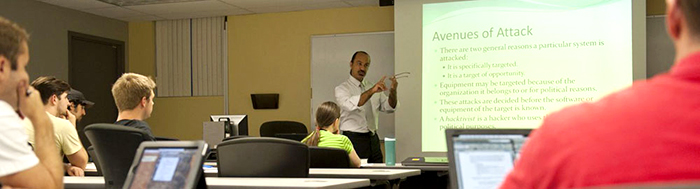
    <p>The nation's demand for skilled cybersecurity professionals continues to rise. The <a href="http://www.umbc.edu/cyber/index.php" rel="nofollow external" class="bo">UMBC Cybersecurity Graduate Program</a> will hold an information session from 6:00pm to 7:30pm on Thursday 21 March in room 102 of the Information Technology and Engineering Building (ITE). Participants will learn how our masters and certificate programs can help you get started or advance in this thriving industry, meet the Graduate Program Director and learn more about our program’s curriculum and flexible class schedules. We are now accepting applications for Fall 2013 with a deadline of 1 August, 2013. <a href="http://www.umbc.edu/cyber/rsvp.html" rel="nofollow external" class="bo">RSVP</a> for the Cybersecurity information session online to reserve a seat.</p>
    <p>UMBC is certified as a Center for Academic Excellence in Information Assurance Education (CAE) as well as a Center of Academic Excellence in Research (CAE-R) sponsored by the National Security Agency and Department of Homeland Security (DHS). View or download our <a href="http://www.umbc.edu/cyber/documents/cyber-ProgramGuide-2012.pdf" rel="nofollow external" class="bo">fact sheet</a> for a summary of the cybersecurity programs.</p>
    </div>
]]>
</Body>
<Summary>The nation's demand for skilled cybersecurity professionals continues to rise. The UMBC Cybersecurity Graduate Program will hold an information session from 6:00pm to 7:30pm on Thursday 21 March...</Summary>
<Website>http://www.csee.umbc.edu/2013/03/cybersecurity-graduate-programs-information-session-2013-3-21/</Website>
<TrackingUrl>https://my3.my.umbc.edu/api/v0/pixel/news/25152/guest@my.umbc.edu/9c8ef1f2fc1f481b22827a5246a39bc0/api/pixel</TrackingUrl>
<Tag>cybersecurity</Tag>
<Tag>graduate</Tag>
<Tag>news</Tag>
<Group token="csee">Computer Science and Electrical Engineering</Group>
<GroupUrl>https://my3.my.umbc.edu/groups/csee</GroupUrl>
<AvatarUrl>https://assets3-my.umbc.edu/system/shared/avatars/groups/000/000/099/d117dca133c64bf78a4b7696dd007189/xsmall.png?1314043393</AvatarUrl>
<AvatarUrl size="original">https://assets1-my.umbc.edu/system/shared/avatars/groups/000/000/099/d117dca133c64bf78a4b7696dd007189/original.png?1314043393</AvatarUrl>
<AvatarUrl size="xxlarge">https://assets1-my.umbc.edu/system/shared/avatars/groups/000/000/099/d117dca133c64bf78a4b7696dd007189/xxlarge.png?1314043393</AvatarUrl>
<AvatarUrl size="xlarge">https://assets4-my.umbc.edu/system/shared/avatars/groups/000/000/099/d117dca133c64bf78a4b7696dd007189/xlarge.png?1314043393</AvatarUrl>
<AvatarUrl size="large">https://assets3-my.umbc.edu/system/shared/avatars/groups/000/000/099/d117dca133c64bf78a4b7696dd007189/large.png?1314043393</AvatarUrl>
<AvatarUrl size="medium">https://assets1-my.umbc.edu/system/shared/avatars/groups/000/000/099/d117dca133c64bf78a4b7696dd007189/medium.png?1314043393</AvatarUrl>
<AvatarUrl size="small">https://assets2-my.umbc.edu/system/shared/avatars/groups/000/000/099/d117dca133c64bf78a4b7696dd007189/small.png?1314043393</AvatarUrl>
<AvatarUrl size="xsmall">https://assets3-my.umbc.edu/system/shared/avatars/groups/000/000/099/d117dca133c64bf78a4b7696dd007189/xsmall.png?1314043393</AvatarUrl>
<AvatarUrl size="xxsmall">https://assets3-my.umbc.edu/system/shared/avatars/groups/000/000/099/d117dca133c64bf78a4b7696dd007189/xxsmall.png?1314043393</AvatarUrl>
<Sponsor>Computer Science and Electrical Engineering</Sponsor>
<PawCount>0</PawCount>
<CommentCount>0</CommentCount>
<CommentsAllowed>true</CommentsAllowed>
<PostedAt>Mon, 04 Mar 2013 13:03:01 -0500</PostedAt>
</NewsItem>

<NewsItem contentIssues="true" id="25149" important="false" status="posted" url="https://my3.my.umbc.edu/posts/25149">
<Title>4 Things Young Entrepreneurs Need to Know About the JOBS Act</Title>
<Body>
<![CDATA[
    <div class="html-content">When it comes to landing startup capital, crowdfunding can be a young entrepreneur's best friend. Given the new crowdfudning law, though, here are a few changes that'll pay to know sooner than later.</div>
]]>
</Body>
<Summary>When it comes to landing startup capital, crowdfunding can be a young entrepreneur's best friend. Given the new crowdfudning law, though, here are a few changes that'll pay to know sooner than later.</Summary>
<Website>http://feedproxy.google.com/~r/YoungentrepreneurcomBlog/~3/d2YrfgJ3wfs/</Website>
<TrackingUrl>https://my3.my.umbc.edu/api/v0/pixel/news/25149/guest@my.umbc.edu/0b92c57c4081d73c6e97958085571dee/api/pixel</TrackingUrl>
<Tag>crowdfunding</Tag>
<Tag>funding</Tag>
<Tag>investors</Tag>
<Tag>startup-finance</Tag>
<Tag>startup-financing</Tag>
<Tag>startup-news</Tag>
<Group token="entrepreneurship">Alex. Brown Center for Entrepreneurship</Group>
<GroupUrl>https://my3.my.umbc.edu/groups/entrepreneurship</GroupUrl>
<AvatarUrl>https://assets2-my.umbc.edu/system/shared/avatars/groups/000/000/092/53c03b106bdc6e19e4bf0a41b5a37add/xsmall.png?1771000363</AvatarUrl>
<AvatarUrl size="original">https://assets3-my.umbc.edu/system/shared/avatars/groups/000/000/092/53c03b106bdc6e19e4bf0a41b5a37add/original.jpg?1771000363</AvatarUrl>
<AvatarUrl size="xxlarge">https://assets2-my.umbc.edu/system/shared/avatars/groups/000/000/092/53c03b106bdc6e19e4bf0a41b5a37add/xxlarge.png?1771000363</AvatarUrl>
<AvatarUrl size="xlarge">https://assets1-my.umbc.edu/system/shared/avatars/groups/000/000/092/53c03b106bdc6e19e4bf0a41b5a37add/xlarge.png?1771000363</AvatarUrl>
<AvatarUrl size="large">https://assets4-my.umbc.edu/system/shared/avatars/groups/000/000/092/53c03b106bdc6e19e4bf0a41b5a37add/large.png?1771000363</AvatarUrl>
<AvatarUrl size="medium">https://assets1-my.umbc.edu/system/shared/avatars/groups/000/000/092/53c03b106bdc6e19e4bf0a41b5a37add/medium.png?1771000363</AvatarUrl>
<AvatarUrl size="small">https://assets3-my.umbc.edu/system/shared/avatars/groups/000/000/092/53c03b106bdc6e19e4bf0a41b5a37add/small.png?1771000363</AvatarUrl>
<AvatarUrl size="xsmall">https://assets2-my.umbc.edu/system/shared/avatars/groups/000/000/092/53c03b106bdc6e19e4bf0a41b5a37add/xsmall.png?1771000363</AvatarUrl>
<AvatarUrl size="xxsmall">https://assets3-my.umbc.edu/system/shared/avatars/groups/000/000/092/53c03b106bdc6e19e4bf0a41b5a37add/xxsmall.png?1771000363</AvatarUrl>
<Sponsor>The Alex. Brown Center for Entrepreneurship</Sponsor>
<PawCount>0</PawCount>
<CommentCount>0</CommentCount>
<CommentsAllowed>true</CommentsAllowed>
<PostedAt>Mon, 04 Mar 2013 12:30:29 -0500</PostedAt>
</NewsItem>

<NewsItem contentIssues="true" id="25144" important="false" status="posted" url="https://my3.my.umbc.edu/posts/25144">
<Title>Entertainment Industry Magazine Archive</Title>
<Tagline>Database trial - ends March 31 2013</Tagline>
<Body>
<![CDATA[
    <div class="html-content">UMBC now has trial access to the <a href="https://www.proquest.com/trials/trialSummary.action?view=subject&amp;trialBean.token=3JVTTDA2W4ZN3OZSVOOY" rel="nofollow external" class="bo"><strong>Entertainment Industry Magazine Archive</strong>. </a><div><br></div>
    <div>This archival research resource contains the essential primary sources for studying the history of the film and entertainment industries, from the era of vaudeville and silent movies through to 2000. The core US and UK trade magazines covering film, music, broadcasting and theater are all included, together with film fan magazines and music press titles. Magazines have been scanned cover-to-cover in high-resolution color, with granular indexing of all articles, covers, ads and reviews. </div>
    <div><br></div>
    <div>Subjects covered include:</div>
    <div><div><ul>
    <li><span>Film industry</span></li>
    <li><span>Music business</span></li>
    <li><span>Rock and pop</span></li>
    <li><span>Jazz and blues</span></li>
    <li><span>Theater</span></li>
    <li><span>Television</span></li>
    <li><span>Radio</span></li>
    </ul></div></div>
    <div><br></div>
    <div>The trial runs through March 31, 2013. Feedback on the usefulness of this database is appreciated. Please contact Drew Alfgren at <a href="mailto:alfgren@umbc.edu" rel="nofollow external" class="bo">alfgren@umbc.edu</a>, or leave us a comment to let us know what you think.</div>
    </div>
]]>
</Body>
<Summary>UMBC now has trial access to the Entertainment Industry Magazine Archive.     This archival research resource contains the essential primary sources for studying the history of the film and...</Summary>
<Website>https://www.proquest.com/trials/trialSummary.action?view=subject&amp;trialBean.token=3JVTTDA2W4ZN3OZSVOOY</Website>
<TrackingUrl>https://my3.my.umbc.edu/api/v0/pixel/news/25144/guest@my.umbc.edu/d4d06ec556695803486d79e21a91e2ce/api/pixel</TrackingUrl>
<Tag>database-trials</Tag>
<Group token="library">Albin O. Kuhn Library &amp;amp; Gallery</Group>
<GroupUrl>https://my3.my.umbc.edu/groups/library</GroupUrl>
<AvatarUrl>https://assets1-my.umbc.edu/system/shared/avatars/groups/000/000/016/854d6fae5ee42911677c739ee1734486/xsmall.png?1279120404</AvatarUrl>
<AvatarUrl size="original">https://assets2-my.umbc.edu/system/shared/avatars/groups/000/000/016/854d6fae5ee42911677c739ee1734486/original.png?1279120404</AvatarUrl>
<AvatarUrl size="xxlarge">https://assets2-my.umbc.edu/system/shared/avatars/groups/000/000/016/854d6fae5ee42911677c739ee1734486/xxlarge.png?1279120404</AvatarUrl>
<AvatarUrl size="xlarge">https://assets4-my.umbc.edu/system/shared/avatars/groups/000/000/016/854d6fae5ee42911677c739ee1734486/xlarge.png?1279120404</AvatarUrl>
<AvatarUrl size="large">https://assets2-my.umbc.edu/system/shared/avatars/groups/000/000/016/854d6fae5ee42911677c739ee1734486/large.png?1279120404</AvatarUrl>
<AvatarUrl size="medium">https://assets1-my.umbc.edu/system/shared/avatars/groups/000/000/016/854d6fae5ee42911677c739ee1734486/medium.png?1279120404</AvatarUrl>
<AvatarUrl size="small">https://assets2-my.umbc.edu/system/shared/avatars/groups/000/000/016/854d6fae5ee42911677c739ee1734486/small.png?1279120404</AvatarUrl>
<AvatarUrl size="xsmall">https://assets1-my.umbc.edu/system/shared/avatars/groups/000/000/016/854d6fae5ee42911677c739ee1734486/xsmall.png?1279120404</AvatarUrl>
<AvatarUrl size="xxsmall">https://assets1-my.umbc.edu/system/shared/avatars/groups/000/000/016/854d6fae5ee42911677c739ee1734486/xxsmall.png?1279120404</AvatarUrl>
<Sponsor>Albin O. Kuhn Library &amp; Gallery</Sponsor>
<ThumbnailUrl size="xxlarge">https://assets4-my.umbc.edu/system/shared/thumbnails/news/000/025/144/96bd45d5e935c252c3aa57552a94af25/xxlarge.jpg?1362417395</ThumbnailUrl>
<ThumbnailUrl size="xlarge">https://assets4-my.umbc.edu/system/shared/thumbnails/news/000/025/144/96bd45d5e935c252c3aa57552a94af25/xlarge.jpg?1362417395</ThumbnailUrl>
<ThumbnailUrl size="large">https://assets4-my.umbc.edu/system/shared/thumbnails/news/000/025/144/96bd45d5e935c252c3aa57552a94af25/large.jpg?1362417395</ThumbnailUrl>
<ThumbnailUrl size="medium">https://assets3-my.umbc.edu/system/shared/thumbnails/news/000/025/144/96bd45d5e935c252c3aa57552a94af25/medium.jpg?1362417395</ThumbnailUrl>
<ThumbnailUrl size="small">https://assets4-my.umbc.edu/system/shared/thumbnails/news/000/025/144/96bd45d5e935c252c3aa57552a94af25/small.jpg?1362417395</ThumbnailUrl>
<ThumbnailUrl size="xsmall">https://assets4-my.umbc.edu/system/shared/thumbnails/news/000/025/144/96bd45d5e935c252c3aa57552a94af25/xsmall.jpg?1362417395</ThumbnailUrl>
<ThumbnailUrl size="xxsmall">https://assets2-my.umbc.edu/system/shared/thumbnails/news/000/025/144/96bd45d5e935c252c3aa57552a94af25/xxsmall.jpg?1362417395</ThumbnailUrl>
<PawCount>2</PawCount>
<CommentCount>0</CommentCount>
<CommentsAllowed>true</CommentsAllowed>
<PostedAt>Mon, 04 Mar 2013 12:17:31 -0500</PostedAt>
<EditAt>Mon, 01 Apr 2013 09:11:09 -0400</EditAt>
</NewsItem>

<NewsItem contentIssues="true" id="25146" important="false" status="posted" url="https://my3.my.umbc.edu/posts/25146">
<Title>FAR Definitions and Guidelines</Title>
<Body>
<![CDATA[
    <div class="html-content"><div>    <p>
            Page
                <strong>edited</strong> by
                        <a href="https://wiki.umbc.edu/display/~amocko1" rel="nofollow external" class="bo">Andrea Mocko</a>
                </p>
            <div>
            <div><table>
    <colgroup></colgroup>
    <tbody><tr>
    <td><img src="/images/icons/emoticons/warning.png" width="16" height="16" alt="" style="max-width: 100%; height: auto;"></td>
    <td><p>These instructions are NOT for the new Digital Measures report.</p></td>
    </tr></tbody>
    </table></div>
    <h4><strong>Important FAR Definitions</strong></h4>
    <p><strong>To Be Completed:</strong><br> This menu contains all the sections that have not been completed. This is an easy method of reminding FAR users of the sections they have not yet finished.</p>
    <p><strong>Completed Sections:</strong><br> This menu contains all the sections that you marked as completed. This is an easy method of reminding FAR users of the sections they have completed. Although sections in this menu are marked as completed, one can still edit them by clicking on them in this menu.</p>
    <p><strong>Multiple Entry Sections:</strong><br> These are sections that can be filled out multiple times. An example of a multiple entry section is the Patents and Licenses section. It can be filled out multiple times depending on how many patents and licenses were ordered during this calendar year. All multiple entry sections are marked by an asterisk in your user profile.</p>
    <p><strong>Single Entry Sections:</strong><br> These are sections that can be filled out only one time. An example of a single entry section is the Advisement Activities section. All single entry sections are not marked by an asterisk in your user profile.</p>
    <p><strong>Calendar year:</strong><br> Most sections in your user profile follow the Calendar year. The Calendar year is the regular 12 month year beginning with January.</p>
    <p><strong>Academic year:</strong><br> An Academic year is the year when the university is in session. It usually starts during September.</p>
    <h4><strong>FAR Guidelines</strong></h4>
    <p><strong>Access via myUMBC</strong><br> A link has been provided to the Faculty Annual Report via <a href="http://my.umbc.edu" rel="nofollow external" class="bo"><em>my</em>UMBC</a>. Once logged onto <em>my</em>UMBC, click on your name - displayed below the search bar. Click on <strong>Profile</strong>. Click <strong>Enter and Review My Faculty Annual Report</strong> under the Employee Address. You will be directed to the User Profile for the current calendar year.</p>
    <p><strong>Multiple Department Affiliations</strong><br> You must identify all departments which you are associated. Three drop down boxes are available for you to identify the department(s) with which you are associated. Please indicate your primary department affiliation first.</p>
    <p><strong>Copying Section Information from a Previous Year</strong><br> The FAR is set up to allow you to copy information from a precious year. For more information on how to use this feature, see the FAQs on <a href="https://wiki.umbc.edu/pages/viewpage.action?pageId=34537950" rel="nofollow external" class="bo">How do I copy single entry sections of the FAR from previous years?</a> and <a href="https://wiki.umbc.edu/pages/viewpage.action?pageId=34537955" rel="nofollow external" class="bo">How do I copy multiple entry sections of the FAR from previous years?</a>.</p>
    <p><strong>Easy Navigation</strong><br> A navigation bar is displayed on the FAR to assist you with easy navigation throughout the FAR. The bar placed at the top of your screen is static. It is always visible, regardless of which screen you are using.</p>
    <p><strong>User Friendly Error Checking</strong><br> If you make a mistake and enter information into the wrong section of the FAR, you do not need to re-type this information in the correct section. The information will not be cleared out if entered incorrectly.</p>
    <p><strong>Report Options</strong><br> This menu contains auxiliary options used to assist in completing the FAR.</p>
    <ul>
    <li>
    <em>Comments on Faculty Report:</em> Used to send comments about the FAR and the reporting format of the FAR</li>
    <li>
    <em>Copy Section Information:</em> Used to copy sections from one year to another</li>
    <li>
    <em>General Instruction:</em> Contains general instructions on the FAR</li>
    <li>
    <em>Section Descriptions:</em> Descriptions for each section of the FAR</li>
    <li>
    <em>Summary of Your Report:</em> Allows you to view, print the summary of your report</li>
    </ul>
    <p><strong>Time Spent in the Hundredths</strong><br> The FAR will allow you to enter in decimal values. The Time Spent and the Instructional Activity sections allow you to enter time in decimal values. Also the course number field in the Instructional Activity section has been lengthened to allow for cross-listed courses within the same discipline.</p>
    <h2>
    <br>Rate this Article</h2>
    <p>


    <strong>Was this helpful?</strong>
    <a href="https://apps-my.umbc.edu/apps/rt-track/script.php?u=http://wiki.umbc.edu%2Fdisplay%2Ffaq%2FFAR%2BDefinitions%2Band%2BGuidelines&amp;q=0&amp;v=1&amp;s=faq&amp;l=far" rel="nofollow external" class="bo">Yes</a>
     | <a href="https://docs.google.com/a/umbc.edu/spreadsheet/viewform?formkey=dEpyOEZxa29QY05BaVpBVzZSYmRMM0E6MA&amp;entry_15=http%3A%2F%2Fwiki.umbc.edu%2Fpages%2Fviewpage.action%3FpageId%3D34537960" rel="nofollow external" class="bo">No</a>
     | <a href="https://docs.google.com/a/umbc.edu/spreadsheet/viewform?formkey=dEpyOEZxa29QY05BaVpBVzZSYmRMM0E6MA&amp;entry_15=http%3A%2F%2Fwiki.umbc.edu%2Fpages%2Fviewpage.action%3FpageId%3D34537960" rel="nofollow external" class="bo">Correct or Suggest an Article</a>
     | <a href="https://apps-my.umbc.edu/apps/rt-track/script.php?u=http://wiki.umbc.edu%2Fdisplay%2Ffaq%2FFAR%2BDefinitions%2Band%2BGuidelines&amp;q=0&amp;v=0&amp;s=faq&amp;l=far" rel="nofollow external" class="bo">Request Help</a></p>
    <p><a href="http://my.umbc.edu/help/request" rel="nofollow external" class="bo"><br><img src="https://wiki.umbc.edu/download/attachments/29853066/RequestHelpicon.png?version=1&amp;modificationDate=1335472984000&amp;api=v2" style="max-width: 100%; height: auto;"></a></p>
        </div>
            <div>
           <a href="https://wiki.umbc.edu/display/faq/FAR+Definitions+and+Guidelines" rel="nofollow external" class="bo">View Online</a>
                  ·
           <a href="https://wiki.umbc.edu/pages/diffpagesbyversion.action?pageId=34537960&amp;revisedVersion=3&amp;originalVersion=2" rel="nofollow external" class="bo">View Changes Online</a>       
                      </div>
    </div></div>
]]>
</Body>
<Summary>Page             edited by                     Andrea Mocko                                   These instructions are NOT for the new Digital Measures report.   Important FAR Definitions  To Be...</Summary>
<Website>https://wiki.umbc.edu/display/faq/FAR+Definitions+and+Guidelines</Website>
<TrackingUrl>https://my3.my.umbc.edu/api/v0/pixel/news/25146/guest@my.umbc.edu/e9e10f1350b8c74845ff3fff5cef097f/api/pixel</TrackingUrl>
<Tag>faq</Tag>
<Tag>far</Tag>
<Group token="retired-428">UMBC FAQ</Group>
<GroupUrl>https://my3.my.umbc.edu/groups/retired-428</GroupUrl>
<AvatarUrl>https://assets1-my.umbc.edu/images/avatars/group/1/xsmall.png?1782487796</AvatarUrl>
<AvatarUrl size="original">https://assets4-my.umbc.edu/images/avatars/group/1/original.png?1782487796</AvatarUrl>
<AvatarUrl size="xxlarge">https://assets4-my.umbc.edu/images/avatars/group/1/xxlarge.png?1782487796</AvatarUrl>
<AvatarUrl size="xlarge">https://assets4-my.umbc.edu/images/avatars/group/1/xlarge.png?1782487796</AvatarUrl>
<AvatarUrl size="large">https://assets1-my.umbc.edu/images/avatars/group/1/large.png?1782487796</AvatarUrl>
<AvatarUrl size="medium">https://assets4-my.umbc.edu/images/avatars/group/1/medium.png?1782487796</AvatarUrl>
<AvatarUrl size="small">https://assets2-my.umbc.edu/images/avatars/group/1/small.png?1782487796</AvatarUrl>
<AvatarUrl size="xsmall">https://assets1-my.umbc.edu/images/avatars/group/1/xsmall.png?1782487796</AvatarUrl>
<AvatarUrl size="xxsmall">https://assets4-my.umbc.edu/images/avatars/group/1/xxsmall.png?1782487796</AvatarUrl>
<Sponsor>UMBC FAQ</Sponsor>
<PawCount>0</PawCount>
<CommentCount>0</CommentCount>
<CommentsAllowed>true</CommentsAllowed>
<PostedAt>Mon, 04 Mar 2013 12:13:28 -0500</PostedAt>
</NewsItem>

<NewsItem contentIssues="true" id="26022" important="false" status="posted" url="https://my3.my.umbc.edu/posts/26022">
<Title>The Command Line is Your Best Friend</Title>
<Body>
<![CDATA[
    <div class="html-content">
    <a href="http://rss.buysellads.com/click.php?z=1260013&amp;k=d754f1e9ba63a736ba8ff5ece958f7dd&amp;a=30362&amp;c=1735456020" rel="nofollow external" class="bo"><img src="http://rss.buysellads.com/img.php?z=1260013&amp;k=d754f1e9ba63a736ba8ff5ece958f7dd&amp;a=30362&amp;c=1735456020" alt="" style="max-width: 100%; height: auto;"></a><p>The command line can either be your best friend, or your worst enemy. It simply depends on how you use it, and what you use it for. If you’re one of the many people who cringe at the mere thought of using the command line, then you’ve come to the right place!</p>
    <p></p>
    <hr>
    <h2>Command Line Interface?</h2>
    <p>Yes, it’s that white (or green) on black screen, where mysterious text flows and strange commands execute. I know great programmers who never use the CLI; however, I also know basic computer users who do everything in the CLI instead of the graphical user interface (GUI). They have console applications to browse the web and file system, read mail, view images and edit text. They even watch YouTube videos and read PDF files without a GUI!</p>
    <p>It’s up to each person to find his or her best workflow. Some prefer the GUI, while others enjoy the CLI.</p>
    <div><p><strong>Please Note:</strong> The real CLI has little or nothing to do with what you see on TV. Rarely is the CLI realistically portrayed in movies or <a href="http://www.youtube.com/watch?v=hkDD03yeLnU" rel="nofollow external" class="bo">TV shows</a>.</p></div>
    <hr>
    <h2>Terminology</h2>
    <p>Newcomers to the Unix/Linux world are typically confused, when it comes to the difference between a terminal, a console and a shell.</p>
    <div><img src="http://cdn.tutsplus.com/net.tutsplus.com/authors/jeremymcpeak/cmd-console-terminal-shell-schema.png" style="max-width: 100%; height: auto;"></div>
    <p>From the user’s perspective, there may be little to no difference between them, but in actuality, the the user uses a console to connect to a terminal, in order to look at the shell running on the computer.</p>
    <blockquote><p>It’s up to each person to find his or her best workflow.</p></blockquote>
    <p>In ye olden days, these three items were separate hardware. The console was nothing more than a monitor and keyboard; it had no computing capabilities. It connected to a terminal, via a serial interface, the most common being the RS-232 connector.</p>
    <p>A terminal is akin to an end-point to a mainframe. It usually had some computing capabilities and could communicate over a network, or some form of specialized connection, to a mainframe. A terminal also provided administrative rights to the system, which was why it was usually kept in a closed room. The consoles from the employees’ area connected to these terminals, allowing them to work without having administrative access to the mainframe.</p>
    <p>Consoles and terminals eventually merged in a single device, the most notorious being the VT terminals emulated in modern Linux distributions.</p>
    <div><img src="http://cdn.tutsplus.com/net.tutsplus.com/authors/jeremymcpeak/cmd-vt100-vt101.png" style="max-width: 100%; height: auto;"></div>
    <div><p><strong>A Little Computer History:</strong> <a href="http://www.youtube.com/watch?v=HMYiktO0D64" rel="nofollow external" class="bo">Training Video for Bell Labs’ Holmdel Computing Center – AT&amp;T Archives</a></p></div>
    <p>The shell is the actual program capable of reading the user’s input and providing the result on the screen. A shell can be textual (like the CLI) or graphical (like Windows’ GUI). In today’s computing, a shell is much more than a simple interface between the user and system. It is responsible for managing processes, windows, applications, commands and other aspects of the system.</p>
    <blockquote><p>The CLI is a shell that offers a text-based interface to the user.</p></blockquote>
    <p>The shell interprets the commands entered through the command line, and a user can combine multiple commands into a single script. Modern shells have a scripting language of their own, providing the ability to perform complex decisions.</p>
    <p>Most modern Linux distributions, as well as Mac OSX, use a shell, called BASH. Solaris and OpenIndiana use KornShell by default, which is another variant of BASH. Please note that this tutorial will focus on BASH.</p>
    <div><p><strong>Windows users</strong> can also use BASH. It is distributed with Cygwin and MinGW.</p></div>
    <hr>
    <h2>Let’s Talk About BASH</h2>
    <blockquote><p>Most modern Linux distributions, as well as Mac OSX, use a shell, called BASH.</p></blockquote>
    <p>BASH stands for Bourne Again Shell. It was released in 1989 as a reincarnation of the Bourne Shell, the then default shell on Unix systems. It was programmed by Stephen Bourne and came as a replacement for Thompson Shell, the first ever shell software for UNIX. The old Bourne Shell is still present in some Unix systems. You can usually find it as <code>/bin/sh</code>. However, even that has been replaced by BASH on most modern distributions; both <code>/bin/sh</code> and <code>/bin/bash</code> are executables for BASH.</p>
    <h3>The BASH Prompt</h3>
    <p>The one thing that you will always have is BASH’s prompt. It is a story in and of itself, and we could spend this entire tutorial on how to configure and personalize it. Instead, we’ll only discuss the basics in this tutorial.</p>
    <pre>csaba@csaba-pc ~/Personal/Programming/NetTuts $</pre>
    <p>This is what my prompt looks like. The first word, <code>csaba</code> is my username, followed by <code>@</code> and my computer’s hostname, and then the current folder. The character “<code>~</code>” stands for the current user’s home directory – <code>/home/csaba</code>, in my case. The line ends with <code>$</code>. Whatever I type after the <code>$</code> is the command that I want my shell to execute.</p>
    <div><p><strong>Root is Special:</strong> If you are root, the prompt ends with <code>#</code> instead of <code>$</code>.</p></div>
    <p>Of course, this is only a simple example; you can put a lot more information in your prompt line. Let’s explore some basic examples.</p>
    <p>BASH has a set of special variables, <code>PS1</code>, <code>PS2</code>, <code>PS3</code> and <code>PS4</code>, which control the contents in the prompt at different stages of a program’s execution. We will only talk about <code>PS1</code> in this tutorial. You can check what the <code>PS1</code> variable contains with the following command:</p>
    <pre>csaba@csaba-pc ~/Personal/Programming/NetTuts $ echo $PS1&#x000A;    \[\033[01;32m\]\u@\h\[\033[01;34m\] \w \$\[\033[00m\]&#x000A;    </pre>
    <p>What you see here is my prompt, followed by a command <code>echo $PS1</code> and the output of the command. In BASH, you put the dollar sign before the variable name when you want to read its contents. The <code>echo</code> command simply outputs whatever it receives as a parameter. If the parameter is a variable, its value displays on the screen.</p>
    <p>The output represents a format. <code>\[\033[01;32m\]</code> is a color code for green, and <code>\u</code> represents the current user’s username. The <code>\h</code> token stands for hostname, and <code>\[\033[01;34m\]</code> is the color code for blue. <code>\w</code> is the current directory, and <code>\[\033[00m\]</code> is a light gray color for whatever follows (the commands I type). Below is a screenshot, so that you can better visualize the result.</p>
    <div><img src="http://cdn.tutsplus.com/net.tutsplus.com/authors/jeremymcpeak/cmd-console-prompt.png" style="max-width: 100%; height: auto;"></div>
    <p>There are special characters preceded by “\” that have their own special meaning. Otherwise, “\” denotes an escape character for what follows (as in the color codes). Below is the complete list of special characters that you can use in the BASH prompt, cited from the official BASH manual:</p>
    <ul>
    <li>
    <code>\a</code> – an ASCII bell character (07)</li>
    <li>
    <code>\d</code> – the date in “Weekday Month Date” format (e.g., “Tue May 26″)</li>
    <li>
    <code>\D{format}</code> – the format is passed to strftime(3) and the result is inserted into the prompt string; an empty format results in a locale-specific time representation.  The braces are required</li>
    <li>
    <code>\e</code> – an ASCII escape character (033)</li>
    <li>
    <code>\h</code> – the hostname up to the first `.’</li>
    <li>
    <code>\H</code> – the hostname</li>
    <li>
    <code>\j</code> – the number of jobs currently managed by the shell</li>
    <li>
    <code>\l</code> – the basename of the shell’s terminal device name</li>
    <li>
    <code>\n</code> – newline</li>
    <li>
    <code>\r</code> – carriage return</li>
    <blockquote><p>Each of these commands are capable of much more than what I covered in this tutorial.</p></blockquote>
    <li>
    <code>\s</code> – the name of the shell, the basename of $0 (the portion following the final slash)</li>
    <li>
    <code>\T</code> – the current time in 12-hour HH:MM:SS format</li>
    <li>
    <code>\t</code> – the current time in 24-hour HH:MM:SS format</li>
    <li>
    <code>\@</code> – the current time in 12-hour am/pm format</li>
    <li>
    <code>\A</code> – the current time in 24-hour HH:MM format</li>
    <li>
    <code>\u</code> – the username of the current user</li>
    <li>
    <code>\v</code> – the version of bash (e.g., 2.00)</li>
    <li>
    <code>\V</code> – the release of bash, version + patch level (e.g., 2.00.0)</li>
    <li>
    <code>\w</code> – the current working directory, with $HOME abbreviated with a tilde (uses the value of the PROMPT_DIRTRIM variable)</li>
    <li>
    <code>\W</code> – the basename of the current working directory, with $HOME abbreviated with a tilde</li>
    <li>
    <code>\!</code> – the history number of this command</li>
    <li>
    <code>\#</code> – the command number of this command</li>
    <li>
    <code>\$</code> – if the effective UID is 0, a #, otherwise a $</li>
    <li>
    <code>\nnn</code> – the character corresponding to the octal number nnn</li>
    <li>
    <code>\\</code> – a backslash</li>
    <li>
    <code>\[</code> - begin a sequence of non-printing characters, which could be used to embed a terminal control sequence into the prompt</li>
    <li>
    <code>\]</code> – end a sequence of non-printing characters</li>
    </ul>
    <h3>Working with Directories and Files</h3>
    <p>The things everyone must do in a command line environment is navigate the file system, create, delete, copy and move file system objects, and execute commands. This may be common knowledge to some of you, but let’s take a quick look:</p>
    <pre>csaba@csaba-pc ~ $ mkdir ~/tmp/NetTuts&#x000A;    csaba@csaba-pc ~ $ cd ~/tmp/NetTuts/&#x000A;    csaba@csaba-pc ~/tmp/NetTuts $ mkdir ./AnotherDir&#x000A;    csaba@csaba-pc ~/tmp/NetTuts $ mkdir ./SecondDir&#x000A;    csaba@csaba-pc ~/tmp/NetTuts $ touch ./SecondDir/aFile&#x000A;    csaba@csaba-pc ~/tmp/NetTuts $ touch ./SecondDir/AnotherFile&#x000A;    csaba@csaba-pc ~/tmp/NetTuts $ cd ./SecondDir/&#x000A;    csaba@csaba-pc ~/tmp/NetTuts/SecondDir $ pushd ~/tmp/NetTuts&#x000A;    ~/tmp/NetTuts ~/tmp/NetTuts/SecondDir&#x000A;    csaba@csaba-pc ~/tmp/NetTuts $ ls -al&#x000A;    total 16&#x000A;    drwxr-xr-x 4 csaba csaba 4096 Feb 19 21:09 .&#x000A;    drwx------ 7 csaba csaba 4096 Feb 19 21:09 ..&#x000A;    drwxr-xr-x 2 csaba csaba 4096 Feb 19 21:09 AnotherDir&#x000A;    drwxr-xr-x 2 csaba csaba 4096 Feb 19 21:09 SecondDir&#x000A;    csaba@csaba-pc ~/tmp/NetTuts $ popd&#x000A;    ~/tmp/NetTuts/SecondDir&#x000A;    csaba@csaba-pc ~/tmp/NetTuts/SecondDir $ ls -al&#x000A;    total 8&#x000A;    drwxr-xr-x 2 csaba csaba 4096 Feb 19 21:09 .&#x000A;    drwxr-xr-x 4 csaba csaba 4096 Feb 19 21:09 ..&#x000A;    -rw-r--r-- 1 csaba csaba    0 Feb 19 21:09 aFile&#x000A;    -rw-r--r-- 1 csaba csaba    0 Feb 19 21:09 AnotherFile&#x000A;    csaba@csaba-pc ~/tmp/NetTuts/SecondDir $&#x000A;    </pre>
    <p>A line-by-line explanation:</p>
    <blockquote><p>If you are root, the prompt ends with <code>#</code> instead of <code>$</code>.</p></blockquote>
    <ol>
    <li>Create a directory called NetTuts under /home/csaba/tmp.</li>
    <li>Change current directory to the newly created directory.</li>
    <li>Create a directory called “AnotherDir” inside the current directory.</li>
    <li>Create a directory called “SecondDir” inside the current directory.</li>
    <li>Create two empty files inside “SecondDir” using the touch command.</li>
    <li>Change current directory to SecondDir.</li>
    <li>Use pushd to change directory to ~/tmp/NetTuts in order to put our current directory on a stack.</li>
    <li>List all files in ~/tmp/NetTuts</li>
    <li>Return to our previous directory by issuing a popd command, which fetches (and removes) the top directory from the stack.</li>
    <li>List again the contents and see the two files we created a few steps above.</li>
    </ol>
    <p>Of course, you have an almighty file manager for the command line, called Midnight Commander. Just execute the <code>mc</code> commdn to start using it. It also has a built-in text editor (with code highlighting) for a large number of languages, as well as smart indentation and other features. It’s not a full blown editor, in fact it’s a rather simple tool for simple and quick edits. You can simply select any file and hit F4, or you can open a file directly in the editor without starting mc.</p>
    <pre>csaba@csaba-pc ~/tmp/NetTuts/SecondDir $ mcedit ./aFile</pre>
    <hr>
    <h2>Input/Output</h2>
    <p>Every command must communicate with the command line environment. Commands need input and provide output. <strong>Standard Input</strong> refers to source from where a command can read information. This is the keyboard by default, and it’s frequently referred to as “stdin”. <strong>Standard Output</strong> refers to the place where a command’s output will be sent. By default, this is the current console, and its usually referred to as “stdout”. <strong>Standard Error</strong> refers to the place where a command outputs its errors. This is the current console by default, and many refer to it as “stderr”.</p>
    <p>What we defined so far simply states that a command can read from the keyboard and output its results, both good and bad, to the screen.</p>
    <blockquote><p>In Unix (and similar systems) everything is a file. Your keyboard is a file, your mouse is a file, your screen is a file, programs are in files, text is in files, etc.</p></blockquote>
    <p>A <strong>File Descriptor</strong> is an integer that the operating system’s kernel uses to reference open files. Every system has at least three file descriptors:</p>
    <ul>
    <li>Descriptor no. <strong>0</strong> – standard input.</li>
    <li>Descriptor no. <strong>1</strong> – standard output.</li>
    <li>Descriptor no. <strong>2</strong> – standard error.</li>
    </ul>
    <h3>Redirections</h3>
    <p>Unix systems have a very powerful feature: because everything is a file, you can reference and redirect everything from one place to another. The redirection operators are <code>&lt;</code> for stdin and <code>&gt;</code> for stdout. So, if you want a command to read information from the keyboard, you can do something like this:</p>
    <pre>$ someCommand &lt; </pre>
    <p>But what if you want your command to read from a file? Well you can redirect a file into its stdin, like this:</p>
    <pre>$ someCommand &lt; /your/file.txt</pre>
    <p>If you want your command’s output to go into a file, you can use the <code>&gt;</code> operator. For example we’ve seen how to list files in a folder:</p>
    <pre>csaba@csaba-pc ~/tmp/NetTuts/SecondDir $ ls -al&#x000A;    total 8&#x000A;    drwxr-xr-x 2 csaba csaba 4096 Feb 19 21:09 .&#x000A;    drwxr-xr-x 4 csaba csaba 4096 Feb 19 21:09 ..&#x000A;    -rw-r--r-- 1 csaba csaba    0 Feb 19 21:09 aFile&#x000A;    -rw-r--r-- 1 csaba csaba    0 Feb 19 21:09 AnotherFile&#x000A;    csaba@csaba-pc ~/tmp/NetTuts/SecondDir $&#x000A;    </pre>
    <p>You can send that result to a file with the following command:</p>
    <pre>csaba@csaba-pc ~/tmp/NetTuts/SecondDir $ ls -al &gt; ./ThirdFile </pre>
    <p>The contents of ThirdFile is:</p>
    <pre>total 12&#x000A;    drwxr-xr-x 2 csaba csaba 4096 Feb 24 00:06 .&#x000A;    drwxr-xr-x 4 csaba csaba 4096 Feb 19 21:09 ..&#x000A;    -rw-r--r-- 1 csaba csaba   12 Feb 19 21:19 aFile&#x000A;    -rw-r--r-- 1 csaba csaba    0 Feb 19 21:09 AnotherFile&#x000A;    -rw-r--r-- 1 csaba csaba    0 Feb 24 00:06 ThirdFile&#x000A;    </pre>
    <p>Let’s say we want to navigate to the parent folder, list all its files, and use a command to append the list to the existing file. The <code>&gt;</code> operator redirects output to a file and overwrites that file; so we can’t use it. We can, however, use <code>&gt;&gt;</code> (a double <code>&gt;</code>) to append new data to an existing file.</p>
    <pre>csaba@csaba-pc ~/tmp/NetTuts/SecondDir $ cd ..&#x000A;    csaba@csaba-pc ~/tmp/NetTuts $ ls -al&#x000A;    total 16&#x000A;    drwxr-xr-x 4 csaba csaba 4096 Feb 19 21:09 .&#x000A;    drwx------ 7 csaba csaba 4096 Feb 19 21:09 ..&#x000A;    drwxr-xr-x 2 csaba csaba 4096 Feb 19 21:09 AnotherDir&#x000A;    drwxr-xr-x 2 csaba csaba 4096 Feb 24 00:06 SecondDir&#x000A;    csaba@csaba-pc ~/tmp/NetTuts $ ls -al &gt;&gt; ./SecondDir/ThirdFile&#x000A;    </pre>
    <p>And our file’s content is:</p>
    <pre>total 12&#x000A;    drwxr-xr-x 2 csaba csaba 4096 Feb 24 00:06 .&#x000A;    drwxr-xr-x 4 csaba csaba 4096 Feb 19 21:09 ..&#x000A;    -rw-r--r-- 1 csaba csaba   12 Feb 19 21:19 aFile&#x000A;    -rw-r--r-- 1 csaba csaba    0 Feb 19 21:09 AnotherFile&#x000A;    -rw-r--r-- 1 csaba csaba    0 Feb 24 00:06 ThirdFile&#x000A;    total 16&#x000A;    drwxr-xr-x 4 csaba csaba 4096 Feb 19 21:09 .&#x000A;    drwx------ 7 csaba csaba 4096 Feb 19 21:09 ..&#x000A;    drwxr-xr-x 2 csaba csaba 4096 Feb 19 21:09 AnotherDir&#x000A;    drwxr-xr-x 2 csaba csaba 4096 Feb 24 00:06 SecondDir</pre>
    <h3>Input/Output Redirections</h3>
    <p>We can combine our knowledge and redirect stderr, stdin and stdout in different ways. In fact the commands below are doing the same thing:</p>
    <pre>csaba@csaba-pc ~/tmp/NetTuts $ ls -al &gt; ./SecondDir/ThirdFile&#x000A;    csaba@csaba-pc ~/tmp/NetTuts $ ls -al 1&gt; ./SecondDir/ThirdFile </pre>
    <p>In the second command, we specified the source as standard output (<code>1&gt;</code>) right before the redirection. Please also note that there is no space between <code>1</code> and <code>&gt;</code>. In fact, placing a space between the two characters makes <code>1</code> a parameter and <code>&gt;</code> would automatically imply redirection of standard output. The two expressions below do the same thing and are different from the ones above:</p>
    <pre>csaba@csaba-pc ~/tmp/NetTuts $ ls -al 1 &gt; ./SecondDir/ThirdFile&#x000A;    csaba@csaba-pc ~/tmp/NetTuts $ ls -al 1 1&gt; ./SecondDir/ThirdFile </pre>
    <p>Of course, these result in an error: “ls: cannot access 1: No such file or directory” – unless you really have a directory named <code>1</code>. This makes us wonder about the next steps we can take: redirecting errors.</p>
    <pre>csaba@csaba-pc ~/tmp/NetTuts $ ls -al inexistenFilder &gt; ./SecondDir/ThirdFile&#x000A;    ls: cannot access inexistenFilder: No such file or directory&#x000A;    csaba@csaba-pc ~/tmp/NetTuts $ ls -al inexistenFilder 2&gt; ./SecondDir/ThirdFile </pre>
    <p>As you can see, the first command outputs stderr in the console and redirects stdout to a file. The result of the first command is an empty file and a message on the screen. The second command, however, redirects the errors to our file. The result is that if there were any outputs on standard output, they would go on the screen and errors would go to the file.</p>
    <h3>A Real Life Example for I/O Redirection</h3>
    <p>You basically have two options when you need to search for files in the console. The first is the <code>locate</code> command. It is usually, but not necessarily, installed on many modern Linux distributions. The <code>updatedb</code> command indexes your files and <code>locate</code> uses that database to find your files. It does not actually do a real-time search, it simply looks up indexes in a database. That’s why this application is usually scheduled for a daily <code>updatedb</code>.</p>
    <blockquote><p>The second command is called, well, <code>find</code>.</p></blockquote>
    <p>This command performs a real-time search. It is more accurate than <code>locate</code>, but is obviously much slower. Let’s play with it a little:</p>
    <pre>csaba@csaba-pc ~/tmp/NetTuts $ ls -al&#x000A;    total 16&#x000A;    drwxr-xr-x 4 csaba csaba 4096 Feb 19 21:09 .&#x000A;    drwx------ 7 csaba csaba 4096 Feb 19 21:09 ..&#x000A;    drwxr-xr-x 2 csaba csaba 4096 Feb 19 21:09 AnotherDir&#x000A;    drwxr-xr-x 2 csaba csaba 4096 Feb 24 00:06 SecondDir&#x000A;    csaba@csaba-pc ~/tmp/NetTuts $ ls -al ./SecondDir/&#x000A;    total 16&#x000A;    drwxr-xr-x 2 csaba csaba 4096 Feb 24 00:06 .&#x000A;    drwxr-xr-x 4 csaba csaba 4096 Feb 19 21:09 ..&#x000A;    -rw-r--r-- 1 csaba csaba   12 Feb 19 21:19 aFile&#x000A;    -rw-r--r-- 1 csaba csaba    0 Feb 19 21:09 AnotherFile&#x000A;    -rw-r--r-- 1 csaba csaba   61 Feb 24 00:23 ThirdFile&#x000A;    csaba@csaba-pc ~/tmp/NetTuts $ find . -name ThirdFile&#x000A;    ./SecondDir/ThirdFile&#x000A;    </pre>
    <p>I printed the two <code>ls</code> commands so that you can see the directory structure. The third command is our <code>find</code>. It has a complex parameter system that I will not detail here, but the above example demonstrates the most common use of <code>find</code>. The first parameter, <code>.</code>, is the directory in which we want to search.</p>
    <div><p><strong>Tip:</strong> <code>.</code> refers to the current directory. <code>..</code> refers to the parent directory.</p></div>
    <p>The second parameter we used for <code>find</code> was <code>-name</code>, followed by a file’s name. We can use <code>?</code> and <code>*</code> in the <code>-name</code> parameter to broaden our search:</p>
    <pre>csaba@csaba-pc ~/tmp/NetTuts $ find . -name ?File&#x000A;    ./SecondDir/aFile&#x000A;    csaba@csaba-pc ~/tmp/NetTuts $ find . -name *File&#x000A;    ./SecondDir/aFile&#x000A;    ./SecondDir/AnotherFile&#x000A;    ./SecondDir/ThirdFile</pre>
    <p><code>?</code> stands for any single character, and <code>*</code> refers to any number of any characters.</p>
    <p>Next, we will create a directory and make it unreadable by our user. We have not yet reviewed permissions, but don’t worry, we will shortly. For now, simply try the following:</p>
    <pre>csaba@csaba-pc ~/tmp/NetTuts $ mkdir ThirdDir&#x000A;    csaba@csaba-pc ~/tmp/NetTuts $ chmod 000 ThirdDir&#x000A;    csaba@csaba-pc ~/tmp/NetTuts $ find . -name *File&#x000A;    ./SecondDir/aFile&#x000A;    ./SecondDir/AnotherFile&#x000A;    ./SecondDir/ThirdFile&#x000A;    find: `./ThirdDir': Permission denied&#x000A;    </pre>
    <p>I wanted you to not have permission to a directory so that I can demonstrate what <code>find</code> outputs in this case. It tries to access all the directories and search for files that match the given pattern. When it can’t access a directory, it outputs a message. This is OK when you have one or two messages, but try to search for something starting from the root folder as an ordinary user. You will get hundreds of such error messages and probably only one or two search results. You don’t want to miss the results; you want to get rid of the error messages.</p>
    <pre>csaba@csaba-pc ~/tmp/NetTuts $ find . -name *File 2&gt; /dev/null&#x000A;    ./SecondDir/aFile&#x000A;    ./SecondDir/AnotherFile&#x000A;    ./SecondDir/ThirdFile</pre>
    <p>We redirected stderr into <code>/dev/null</code>. This points to… well nothing. Whatever you throw into <code>/dev/null</code> will simply vanish. It is common practice to send errors there when you don’t want to see them. If you prefer your results in a file, and your errors sent to <code>/dev/null</code>, you can use multiple redirections:</p>
    <pre>csaba@csaba-pc ~/tmp/NetTuts $ find . -name *File 2&gt; /dev/null 1&gt;./SecondDir/ThirdFile&#x000A;    csaba@csaba-pc ~/tmp/NetTuts $</pre>
    <p>As you can see, this command outputs nothing to the screen because both errors and standard output are sent to different files. But what if you want both in the same file? Well, you can send stderr into stdout and then send stdout to a file:</p>
    <pre>find . -name *File 1&gt;./SecondDir/ThirdFile 2&gt;&amp;1</pre>
    <p>Redirections are interpreted from right to left. So the first one that happens is <code>2&gt;&amp;1</code>, which redirects standard error to standard output. Then <code>1&gt;./SecondDir/ThirdFile</code> redirects standard output (with the errors already in it) into the specified file.</p>
    <hr>
    <h2>Let’s Talk About Permissions</h2>
    <p>The permissions discussed in this tutorial are applicable to *nix operating systems. I am not that familiar with the latest Windows versions, but Microsoft uses a different concept for permissions on their file systems.</p>
    <h3>Users and Groups</h3>
    <p>There can be several users on the same computer. In fact, several applications register their own special user and use it to run the program in a restricted environment. Each user can be identified by their name and/or their ID, also known as UID.</p>
    <blockquote><p>You can find the list of the currently existing users in the file <code>/etc/passwd</code>.</p></blockquote>
    <p>Groups are listed in the file <code>/etc/group</code>. A group has a name and ID (known as GID), and a group is a container of zero or more users. Each user usually has at least one corresponding group, which has the same name as the user.</p>
    <h3>The Owner</h3>
    <p>Files have owners, and the user that creates a file is, by default, its owner. Directories are just special files, and they have the same owner and permission rules as ordinary files.</p>
    <pre>csaba@csaba-pc ~/tmp/NetTuts $ ls -al&#x000A;    total 20&#x000A;    drwxr-xr-x 5 csaba csaba 4096 Feb 24 00:44 .&#x000A;    drwx------ 7 csaba csaba 4096 Feb 19 21:09 ..&#x000A;    drwxr-xr-x 2 csaba csaba 4096 Feb 19 21:09 AnotherDir&#x000A;    drwxr-xr-x 2 csaba csaba 4096 Feb 24 00:06 SecondDir&#x000A;    d--------- 2 csaba csaba 4096 Feb 24 00:44 ThirdDir</pre>
    <p>In our <code>ls -al</code> command, the owner of each result is specified as “user group” (“csaba csaba” in our example). We will now change the owner of <code>AnotherDir</code> with the following:</p>
    <pre>csaba@csaba-pc ~/tmp/NetTuts $ chown csaba:users ./AnotherDir/&#x000A;    csaba@csaba-pc ~/tmp/NetTuts $ ls -al&#x000A;    total 20&#x000A;    drwxr-xr-x 5 csaba csaba 4096 Feb 24 00:44 .&#x000A;    drwx------ 7 csaba csaba 4096 Feb 19 21:09 ..&#x000A;    drwxr-xr-x 2 csaba users 4096 Feb 19 21:09 AnotherDir&#x000A;    drwxr-xr-x 2 csaba csaba 4096 Feb 24 00:06 SecondDir&#x000A;    d--------- 2 csaba csaba 4096 Feb 24 00:44 ThirdDir</pre>
    <p>The <code>chown</code> command means “change owner”, and it has a simple syntax: <code>chown user:group path</code>. A user can only change the group ownership to one of the groups it is a member of, and an ordinary user cannot change ownership to another user it cannot access. Of course, a user with administrative privileges, such as “root”, can change the ownership of any file and set it to any user and group.</p>
    <p>There are three types of file permissions:</p>
    <ul>
    <li>
    <code>r</code> – read</li>
    <li>
    <code>w</code> – write</li>
    <li>
    <code>x</code> – execute</li>
    </ul>
    <div><p><strong>Please Note:</strong> The contents of a directory can be listed, if it has execute permissions.</p></div>
    <p>Refer to the previous <code>ls</code> command example. The permissions for each file system object are displayed at the beginning of each line (those rwx characters). Each permission can be set (thus marked with a letter) or not set (marked with a dash: “-”).</p>
    <p>The three permission types are applied to three categories:</p>
    <ul>
    <li>User – the rights for the owner user.</li>
    <li>Group – the permissions for the owner group</li>
    <li>Others – the permissions for other users attempting to access our file or folder.</li>
    </ul>
    <p>The directory called <code>ThirdDir</code> has no permissions, so not even its owner can access it.</p>
    <pre>chown: changing ownership of ‘./AnotherDir/’: Operation not permitted&#x000A;    csaba@csaba-pc ~/tmp/NetTuts $ ls -al ./ThirdDir/*&#x000A;    ls: cannot access ./ThirdDir/*: Permission denied</pre>
    <p>But its owner does have the rights to change its permissions:</p>
    <pre>csaba@csaba-pc ~/tmp/NetTuts $ chmod +rwx ./ThirdDir/&#x000A;    csaba@csaba-pc ~/tmp/NetTuts $ ls -al ./ThirdDir&#x000A;    total 8&#x000A;    drwxr-xr-x 2 csaba csaba 4096 Feb 24 00:44 .&#x000A;    drwxr-xr-x 5 csaba csaba 4096 Feb 24 00:44 ..&#x000A;    csaba@csaba-pc ~/tmp/NetTuts $ ls -al&#x000A;    total 20&#x000A;    drwxr-xr-x 5 csaba csaba 4096 Feb 24 00:44 .&#x000A;    drwx------ 7 csaba csaba 4096 Feb 19 21:09 ..&#x000A;    drwxr-xr-x 2 csaba users 4096 Feb 19 21:09 AnotherDir&#x000A;    drwxr-xr-x 2 csaba csaba 4096 Feb 24 00:06 SecondDir&#x000A;    drwxr-xr-x 2 csaba csaba 4096 Feb 24 00:44 ThirdDir</pre>
    <p>The <code>chmod</code> command sets global permissions on a file system object, and its syntax is: <code>chmod +/-rights path</code>. Using a <code>+</code> means you enable a right, and <code>-</code> means you remove a right. You can specify any combination of rights. In the previous example, we added read, write and execute permissions to <code>ThirdDir</code>.</p>
    <div><p><strong>Please Note:</strong> Read and execute permissions defined this way are applied to owner, group and others. Write permissions are applied only to the current user.</p></div>
    <pre>csaba@csaba-pc ~/tmp/NetTuts $ chmod +r-w ./ThirdDir/&#x000A;    csaba@csaba-pc ~/tmp/NetTuts $ ls -al&#x000A;    total 20&#x000A;    drwxr-xr-x 5 csaba csaba 4096 Feb 24 00:44 .&#x000A;    drwx------ 7 csaba csaba 4096 Feb 19 21:09 ..&#x000A;    drwxr-xr-x 2 csaba users 4096 Feb 19 21:09 AnotherDir&#x000A;    drwxr-xr-x 2 csaba csaba 4096 Feb 24 00:06 SecondDir&#x000A;    dr-xr-xr-x 2 csaba csaba 4096 Feb 24 00:44 ThirdDir&#x000A;    </pre>
    <p>In this second example, we selectively enabled read permissions, removed write permissions and left execute permissions untouched.</p>
    <p>But at some point, everything in computing comes down to a binary string. The <code>chown</code> command allows you to easily specify permissions using a decimal representation of the binary permissions.</p>
    <ul>
    <li>
    <code>rwx</code>: Each bit is set to 1: 111. Which in decimal is 7.</li>
    <li>
    <code>rw-</code>: Is represented as 110. Which in decimal is 6.</li>
    <li>
    <code>r-x</code>: Is represented as 101. Which in decimal is 5.</li>
    <li>
    <code>r--</code>: Is represented as 100. Which in decimal is 4.</li>
    <li>
    <code>-wx</code>: Is represented as 011. Which in decimal is 3.</li>
    <li>
    <code>-w-</code>: Is represented as 010. Which in decimal is 2.</li>
    <li>
    <code>--x</code>: Is represented as 001. Which in decimal is 1.</li>
    <li>
    <code>---</code>: Is represented as 000. Which in decimal is 0.</li>
    </ul>
    <p>The <code>chown</code> command can accept a string of three numbers between <code>0</code> and <code>7</code>. Each digit represents the rights for a specific category in order: user, group, others.</p>
    <pre>csaba@csaba-pc ~/tmp/NetTuts $ chmod 765 ./ThirdDir/&#x000A;    csaba@csaba-pc ~/tmp/NetTuts $ ls -al&#x000A;    total 20&#x000A;    drwxr-xr-x 5 csaba csaba 4096 Feb 24 00:44 .&#x000A;    drwx------ 7 csaba csaba 4096 Feb 19 21:09 ..&#x000A;    drwxr-xr-x 2 csaba users 4096 Feb 19 21:09 AnotherDir&#x000A;    drwxr-xr-x 2 csaba csaba 4096 Feb 24 00:06 SecondDir&#x000A;    drwxrw-r-x 2 csaba csaba 4096 Feb 24 00:44 ThirdDir</pre>
    <p>This command sets read, write and execute rights for the owner, read, write, and not-execute for the group, and read, execute, and not-write for others.</p>
    <hr>
    <h2>The Cat, Sed, and Pipe</h2>
    <p>Here are a few of the most useful commands.</p>
    <h3>Cat</h3>
    <p>This command lets you read the contents of a file. Simply provide the filename as a parameter, and it outputs the file’s contents to stdout.</p>
    <pre>csaba@csaba-pc ~/tmp/NetTuts $ cat ./SecondDir/ThirdFile&#x000A;    ./SecondDir/aFile&#x000A;    ./SecondDir/AnotherFile&#x000A;    ./SecondDir/ThirdFile&#x000A;    find: `./ThirdDir': Permission denied</pre>
    <h3>Grep</h3>
    <p>Grep searches for a pattern and outputs the matching lines. You can optionally specify a file to search as the third parameter:</p>
    <pre>csaba@csaba-pc ~/tmp/NetTuts $ grep "AnotherFile" ./SecondDir/ThirdFile&#x000A;    ./SecondDir/AnotherFile</pre>
    <p>Adding the <code>--color</code> option highlights the matched word in the the resulting lines.</p>
    <h3>Pipe</h3>
    <p>The pipe is represented by the <code>|</code> character; it takes one command’s output and feeds it to a second command. This may sound simple, but it’s a huge thing. That single character has tens of thousands of lines of code behind it so that you can do this:</p>
    <pre>csaba@csaba-pc ~/tmp/NetTuts $ cat ./SecondDir/ThirdFile | grep "Another"&#x000A;    ./SecondDir/AnotherFile</pre>
    <p>This actually runs the <code>cat</code> command, and instead of outputing the results to stdout, it feeds that output to <code>grep</code>. The <code>grep</code> command uses that data and searches for the string “Another”. The result is identical to our previous example.</p>
    <div><p><strong><a href="http://www.youtube.com/watch?v=tc4ROCJYbm0" rel="nofollow external" class="bo">The History of UNIX:</a></strong> This is an old video from AT&amp;T. It is a great video, but scroll to 4:56, if you are only interested in the PIPEs.</p></div>
    <h3>Sed</h3>
    <p>The <code>sed</code> command allows you to execute regular expressions on its input. It can read from a file or be used in a piped command. It outputs the result to stdout.</p>
    <pre>csaba@csaba-pc ~/tmp/NetTuts $ cat ./SecondDir/ThirdFile | grep "Another" | sed -e "s/AnotherFile/MyFile/"&#x000A;    ./SecondDir/MyFile</pre>
    <p>This example adds a <code>sed</code> to our previous command. With the help of <code>sed</code>, we replaced the string “AnotherFile” with “MyFile” in the output of the <code>cat...grep</code>. Pretty cool, right?</p>
    <p>The <code>sed</code> command can accept several parameters. Specifying the <code>-e</code> argument executes the regular expression on its input. If you are not familiar with regular expressions, check out these other Nettuts+ tutorials: <a href="http://net.tutsplus.com/articles/news/introducing-regular-expressions-up-and-running/?search_index=1" rel="nofollow external" class="bo">Introducing “Regular Expressions: Up and Running”</a> or <a href="http://net.tutsplus.com/freebies/cheat-sheets/regular-expressions-cheat-sheets/?search_index=4" rel="nofollow external" class="bo"> Regular Expressions Cheat Sheets</a>.</p>
    <hr>
    <h2>Defining Your Own Commands</h2>
    <p>Let’s imagine that you execute the following <code>ssh</code> connection command frequently:</p>
    <pre>csaba@csaba-pc ~/tmp/NetTuts $ ssh <a href="mailto:my_username@complicated.server.address.com">my_username@complicated.server.address.com</a> -p 8743</pre>
    <p>You can shorten this by creating a custom command, say <code>sshcon</code>. You could create your own commands by using an alias. Alias syntax is in the form of: <code>alias shorthand='original_command'</code>.</p>
    <pre>csaba@csaba-pc ~/tmp/NetTuts $ alias sshcon='ssh <a href="mailto:my_username@complicated.server.address.com">my_username@complicated.server.address.com</a> -p 8743'</pre>
    <p>Running <code>sshcon</code> executes the more complicated <code>ssh</code> command. But aliases are temporary; they’re forgotten when you log out. One possible solution is to edit your <code>.bashrc</code> file.</p>
    <h3>.bashrc and .bash.profile</h3>
    <p>The <code>.bashrc</code> file is usually located in your home directory. This file lets you specify any command(s) you want to execute whenever you open a console or log into a shell. Let’s add the aforementioned <code>sshcon</code> alias to this file.</p>
    <pre>csaba@csaba-pc ~/tmp/NetTuts $ mcedit ~/.bashrc</pre>
    <p>Add your code to the end of the file, hit F2 to save the file, and then ESC twice to close the file. Press CTRL+D to log out from the shell. Open another shell and try your alias command. Voila.</p>
    <p>Some operating systems, such as Solaris, may not have a <code>~/.bashrc</code> file. In this case, you can do your magic by editing <code>~/.bash_profile</code>. In fact, <code>~/.bash_profile</code> is always present on all systems.</p>
    <div><p><strong>The Hidden Files:</strong> Files that begin with a dot (<code>.</code>) denote a hidden file.</p></div>
    <hr>
    <h2>A Little Networking</h2>
    <p>Let’s play with the network a little.</p>
    <h3>Ping</h3>
    <p>The <code>ping</code> command is an easy way to check if a server is up and accessible.</p>
    <pre>csaba@csaba-pc ~/tmp/NetTuts $ ping 8.8.8.8&#x000A;    PING 8.8.8.8 (8.8.8.8) 56(84) bytes of data.&#x000A;    64 bytes from 8.8.8.8: icmp_seq=1 ttl=47 time=44.0 ms&#x000A;    64 bytes from 8.8.8.8: icmp_seq=2 ttl=47 time=65.6 ms&#x000A;    ^C&#x000A;    --- 8.8.8.8 ping statistics ---&#x000A;    2 packets transmitted, 2 received, 0% packet loss, time 1000ms&#x000A;    rtt min/avg/max/mdev = 44.081/54.871/65.661/10.790 ms&#x000A;    csaba@csaba-pc ~/tmp/NetTuts $ ping inexistent.server&#x000A;    ping: unknown host inexistent.server&#x000A;    </pre>
    <p>Its syntax is easy: <code>ping IP_address_or_name</code>. If the server is accessible, you will see a list of reply lines with details. If it’s not, an error message states the problem.</p>
    <h3>Traceroute</h3>
    <p>The <code>traceroute</code> command displays the route a packet takes from your computer to the destination device.</p>
    <pre>csaba@csaba-pc ~/tmp/NetTuts $ traceroute 8.8.8.8&#x000A;    traceroute to 8.8.8.8 (8.8.8.8), 30 hops max, 60 byte packets&#x000A;     1  192.168.111.1 (192.168.111.1)  0.239 ms  0.322 ms  0.317 ms&#x000A;     2  * * *&#x000A;     3  95.77.39.65 (95.77.39.65)  45.754 ms  45.887 ms  46.024 ms&#x000A;     4  ro-cj01a-rd4-xe-1-2-1-v1643.upcnet.ro (84.116.216.1)  83.121 ms ro-cj01a-rd4-xe-1-2-0-v1642.upcnet.ro (84.116.225.253)  83.289 ms ro-cj01a-rd4-xe-1-3-0-v1713.upcnet.ro (84.116.217.26)  83.119 ms&#x000A;     5  84.116.217.93 (84.116.217.93)  83.153 ms 84.116.217.85 (84.116.217.85)  77.407 ms  77.350 ms&#x000A;     6  84-116-131-53.aorta.net (84.116.131.53)  77.327 ms  53.442 ms  53.357 ms&#x000A;     7  84.116.132.174 (84.116.132.174)  53.211 ms  48.923 ms  53.186 ms&#x000A;     8  72.14.219.9 (72.14.219.9)  85.040 ms 72.14.214.29 (72.14.214.29)  67.289 ms  72.216 ms&#x000A;     9  209.85.241.110 (209.85.241.110)  48.129 ms  47.389 ms 209.85.240.64 (209.85.240.64)  45.096 ms&#x000A;    10  72.14.239.62 (72.14.239.62)  47.254 ms 72.14.236.68 (72.14.236.68)  51.770 ms 72.14.239.62 (72.14.239.62)  43.242 ms&#x000A;    11  209.85.254.118 (209.85.254.118)  46.137 ms 209.85.254.116 (209.85.254.116)  52.165 ms 209.85.254.114 (209.85.254.114)  102.070 ms&#x000A;    12  * * *&#x000A;    13  google-public-dns-a.google.com (8.8.8.8)  47.471 ms  47.986 ms  43.645 ms</pre>
    <h3>Routing Table</h3>
    <p>Both *nix and Windows have a <code>route</code> command. And despite their slight differences in syntax, their functionality is basically the same. This command allows us to see the current routing table of the system, and if necessary, add/delete static routes.</p>
    <pre>csaba@csaba-pc ~/tmp/NetTuts $ route&#x000A;    Kernel IP routing table&#x000A;    Destination     Gateway         Genmask         Flags Metric Ref    Use Iface&#x000A;    default         192.168.111.1   0.0.0.0         UG    0      0        0 eno1&#x000A;    loopback        localhost       255.0.0.0       UG    0      0        0 lo&#x000A;    192.168.111.0   *               255.255.255.0   U     1      0        0 eno1</pre>
    <p>The first column is the destination, the target of a network connection or communication. The term “default” means anything not matched by something else or sent here. Loopback is our virtual local device, the one having the IP 127.0.0.1. This IP always refers to the local, machine and it is present on all operating systems ([ed] there’s no place like 127.0.0.1).</p>
    <p>The second column is the gateway the connection uses to reach its destination. The first line displays my default gateway as 192.168.111.1. The second line for loopback goes to localhost, and the third line goes to <code>*</code>, no gateway is necessary for acessing our own network.</p>
    <p>The third interesting thing here is the last column: “Iface”. It specifies the interface used to communicate to the specific destination. In our example, loopback communication goes over the loopback interface <code>lo</code>. Everything else goes through the <code>eno1</code> interface.</p>
    <div><p><strong>Tip:</strong> If you find no <code>route</code> command, try using <code>netstat -nr</code>. It should produce similar output.</p></div>
    <h3>Network Configuration</h3>
    <p>If you want a quick glance at your network configuration, just type <code>ifconfig</code> in the command line.</p>
    <pre>csaba@csaba-pc ~/tmp/NetTuts $ ifconfig&#x000A;    eno1: flags=4163&lt;UP,BROADCAST,RUNNING,MULTICAST&gt;  mtu 1500&#x000A;            inet 192.168.111.10  netmask 255.255.255.0  broadcast 192.168.111.255&#x000A;            inet6 fe80::4e72:b9ff:fef6:c9ff  prefixlen 64  scopeid 0x20&lt;link&gt;&#x000A;            ether 4c:72:b9:f6:c9:ff  txqueuelen 1000  (Ethernet)&#x000A;            RX packets 2935016  bytes 696255521 (664.0 MiB)&#x000A;            RX errors 0  dropped 0  overruns 0  frame 0&#x000A;            TX packets 5586410  bytes 6331639146 (5.8 GiB)&#x000A;            TX errors 0  dropped 0 overruns 0  carrier 1  collisions 0&#x000A;            device interrupt 17&#x000A;    &#x000A;    lo: flags=73&lt;UP,LOOPBACK,RUNNING&gt;  mtu 16436&#x000A;            inet 127.0.0.1  netmask 255.0.0.0&#x000A;            inet6 ::1  prefixlen 128  scopeid 0x10&lt;host&gt;&#x000A;            loop  txqueuelen 0  (Local Loopback)&#x000A;            RX packets 7396  bytes 599533 (585.4 KiB)&#x000A;            RX errors 0  dropped 0  overruns 0  frame 0&#x000A;            TX packets 7396  bytes 599533 (585.4 KiB)&#x000A;            TX errors 0  dropped 0 overruns 0  carrier 0  collisions 0&#x000A;    </pre>
    <p>There is a lot of information here. First, we have two sections, each for a network adapter. My wired network card is called <code>eno1</code> on my system. You may see things like <code>e1000g0</code>, <code>eth0</code>, <code>en0</code> or other names. Wireless network devices usually (but not always) begin with a “w”.</p>
    <p>On the same line is the current status of the interface. In this example, the interface is up, broadcasting, running, etc. The second line is for the IPv4 IP address, netmask and broadcast. The third line is very similar but for IPv6. The forth line, starting with “ether”, is the MAC address of the network card, and the remaining lines display data transfer statistics.</p>
    <h3>Current Network Connections</h3>
    <p>Another useful command is <code>netstat</code>. It can list all the network connections to the system, as well as the IPs, interfaces and ports the system listens on. Here is a part of <code>netstat</code>‘s output on my system. I shortened it to eliminate irrelevant information:</p>
    <pre>csaba@csaba-pc ~/tmp/NetTuts $ netstat -an&#x000A;    Active Internet connections (servers and established)&#x000A;    Proto Recv-Q Send-Q Local Address           Foreign Address         State&#x000A;    tcp        0      0 0.0.0.0:22              0.0.0.0:*               LISTEN&#x000A;    tcp        0      0 127.0.0.1:631           0.0.0.0:*               LISTEN&#x000A;    tcp        0      0 0.0.0.0:59017           0.0.0.0:*               LISTEN&#x000A;    tcp        0     40 192.168.111.10:59017    109.99.97.81:53681      ESTABLISHED&#x000A;    tcp        0      0 192.168.111.10:51137    109.99.97.81:55175      TIME_WAIT&#x000A;    tcp        0      0 192.168.111.10:34715    173.194.70.109:993      ESTABLISHED&#x000A;    tcp        0      0 192.168.111.10:34722    173.194.70.109:993      ESTABLISHED&#x000A;    tcp        0      1 192.168.111.10:42876    86.162.58.4:7055        LAST_ACK&#x000A;    tcp6       0      0 :::111                  :::*                    LISTEN&#x000A;    tcp6       0      0 :::4434                 :::*                    LISTEN&#x000A;    tcp6       0      0 :::59017                :::*                    LISTEN</pre>
    <p>Each line represents a connection in a specific state. In this example, you can see connections in listening states (see the first line, port 22, my ssh server), established states, waiting states and so on.</p>
    <hr>
    <h2>Final Thoughts</h2>
    <p>So there you have it: some of the most used CLI commands! Naturally, each of these commands are capable of much more than what I’ve covered in this tutorial. I hope I’ve shed a bit of light on some of these CLI mysteries. Thanks for reading!</p>
    </div>
]]>
</Body>
<Summary>The command line can either be your best friend, or your worst enemy. It simply depends on how you use it, and what you use it for. If you’re one of the many people who cringe at the mere thought...</Summary>
<Website>http://feedproxy.google.com/~r/nettuts/~3/fga9Y_FJWYs/</Website>
<TrackingUrl>https://my3.my.umbc.edu/api/v0/pixel/news/26022/guest@my.umbc.edu/c53b9c87120ef2350713a7e5c16a2928/api/pixel</TrackingUrl>
<Tag>bash</Tag>
<Tag>cmd</Tag>
<Tag>commnd-line</Tag>
<Tag>css</Tag>
<Tag>development</Tag>
<Tag>html</Tag>
<Tag>javascript</Tag>
<Tag>mysql</Tag>
<Tag>php</Tag>
<Tag>sql</Tag>
<Tag>tools-and-tips</Tag>
<Tag>tutorials</Tag>
<Tag>wed</Tag>
<Group token="retired-583">Web Developer - Build Group</Group>
<GroupUrl>https://my3.my.umbc.edu/groups/retired-583</GroupUrl>
<AvatarUrl>https://assets3-my.umbc.edu/system/shared/avatars/groups/000/000/583/fc60f5d7abc2e080599bb6dc465db54d/xsmall.png?1363101197</AvatarUrl>
<AvatarUrl size="original">https://assets4-my.umbc.edu/system/shared/avatars/groups/000/000/583/fc60f5d7abc2e080599bb6dc465db54d/original.jpg?1363101197</AvatarUrl>
<AvatarUrl size="xxlarge">https://assets4-my.umbc.edu/system/shared/avatars/groups/000/000/583/fc60f5d7abc2e080599bb6dc465db54d/xxlarge.png?1363101197</AvatarUrl>
<AvatarUrl size="xlarge">https://assets4-my.umbc.edu/system/shared/avatars/groups/000/000/583/fc60f5d7abc2e080599bb6dc465db54d/xlarge.png?1363101197</AvatarUrl>
<AvatarUrl size="large">https://assets3-my.umbc.edu/system/shared/avatars/groups/000/000/583/fc60f5d7abc2e080599bb6dc465db54d/large.png?1363101197</AvatarUrl>
<AvatarUrl size="medium">https://assets3-my.umbc.edu/system/shared/avatars/groups/000/000/583/fc60f5d7abc2e080599bb6dc465db54d/medium.png?1363101197</AvatarUrl>
<AvatarUrl size="small">https://assets4-my.umbc.edu/system/shared/avatars/groups/000/000/583/fc60f5d7abc2e080599bb6dc465db54d/small.png?1363101197</AvatarUrl>
<AvatarUrl size="xsmall">https://assets3-my.umbc.edu/system/shared/avatars/groups/000/000/583/fc60f5d7abc2e080599bb6dc465db54d/xsmall.png?1363101197</AvatarUrl>
<AvatarUrl size="xxsmall">https://assets4-my.umbc.edu/system/shared/avatars/groups/000/000/583/fc60f5d7abc2e080599bb6dc465db54d/xxsmall.png?1363101197</AvatarUrl>
<Sponsor>Web Developer - Build Group</Sponsor>
<PawCount>0</PawCount>
<CommentCount>0</CommentCount>
<CommentsAllowed>true</CommentsAllowed>
<PostedAt>Mon, 04 Mar 2013 11:50:42 -0500</PostedAt>
<EditAt>Mon, 04 Mar 2013 11:50:42 -0500</EditAt>
</NewsItem>

<NewsItem contentIssues="true" id="25801" important="false" status="posted" url="https://my3.my.umbc.edu/posts/25801">
<Title>Mixing Responsive Design and Mobile Templates</Title>
<Body>
<![CDATA[
    <div class="html-content">
    <p>You need a mobile strategy for your site. You have to pick Responsive Design or a dedicated mobile site, right? Maybe not. Maybe you can mix and match a variety of strategies.</p>
    <p></p>
    <p>Me and the team are working hard on <a href="http://codepen.io/" rel="nofollow external" class="bo">CodePen</a> every day. But we're a team of three. Our mobile strategy is to chip away at it the best we can as we 1) have time and 2) have good ideas on how to handle things. </p>
    <h3>Example of a Responsive Template</h3>
    <p>Take our Recent Activity page. This page is so simple that writing a couple of media queries to shuffle things around and a little bit of JavaScript to toggle the filters is a decent solution:</p>
    <img src="http://cdn.css-tricks.com/wp-content/uploads/2013/03/example-rwd.jpg" alt="" style="max-width: 100%; height: auto;">
    <h3>Example of a Mobile Specific Template</h3>
    <p>Now look at our Details page on desktop:</p>
    <img src="http://cdn.css-tricks.com/wp-content/uploads/2013/03/details-desktop.jpg" alt="" style="max-width: 100%; height: auto;">
    <p>This page is far more complicated. It shares the same layout as the Editor view. You can click-and-drag the preview area to make it larger or smaller. There are keyboard commands. Leaving it at desktop size was awkward because the text was microscopic. Using the proper meta tags and making it load at mobile size made for very awkward layout and awkward scrolling, where it was possible at all.</p>
    <p>This was our worst mobile view on the entire site.</p>
    <img src="http://cdn.css-tricks.com/wp-content/uploads/2013/03/mobile-details-bad.jpg" alt="" style="max-width: 100%; height: auto;">
    <p>I could have gone to war with this view with CSS and smashed it into shape. But even if I did that, there was quite a bit of JavaScript being loaded that no longer had any purpose. Instead, I decided to go with a mobile specific template. This way I was able to take complete control of the HTML, CSS, and JavaScript and only load what was needed. I was able to re-use almost everything, because we approached <em>everything</em> from a modular perspective. I could pick the HTML partials, JS modules, and compile a new CSS file of just the bits I needed - writing very little from scratch.</p>
    <p>The Details view is a lot more usable now, not to mention quicker.</p>
    <img src="http://cdn.css-tricks.com/wp-content/uploads/2013/03/mobile-details-good.jpg" alt="" style="max-width: 100%; height: auto;">
    <p>For the curious, we use the <a href="https://github.com/fnando/browser" rel="nofollow external" class="bo">browser gem</a> and choose the template to render at the controller level. It's UA sniffing, which doesn't feel great, but at least it's server side<sup>1</sup> and based on an open source project that is kept up to date.</p>
    <pre><code>if browser.mobile?&#x000A;      render :template =&gt; 'details/mobile', :layout =&gt; "mobile-pages"&#x000A;    else&#x000A;      render :template =&gt; 'details/index', :layout =&gt; "pages"&#x000A;    end</code></pre>
    <p>Also for the record, there is nothing you can't do on the mobile version you can on the desktop version.</p>
    <h3>Example of the Uhm-Not-Quite-Ready View</h3>
    <p>Not every view on CodePen is great on small screens yet. The Editor, arguably the most important page of the app, doesn't use responsive design or a mobile template. </p>
    <img src="http://cdn.css-tricks.com/wp-content/uploads/2013/03/not-yet-mobile.jpg" alt="" style="max-width: 100%; height: auto;">
    <p>It works pretty well on the iPad and large tablets, but smaller isn't great. This view is not something we want to half-ass. Leaving the design at desktop size keeps it usable until the time comes we have a good idea for it and can tackle it head on. It will very likely be a mobile specific template. </p>
    <h3>Example of Mobile-Specific Parts in a Responsive Template</h3>
    <p>Check out our Profile view:</p>
    <img src="http://cdn.css-tricks.com/wp-content/uploads/2013/03/profile-view.jpg" alt="" style="max-width: 100%; height: auto;">
    <p>This is a responsive template. I think it works great, <strong>except for the "tabs" area</strong> where it's broken into two lines. That's awkward and won't scale as we potentially add more navigation. Instead, we serve a different partial just in that one spot which outputs a <code>&lt;select&gt;</code> menu navigation instead of tabs.</p>
    <img src="http://cdn.css-tricks.com/wp-content/uploads/2013/03/select-dropdown.jpg" alt="" style="max-width: 100%; height: auto;">
    <p>A bit better, anyway.</p>
    <h3>It's a Process</h3>
    <p>I'm not blogging this to show off CodePen as this beacon of mobile design perfection. It certainly is not. I do think it's interesting to think about hybrid and iterative approaches to mobile development.</p>
    <p>No separate domains/URLs, no separate repositories/code bases, no separate teams. Everything together as one big monster. Like I think it should be.</p>
    <h3>Very Related</h3>
    <p><a href="http://www.lukew.com/ff/entry.asp?1392" rel="nofollow external" class="bo">RESS: Responsive Design + Server Side Components</a></p>
    <hr>
    <p><sup>1</sup> <small>I feel like server side UA sniffing is a bit better because 1) the right template gets served right away, it's not a redirect and 2) client-side UA testing means serving up a big chunk of JavaScript just for that purpose.</small></p>
    <p><small><a href="http://css-tricks.com/mixing-responsive-design-and-mobile-templates/" rel="nofollow external" class="bo">Mixing Responsive Design and Mobile Templates</a> is a post from <a href="http://css-tricks.com" rel="nofollow external" class="bo">CSS-Tricks</a></small></p>
    </div>
]]>
</Body>
<Summary>You need a mobile strategy for your site. You have to pick Responsive Design or a dedicated mobile site, right? Maybe not. Maybe you can mix and match a variety of strategies.     Me and the team...</Summary>
<Website>http://css-tricks.com/mixing-responsive-design-and-mobile-templates/</Website>
<TrackingUrl>https://my3.my.umbc.edu/api/v0/pixel/news/25801/guest@my.umbc.edu/e27fb1d670529464f8266f95a5faca2f/api/pixel</TrackingUrl>
<Tag>article</Tag>
<Tag>css</Tag>
<Tag>html</Tag>
<Tag>javascript</Tag>
<Tag>mysql</Tag>
<Tag>php</Tag>
<Tag>sql</Tag>
<Tag>tricks</Tag>
<Group token="retired-583">Web Developer - Build Group</Group>
<GroupUrl>https://my3.my.umbc.edu/groups/retired-583</GroupUrl>
<AvatarUrl>https://assets3-my.umbc.edu/system/shared/avatars/groups/000/000/583/fc60f5d7abc2e080599bb6dc465db54d/xsmall.png?1363101197</AvatarUrl>
<AvatarUrl size="original">https://assets4-my.umbc.edu/system/shared/avatars/groups/000/000/583/fc60f5d7abc2e080599bb6dc465db54d/original.jpg?1363101197</AvatarUrl>
<AvatarUrl size="xxlarge">https://assets4-my.umbc.edu/system/shared/avatars/groups/000/000/583/fc60f5d7abc2e080599bb6dc465db54d/xxlarge.png?1363101197</AvatarUrl>
<AvatarUrl size="xlarge">https://assets4-my.umbc.edu/system/shared/avatars/groups/000/000/583/fc60f5d7abc2e080599bb6dc465db54d/xlarge.png?1363101197</AvatarUrl>
<AvatarUrl size="large">https://assets3-my.umbc.edu/system/shared/avatars/groups/000/000/583/fc60f5d7abc2e080599bb6dc465db54d/large.png?1363101197</AvatarUrl>
<AvatarUrl size="medium">https://assets3-my.umbc.edu/system/shared/avatars/groups/000/000/583/fc60f5d7abc2e080599bb6dc465db54d/medium.png?1363101197</AvatarUrl>
<AvatarUrl size="small">https://assets4-my.umbc.edu/system/shared/avatars/groups/000/000/583/fc60f5d7abc2e080599bb6dc465db54d/small.png?1363101197</AvatarUrl>
<AvatarUrl size="xsmall">https://assets3-my.umbc.edu/system/shared/avatars/groups/000/000/583/fc60f5d7abc2e080599bb6dc465db54d/xsmall.png?1363101197</AvatarUrl>
<AvatarUrl size="xxsmall">https://assets4-my.umbc.edu/system/shared/avatars/groups/000/000/583/fc60f5d7abc2e080599bb6dc465db54d/xxsmall.png?1363101197</AvatarUrl>
<Sponsor>Web Developer - Build Group</Sponsor>
<PawCount>0</PawCount>
<CommentCount>0</CommentCount>
<CommentsAllowed>true</CommentsAllowed>
<PostedAt>Mon, 04 Mar 2013 11:30:03 -0500</PostedAt>
</NewsItem>

<NewsItem contentIssues="false" id="25769" important="false" status="posted" url="https://my3.my.umbc.edu/posts/25769">
<Title>W3C Workshop Report on Do Not Track and Beyond</Title>
<Body>
<![CDATA[
    <div class="html-content">
    <p>W3C today published the <a href="https://www.w3.org/2012/dnt-ws/report" rel="nofollow external" class="bo">report</a> from the <a href="https://www.w3.org/2012/dnt-ws" rel="nofollow external" class="bo">W3C Workshop on Do Not Track and Beyond</a> held at UC Berkeley in November 2012. We welcomed experts from academia, industry, civil society and regulators to discuss the status of the current work of the Tracking Protection Working Group on Do Not Track, as well as related and future standards initiatives. </p>
    
    <p>The Workshop reaffirmed the foundational assumption of a co-operative approach between the different stakeholders and identified a number of widely-shared views. We encourage those interested in ongoing work in this area to refer to the <a href="http://www.w3.org/2011/tracking-protection/" rel="nofollow external" class="bo">Tracking Protection Working Group</a>, the <a href="http://www.w3.org/Privacy/" rel="nofollow external" class="bo">Privacy Interest Group</a> and the <a href="http://www.w3.org/community/custexpdata/" rel="nofollow external" class="bo">Customer Experience Digital Data Community Group</a>.</p>
    
    <p>W3C thanks the participants and appreciates the support of the UC Berkeley <a href="http://www.truststc.org" rel="nofollow external" class="bo">TRUST Science and Technology Center</a> for hosting and of <a href="http://www.yahoo.com" rel="nofollow external" class="bo">Yahoo!</a> for sponsoring the event. Learn more about the <a href="http://www.w3.org/Privacy/" rel="nofollow external" class="bo">W3C Privacy Activity</a>.</p>
    </div>
]]>
</Body>
<Summary>W3C today published the report from the W3C Workshop on Do Not Track and Beyond held at UC Berkeley in November 2012. We welcomed experts from academia, industry, civil society and regulators to...</Summary>
<Website>http://www.w3.org/News/2013.html#entry-9744</Website>
<TrackingUrl>https://my3.my.umbc.edu/api/v0/pixel/news/25769/guest@my.umbc.edu/7ed1127c653937403e2fd3bb0c0b086b/api/pixel</TrackingUrl>
<Tag>html</Tag>
<Tag>w3</Tag>
<Tag>web-design-and-applications</Tag>
<Tag>web-of-services</Tag>
<Group token="retired-583">Web Developer - Build Group</Group>
<GroupUrl>https://my3.my.umbc.edu/groups/retired-583</GroupUrl>
<AvatarUrl>https://assets3-my.umbc.edu/system/shared/avatars/groups/000/000/583/fc60f5d7abc2e080599bb6dc465db54d/xsmall.png?1363101197</AvatarUrl>
<AvatarUrl size="original">https://assets4-my.umbc.edu/system/shared/avatars/groups/000/000/583/fc60f5d7abc2e080599bb6dc465db54d/original.jpg?1363101197</AvatarUrl>
<AvatarUrl size="xxlarge">https://assets4-my.umbc.edu/system/shared/avatars/groups/000/000/583/fc60f5d7abc2e080599bb6dc465db54d/xxlarge.png?1363101197</AvatarUrl>
<AvatarUrl size="xlarge">https://assets4-my.umbc.edu/system/shared/avatars/groups/000/000/583/fc60f5d7abc2e080599bb6dc465db54d/xlarge.png?1363101197</AvatarUrl>
<AvatarUrl size="large">https://assets3-my.umbc.edu/system/shared/avatars/groups/000/000/583/fc60f5d7abc2e080599bb6dc465db54d/large.png?1363101197</AvatarUrl>
<AvatarUrl size="medium">https://assets3-my.umbc.edu/system/shared/avatars/groups/000/000/583/fc60f5d7abc2e080599bb6dc465db54d/medium.png?1363101197</AvatarUrl>
<AvatarUrl size="small">https://assets4-my.umbc.edu/system/shared/avatars/groups/000/000/583/fc60f5d7abc2e080599bb6dc465db54d/small.png?1363101197</AvatarUrl>
<AvatarUrl size="xsmall">https://assets3-my.umbc.edu/system/shared/avatars/groups/000/000/583/fc60f5d7abc2e080599bb6dc465db54d/xsmall.png?1363101197</AvatarUrl>
<AvatarUrl size="xxsmall">https://assets4-my.umbc.edu/system/shared/avatars/groups/000/000/583/fc60f5d7abc2e080599bb6dc465db54d/xxsmall.png?1363101197</AvatarUrl>
<Sponsor>Web Developer - Build Group</Sponsor>
<PawCount>0</PawCount>
<CommentCount>0</CommentCount>
<CommentsAllowed>true</CommentsAllowed>
<PostedAt>Mon, 04 Mar 2013 11:30:00 -0500</PostedAt>
</NewsItem>

<NewsItem contentIssues="false" id="25770" important="false" status="posted" url="https://my3.my.umbc.edu/posts/25770">
<Title>W3C Workshop Report on the Electronic Books and the Open Web Platform</Title>
<Body>
<![CDATA[
    <div class="html-content">
    <p><a href="/2012/08/electronic-books/" rel="nofollow external" class="bo">
    <img src="/2012/08/electronic-books/newscover.jpg" height="90" alt="Graphics illustration of the Electronic Books and the Open Web Platform workshop" style="max-width: 100%; height: auto;"></a> W3C today published the <a href="/2012/08/electronic-books/rapportebook.html" rel="nofollow external" class="bo">report of the workshop eBooks: Great Expectations for Web Standards</a>, hosted by O'Reilly TOC on 11-12 February, 2013, in New York, USA, and sponsored by Pearson.</p>
     
    <p>W3C seeks to support the wide adoption of Web technologies in digital publishing contexts. Consequently, there is a need for the Web and Publishing communities to reinforce cooperation around well defined technical issues. This Workshop was a first step, bringing together a wide range of stakeholders to share their own perspectives, requirements, and ideas to ensure that emerging global technology standards meet the needs of the Digital Publishing industry. The Workshop has identified a number of technical issues where the W3C could and should work together in the coming years.</p>
     
    <p>The Workshop participants began discussions to prioritize lists of topics such as presentation, layout, fonts, or accessibility. As a next step, the W3C staff will work with stakeholders, such as <a href="http://idpf.org/" rel="nofollow external" class="bo">IDPF</a> and <a href="http://www.bisg.org/" rel="nofollow external" class="bo">BISG</a>, in the digital publishing ecosystem to identify opportunities for work related to publishing standards that can be launched at W3C.</p>
    </div>
]]>
</Body>
<Summary>W3C today published the report of the workshop eBooks: Great Expectations for Web Standards, hosted by O'Reilly TOC on 11-12 February, 2013, in New York, USA, and sponsored by Pearson.     W3C...</Summary>
<Website>http://www.w3.org/News/2013.html#entry-9743</Website>
<TrackingUrl>https://my3.my.umbc.edu/api/v0/pixel/news/25770/guest@my.umbc.edu/bd15ec7c8a3e1940e256ba2a6b91d681/api/pixel</TrackingUrl>
<Tag>browsers-and-authoring-tools</Tag>
<Tag>home-page-stories</Tag>
<Tag>html</Tag>
<Tag>top-story</Tag>
<Tag>w3</Tag>
<Tag>web-design-and-applications</Tag>
<Tag>web-of-devices</Tag>
<Tag>web-of-services</Tag>
<Group token="retired-583">Web Developer - Build Group</Group>
<GroupUrl>https://my3.my.umbc.edu/groups/retired-583</GroupUrl>
<AvatarUrl>https://assets3-my.umbc.edu/system/shared/avatars/groups/000/000/583/fc60f5d7abc2e080599bb6dc465db54d/xsmall.png?1363101197</AvatarUrl>
<AvatarUrl size="original">https://assets4-my.umbc.edu/system/shared/avatars/groups/000/000/583/fc60f5d7abc2e080599bb6dc465db54d/original.jpg?1363101197</AvatarUrl>
<AvatarUrl size="xxlarge">https://assets4-my.umbc.edu/system/shared/avatars/groups/000/000/583/fc60f5d7abc2e080599bb6dc465db54d/xxlarge.png?1363101197</AvatarUrl>
<AvatarUrl size="xlarge">https://assets4-my.umbc.edu/system/shared/avatars/groups/000/000/583/fc60f5d7abc2e080599bb6dc465db54d/xlarge.png?1363101197</AvatarUrl>
<AvatarUrl size="large">https://assets3-my.umbc.edu/system/shared/avatars/groups/000/000/583/fc60f5d7abc2e080599bb6dc465db54d/large.png?1363101197</AvatarUrl>
<AvatarUrl size="medium">https://assets3-my.umbc.edu/system/shared/avatars/groups/000/000/583/fc60f5d7abc2e080599bb6dc465db54d/medium.png?1363101197</AvatarUrl>
<AvatarUrl size="small">https://assets4-my.umbc.edu/system/shared/avatars/groups/000/000/583/fc60f5d7abc2e080599bb6dc465db54d/small.png?1363101197</AvatarUrl>
<AvatarUrl size="xsmall">https://assets3-my.umbc.edu/system/shared/avatars/groups/000/000/583/fc60f5d7abc2e080599bb6dc465db54d/xsmall.png?1363101197</AvatarUrl>
<AvatarUrl size="xxsmall">https://assets4-my.umbc.edu/system/shared/avatars/groups/000/000/583/fc60f5d7abc2e080599bb6dc465db54d/xxsmall.png?1363101197</AvatarUrl>
<Sponsor>Web Developer - Build Group</Sponsor>
<PawCount>0</PawCount>
<CommentCount>0</CommentCount>
<CommentsAllowed>true</CommentsAllowed>
<PostedAt>Mon, 04 Mar 2013 11:30:00 -0500</PostedAt>
</NewsItem>

<NewsItem contentIssues="true" id="25136" important="false" status="posted" url="https://my3.my.umbc.edu/posts/25136">
<Title>How do I view and print my full Faculty Annual Report?</Title>
<Body>
<![CDATA[
    <div class="html-content"><div>    <p>
            Page
                <strong>edited</strong> by
                        <a href="https://wiki.umbc.edu/display/~amocko1%0A" rel="nofollow external" class="bo">Andrea Mocko</a>
                </p>
            <div>
            <div>
    <h2>Show Me</h2>
    <p><a href="http://youtu.be/gZ1GhZQUsAw" rel="nofollow external" class="bo"><img src="http://img.youtube.com/vi/gZ1GhZQUsAw/1.jpg" style="max-width: 100%; height: auto;"></a></p>
    <p>Video - 01:01</p>
    <h2>Tell Me</h2>    <div>
                                
                    <div>
                                <p>These instructions are NOT for the new Digital Measures report.</p>
                        </div>
        </div>
    <ol>
    <li>Select Summary of Your Report from the <strong>Report Options </strong>menu on the top of your screen.<em><br></em>
    </li>
    <li>Select the items you would like to print or view in the <strong>Please check only the sections that you wish to display</strong> box.<em><br></em>
    </li>
    <li>Click the <strong>Display Summary</strong> button to view your report. <em><br></em>
    </li>
    <li>To print your report, click the <strong>Print Summary of Your UMBC FAR</strong> link in the upper right, to open the print dialogue box.</li>
    <li>Choose the appropriate printer and click <strong>Print</strong>.</li>
    </ol>
    </div>
    <h3>Rate this Article</h3>
    <p>


    <strong>Was this helpful?</strong>
    <a href="https://apps-my.umbc.edu/apps/rt-track/script.php?u=http://wiki.umbc.edu%2Fpages%2Fviewpage.action%3FpageId%3D34537958&amp;q=0&amp;v=1&amp;s=faq&amp;l=far+video" rel="nofollow external" class="bo">Yes</a>
     | <a href="https://docs.google.com/a/umbc.edu/spreadsheet/viewform?formkey=dEpyOEZxa29QY05BaVpBVzZSYmRMM0E6MA&amp;entry_15=http%3A%2F%2Fwiki.umbc.edu%2Fpages%2Fviewpage.action%3FpageId%3D34537958" rel="nofollow external" class="bo">No</a>
     | <a href="https://docs.google.com/a/umbc.edu/spreadsheet/viewform?formkey=dEpyOEZxa29QY05BaVpBVzZSYmRMM0E6MA&amp;entry_15=http%3A%2F%2Fwiki.umbc.edu%2Fpages%2Fviewpage.action%3FpageId%3D34537958" rel="nofollow external" class="bo">Correct or Suggest an Article</a>
     | <a href="https://apps-my.umbc.edu/apps/rt-track/script.php?u=http://wiki.umbc.edu%2Fpages%2Fviewpage.action%3FpageId%3D34537958&amp;q=0&amp;v=0&amp;s=faq&amp;l=far+video" rel="nofollow external" class="bo">Request Help</a></p>
        </div>
            <div>
           <a href="https://wiki.umbc.edu/pages/viewpage.action?pageId=34537958" rel="nofollow external" class="bo">View Online</a>
                  ·
           <a href="https://wiki.umbc.edu/pages/diffpagesbyversion.action?pageId=34537958&amp;revisedVersion=15&amp;originalVersion=14" rel="nofollow external" class="bo">View Changes Online</a>       
                      </div>
    </div></div>
]]>
</Body>
<Summary>Page             edited by                     Andrea Mocko                                   Show Me    Video - 01:01  Tell Me...</Summary>
<Website>https://wiki.umbc.edu/pages/viewpage.action?pageId=34537958</Website>
<TrackingUrl>https://my3.my.umbc.edu/api/v0/pixel/news/25136/guest@my.umbc.edu/c5c7e9caa6207befd7359e4134ce8e3c/api/pixel</TrackingUrl>
<Tag>faq</Tag>
<Tag>far</Tag>
<Group token="retired-428">UMBC FAQ</Group>
<GroupUrl>https://my3.my.umbc.edu/groups/retired-428</GroupUrl>
<AvatarUrl>https://assets1-my.umbc.edu/images/avatars/group/1/xsmall.png?1782487796</AvatarUrl>
<AvatarUrl size="original">https://assets4-my.umbc.edu/images/avatars/group/1/original.png?1782487796</AvatarUrl>
<AvatarUrl size="xxlarge">https://assets4-my.umbc.edu/images/avatars/group/1/xxlarge.png?1782487796</AvatarUrl>
<AvatarUrl size="xlarge">https://assets4-my.umbc.edu/images/avatars/group/1/xlarge.png?1782487796</AvatarUrl>
<AvatarUrl size="large">https://assets1-my.umbc.edu/images/avatars/group/1/large.png?1782487796</AvatarUrl>
<AvatarUrl size="medium">https://assets4-my.umbc.edu/images/avatars/group/1/medium.png?1782487796</AvatarUrl>
<AvatarUrl size="small">https://assets2-my.umbc.edu/images/avatars/group/1/small.png?1782487796</AvatarUrl>
<AvatarUrl size="xsmall">https://assets1-my.umbc.edu/images/avatars/group/1/xsmall.png?1782487796</AvatarUrl>
<AvatarUrl size="xxsmall">https://assets4-my.umbc.edu/images/avatars/group/1/xxsmall.png?1782487796</AvatarUrl>
<Sponsor>UMBC FAQ</Sponsor>
<PawCount>0</PawCount>
<CommentCount>0</CommentCount>
<CommentsAllowed>true</CommentsAllowed>
<PostedAt>Mon, 04 Mar 2013 11:03:33 -0500</PostedAt>
<EditAt>Sat, 03 Aug 2013 14:59:05 -0400</EditAt>
</NewsItem>

<NewsItem contentIssues="true" id="25147" important="false" status="posted" url="https://my3.my.umbc.edu/posts/25147">
<Title>How do I view and print my full Faculty Annual Report?</Title>
<Body>
<![CDATA[
    <div class="html-content"><div>    <p>
            Page
                <strong>added</strong> by
                        <a href="https://wiki.umbc.edu/display/~amocko1" rel="nofollow external" class="bo">Andrea Mocko</a>
                </p>
            <div>
            <ol>
    <li>Select Summary of Your Report from the <strong>Report Options </strong>menu on the top of your screen.<br><img height="171" width="393" src="http://www.umbc.edu/oit/FARdoc/summary.jpg" style="max-width: 100%; height: auto;"><br><em>Figure 40: Click on the arrow at the end of the Report Options menu, then select Summary of Your Report.</em><br><em><br></em>
    </li>
    <li>Choose the appropriate Academic Year as shown in the figure.<br><img height="313" width="500" src="http://www.umbc.edu/oit/FARdoc/sumyear.jpg" style="max-width: 100%; height: auto;"><br><em>Figure 41: Click on the year to view its summary report.</em><br><em><br></em>
    </li>
    <li>Select the items you would like to print or view in the <strong>Please check only the sections that you wish to display</strong> box.<br><img height="343" width="549" src="http://www.umbc.edu/oit/FARdoc/sumbox.jpg" style="max-width: 100%; height: auto;"><br><em>Figure 42: Click on all the sections to view their summary reports.</em><br><em><br></em>
    </li>
    <li>Click the <strong>Print Summary</strong> button to view the report on your screen. This button does NOT actually print to your printer. It only prints to your screen.<br><img src="http://www.umbc.edu/oit/FARdoc/sumprint.jpg" style="max-width: 100%; height: auto;"><br><em>Figure 43: Click the <strong>Display Summary</strong> button to see the summary report on your screen.</em><br><em><br></em>
    </li>
    <li>To print your report, click the print button on your browser.<br><img height="418" width="576" src="http://www.umbc.edu/oit/FARdoc/sumscreen.jpg" style="max-width: 100%; height: auto;"><br><em>Figure 44: Click the <strong>Print</strong> button in your browser to print the full report.</em>
    </li>
    </ol>
    <h3>Rate this Article</h3>
    <p>


    <strong>Was this helpful?</strong>
    <a href="https://apps-my.umbc.edu/apps/rt-track/script.php?u=http://wiki.umbc.edu%2Fpages%2Fviewpage.action%3FpageId%3D34537976&amp;q=0&amp;v=1&amp;s=faq&amp;l=" rel="nofollow external" class="bo">Yes</a>
     | <a href="https://docs.google.com/a/umbc.edu/spreadsheet/viewform?formkey=dEpyOEZxa29QY05BaVpBVzZSYmRMM0E6MA&amp;entry_15=http%3A%2F%2Fwiki.umbc.edu%2Fpages%2Fviewpage.action%3FpageId%3D34537976" rel="nofollow external" class="bo">No</a>
     | <a href="https://docs.google.com/a/umbc.edu/spreadsheet/viewform?formkey=dEpyOEZxa29QY05BaVpBVzZSYmRMM0E6MA&amp;entry_15=http%3A%2F%2Fwiki.umbc.edu%2Fpages%2Fviewpage.action%3FpageId%3D34537976" rel="nofollow external" class="bo">Correct or Suggest an Article</a>
     | <a href="https://apps-my.umbc.edu/apps/rt-track/script.php?u=http://wiki.umbc.edu%2Fpages%2Fviewpage.action%3FpageId%3D34537976&amp;q=0&amp;v=0&amp;s=faq&amp;l=" rel="nofollow external" class="bo">Request Help</a></p>
    <p> </p>
    <p><a href="http://my.umbc.edu/help/request" rel="nofollow external" class="bo"><img src="https://wiki.umbc.edu/download/attachments/29853066/RequestHelpicon.png?version=1&amp;modificationDate=1335472984000&amp;api=v2" style="max-width: 100%; height: auto;"></a></p>
        </div>
            <div>
           <a href="https://wiki.umbc.edu/pages/viewpage.action?pageId=34537976" rel="nofollow external" class="bo">View Online</a>
                      </div>
    </div></div>
]]>
</Body>
<Summary>Page             added by                     Andrea Mocko                                   Select Summary of Your Report from the Report Options menu on the top of your screen.  Figure 40: Click...</Summary>
<Website>https://wiki.umbc.edu/pages/viewpage.action?pageId=34537976</Website>
<TrackingUrl>https://my3.my.umbc.edu/api/v0/pixel/news/25147/guest@my.umbc.edu/c9406f41d497e4152148c0cd5ffc7a5c/api/pixel</TrackingUrl>
<Tag>faq</Tag>
<Group token="retired-428">UMBC FAQ</Group>
<GroupUrl>https://my3.my.umbc.edu/groups/retired-428</GroupUrl>
<AvatarUrl>https://assets1-my.umbc.edu/images/avatars/group/1/xsmall.png?1782487796</AvatarUrl>
<AvatarUrl size="original">https://assets4-my.umbc.edu/images/avatars/group/1/original.png?1782487796</AvatarUrl>
<AvatarUrl size="xxlarge">https://assets4-my.umbc.edu/images/avatars/group/1/xxlarge.png?1782487796</AvatarUrl>
<AvatarUrl size="xlarge">https://assets4-my.umbc.edu/images/avatars/group/1/xlarge.png?1782487796</AvatarUrl>
<AvatarUrl size="large">https://assets1-my.umbc.edu/images/avatars/group/1/large.png?1782487796</AvatarUrl>
<AvatarUrl size="medium">https://assets4-my.umbc.edu/images/avatars/group/1/medium.png?1782487796</AvatarUrl>
<AvatarUrl size="small">https://assets2-my.umbc.edu/images/avatars/group/1/small.png?1782487796</AvatarUrl>
<AvatarUrl size="xsmall">https://assets1-my.umbc.edu/images/avatars/group/1/xsmall.png?1782487796</AvatarUrl>
<AvatarUrl size="xxsmall">https://assets4-my.umbc.edu/images/avatars/group/1/xxsmall.png?1782487796</AvatarUrl>
<Sponsor>UMBC FAQ</Sponsor>
<PawCount>0</PawCount>
<CommentCount>0</CommentCount>
<CommentsAllowed>true</CommentsAllowed>
<PostedAt>Mon, 04 Mar 2013 11:03:33 -0500</PostedAt>
</NewsItem>

</News>