Restrict File Types in Assignment Submissions in Blackboard's September Update
Preview Outcomes mastery also available in gradebook
A student submits their essay as a Pages file. Another turns in a .zip when you asked for a single PDF. By the time you notice, you're chasing down a resubmission instead of grading. September's release gives instructors a way to head that off before it happens.
Restrict Accepted File Types on Assignments
When setting up a file submission assignment, instructors can now limit which file types Blackboard will accept. Choose from a list of common formats (e.g., Word, Excel, PowerPoint, ZIP, and others) or enter custom extensions manually. Once set, the accepted file types show up in the Details & Actions panel before a student submits, so the expectation is visible up front rather than discovered after a failed upload. If a student tries to submit a type you haven't allowed, they'll see a message explaining why it didn't go through.
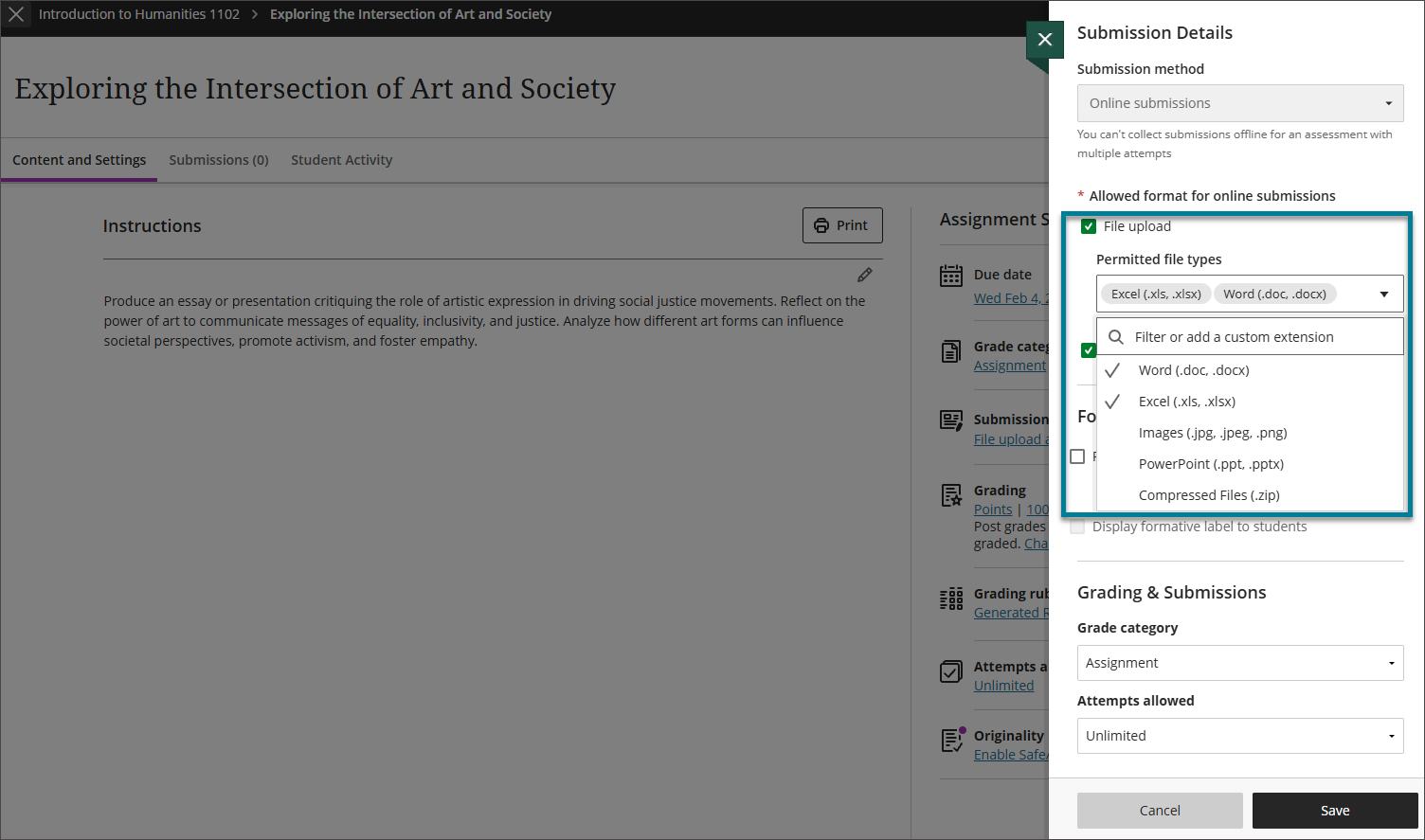
Image 1: In the Permitted file types dropdown list, instructors can specify one or more file types allowed.
NOTE: Custom extensions are checked against the file types Instructional Technology defines system-wide.
A First Look at Outcomes Mastery in the Gradebook
The gradebook will soon be able to show student mastery levels across the outcomes, assignments, and competencies aligned to a course -- one view of how students are progressing toward the goals you've mapped, alongside their day-to-day grades.
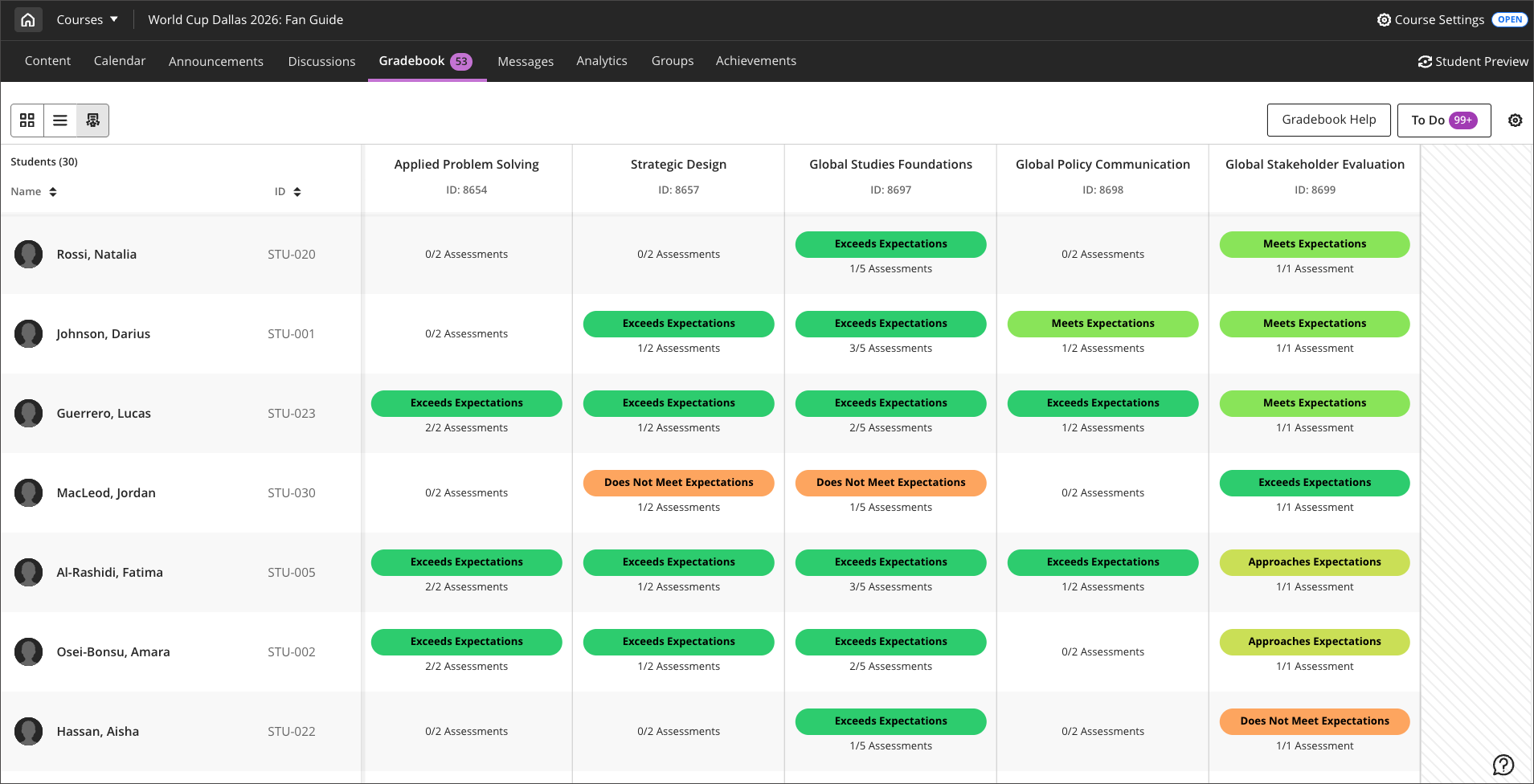
Image 2: Instructors can select the Mastery view in the gradebook for the overall view.
This view is populated by Blackboard Outcomes, a platform UMBC is exploring this year. If you're curious what it could mean for your course or program, the Provost's Symposium on October 2nd is a good place to learn more.
Note: The new content editor mentioned in this video from Blackboard will be enabled on UMBC's Blackboard instance after the FA2026 semester ends.
When can you expect the update?
Faculty should see the latest updates in their Ultra courses around October 1-2 2026. (September's release was delayed slightly so institutions, including UMBC, could update their single sign-on configuration ahead of the update.) The next update to our Ultra test environment will take place in mid-September; release notes will be posted to the What's New in Ultra page. Faculty who are interested in test driving new features before they are released to production should open an RT ticket to request early access. Please watch the FAQs, including the What's New with Ultra page, and myUMBC for additional information about Blackboard.
Connect with Instructional Technology
As always, if you have any questions about teaching, learning, and technology at UMBC, please consider the following options: