We've made some changes to how featured images work for posts and events. Here's what's new.
What's new
Thumbnails are now called Featured Images. The field has been renamed to better reflect what it actually does. It's the primary image representing your content across the site and in email, not just a small thumbnail.
Three crop previews when uploading. When you upload a featured image, you'll now see three previews showing how your image will be cropped for different layouts: normal (4:3), wide (16:9), and square. Adjust your crop before saving so you know exactly how it'll look.
Featured images now appear in email notifications. The wide version of your featured image now shows up at the top of outgoing emails. It's a small change that makes a noticeable difference.
How the three sizes are used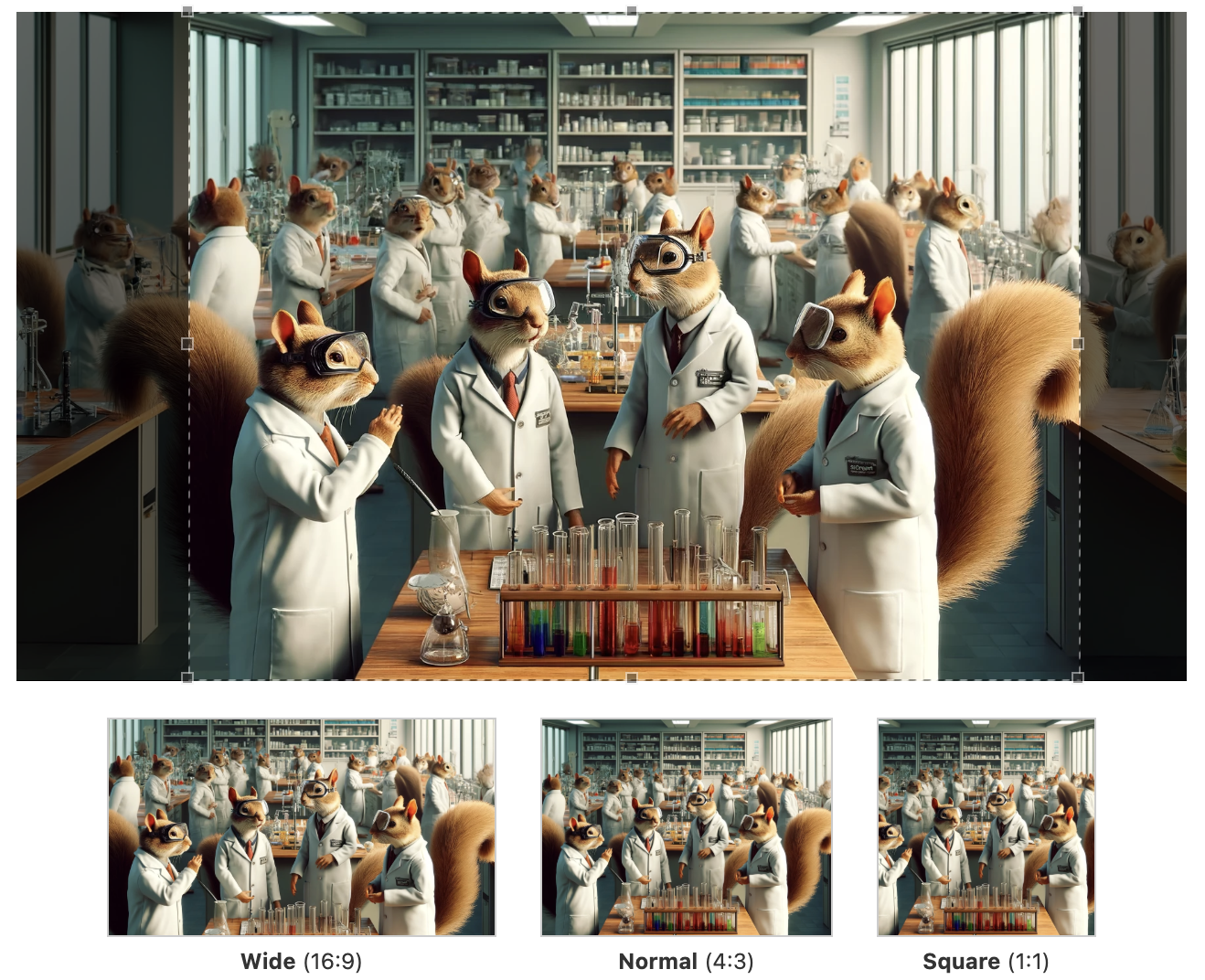
- Wide (16:9) - Card-style layouts and the top of individual posts and emails.
- Normal (4:3) - Listing views where content is displayed in rows.
- Square (1:1) - Compact mobile listings where space is tight.
When in doubt, check all three previews before saving — that's what they're there for.
Bonus: Email Template Updates
You may also notice that emails from myUMBC look a little different.
- The gold bar that appeared at the top of outgoing emails since 2009 has been replaced with a black bar with a gold accent, matching myUMBC's current design.
- The author of posts will show below the title, just like on the web.
- And if your post includes an embedded YouTube video, the email will now show the video thumbnail with a red play button, so readers know there's a video to watch rather than a static image.
As always, feel free to reach out with any and all feedback: collier@umbc.edu